June 8th, 2025
New Feature
Improved
Bug Fix
35: Disposition Management, Facebook Channel Management and User Experience Consistencies
Dispositions Management:
Disposition Channel Assignment: You can now assign channels to dispositions while creating them. You can do this by:
Clicking on the dropdown field before the disposition name.
The default selection is All (This represents All channels) and will be visible on all channel conversations.
Disposition Filters: You can filter dispositions by channels for a quick search.
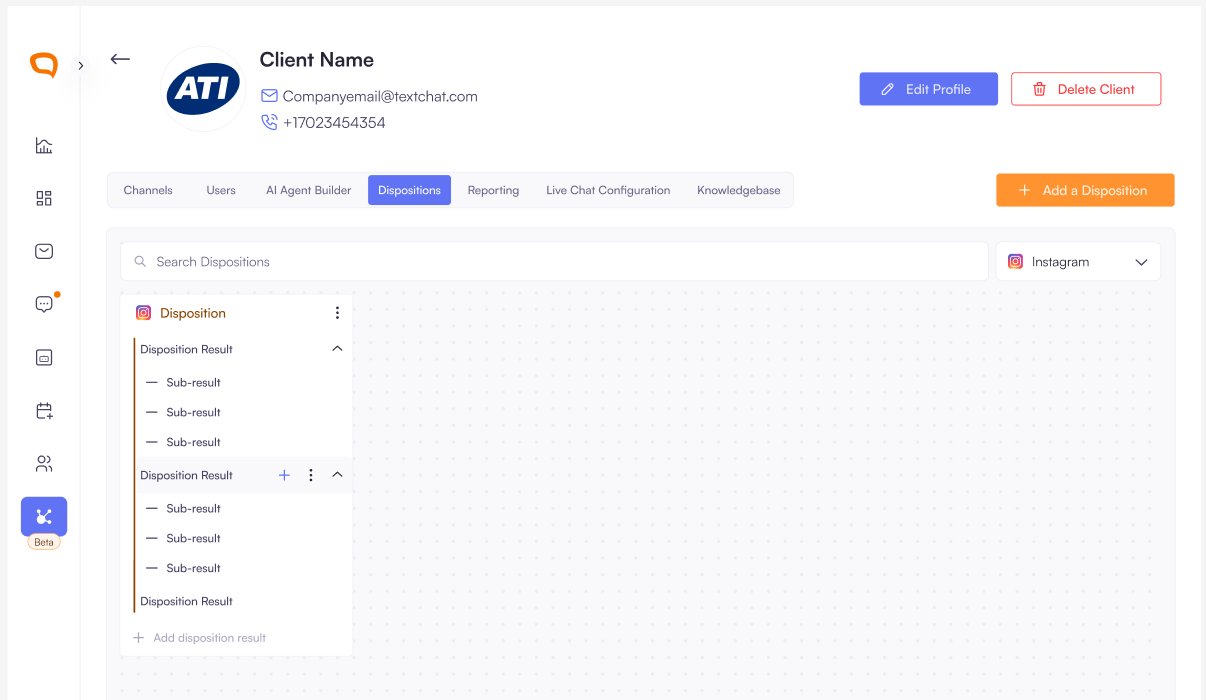
Facebook Channel Management:
Super admins can disconnect Facebook accounts and can see the total number of disconnected Pages and the ability to reconnect them.
User Experience Improvements:
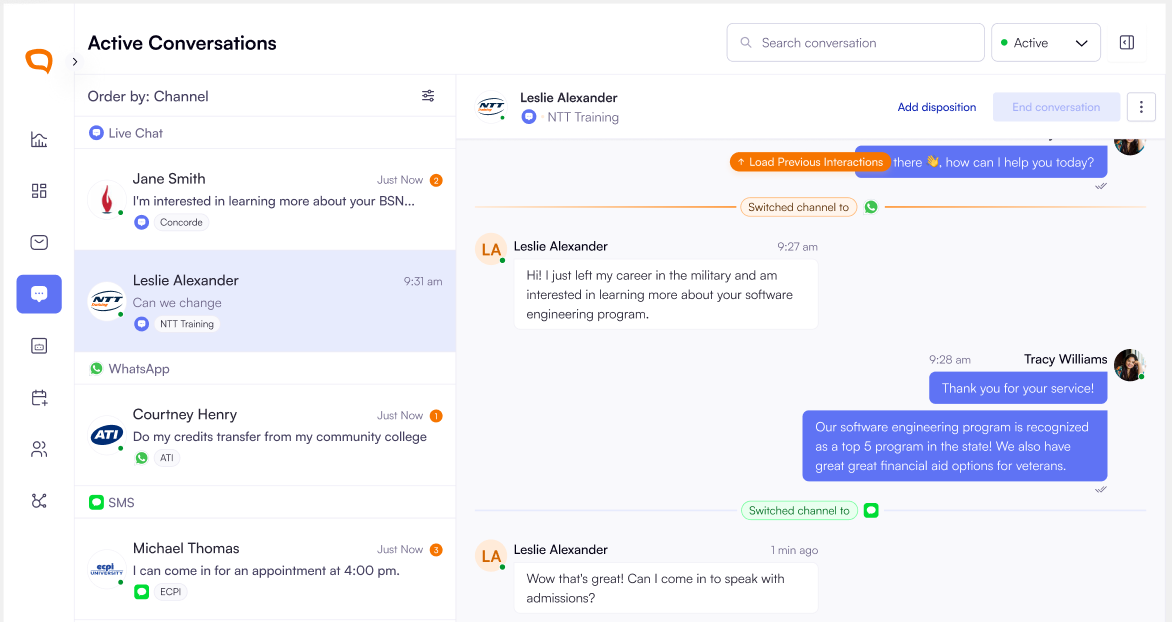
Super admins can order active conversations by
Time receivedandChannelso that I can attend to specific conversations first. The default order is theTime receivedThe current channel priority ordering is:
LiveChat → WhatsApp → SMS → Facebook →
Instagram
Improvements:
Autonomous Email Transcript Management
Multiple Email Recipients: Admins can now add multiple email addresses for
conversation transcript deliveryBatch Email Processing: Handle multiple comma/space-separated emails pasted
simultaneouslyReal-time Validation: Immediate email validation with error handling for invalid and
duplicate emails
Bug Fixes
Smart Trend Indicators: Average Resolution Time now uses appropriate color coding.
Green: When resolution time decreases (positive trend)
Red: When resolution time increases (negative trend)

Agent Profile Update Issue: Fixed bug where updating agent profiles incorrectly added
records to clientsToAnswerFor, affecting conversation visibility.Text Follow-up Conversation Management: Resolved issue where follow-up
messages were creating new conversations instead of maintaining existing ones. We also Improved the separation between live chat and text follow-up functionalities.User Deactivation: Deactivated user is logged out immediately. Super admins can now
log out a user from the platform.Chat Transcript Email Dates: Corrected date display inconsistencies in email subject
lines.Accurate Unread Counters: Fixed unread message counters to show only genuine
unread messages