February 23rd, 2026
New Feature
Improved
Bug Fix
Guided Onboarding, Billing Updates, Campaign Management & More
New Features
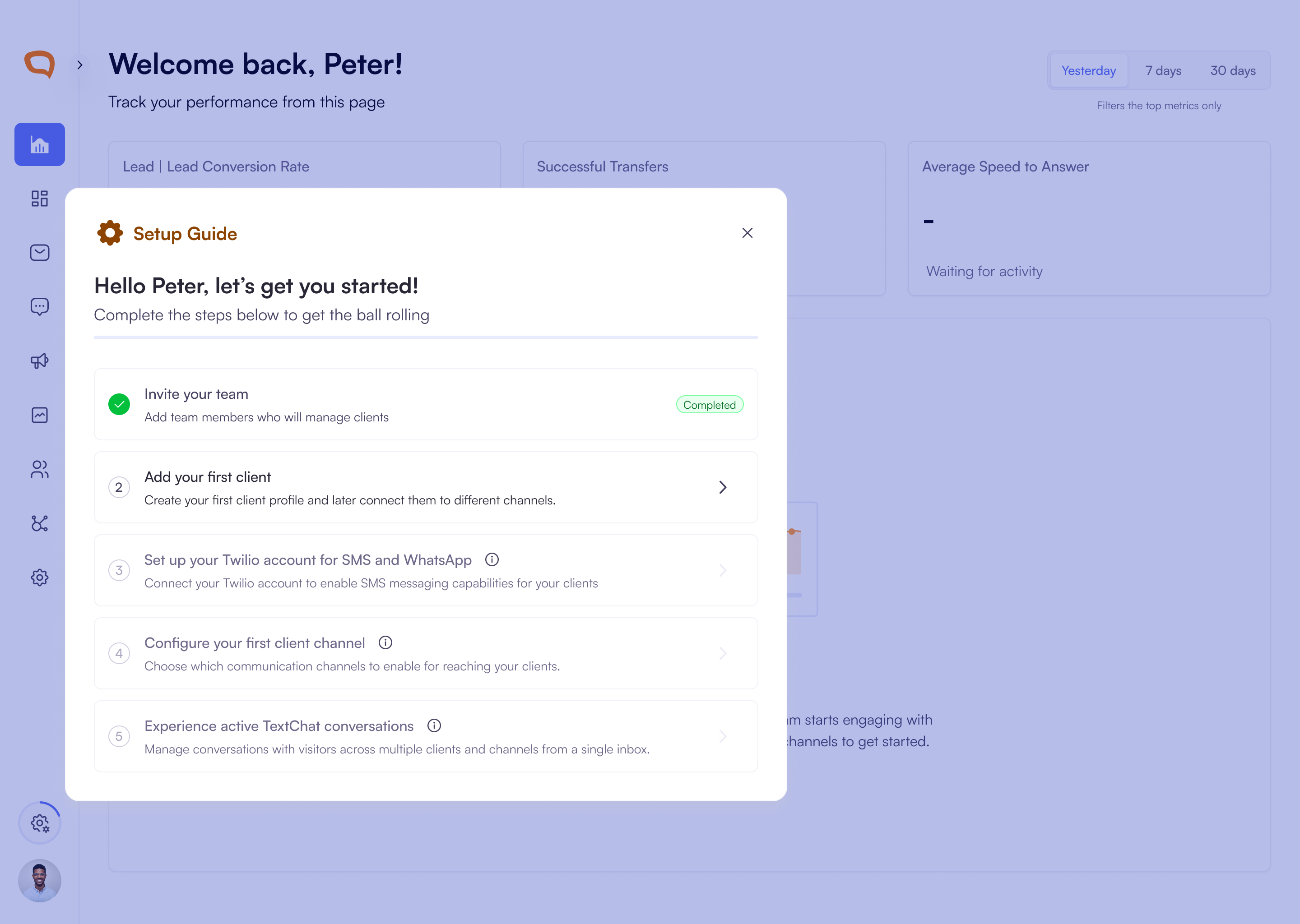
New Guided Onboarding Checklist
New organizations now see a built-in onboarding checklist that guides you through key setup steps such as inviting your team, adding clients, and connecting channels. Progress saves automatically and updates as each step is completed, helping you get fully set up faster.
New Campaign Details Slide-Out Panel
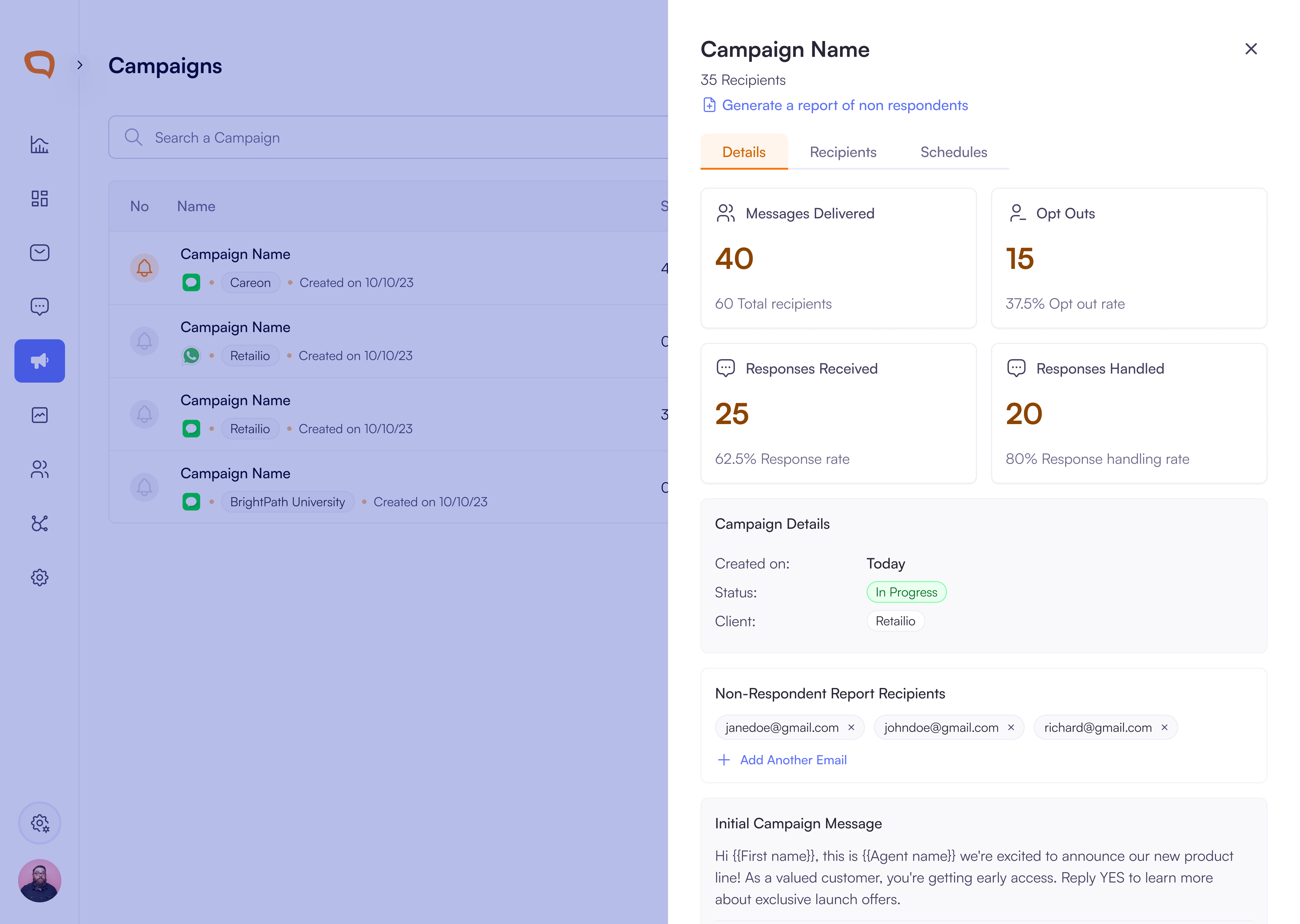
You can now open a campaign slide-out panel to view and manage everything in one place without leaving the campaign list.
View campaign performance metrics including messages delivered, responses received, handled responses, opt-outs, status, and creation details.
Review scheduled follow-up messages with message previews, send timing, and next scheduled sends.
Switch instantly between Details, Recipients, and Schedules tabs to access campaign data and manage report recipients more efficiently.
Billing
New Free Trial Experience with Usage Tracking: You can now clearly track your free trial status, remaining days and message credit usage.
View a trial banner with countdown and Upgrade Now button.
Track message credit usage with a progress bar and channel breakdown.
Receive notifications when your trial is ending or credits run out.
Free trial organizations can create one client and continue viewing data even if messaging is paused.
Guided Billing Flow for Plan Upgrades: Upgrade from the free trial through a step-by-step billing experience.
Compare plans (Free, Basic, Professional, Enterprise) with pricing and included credits.
Choose monthly or annual billing and view per-channel pricing.
Add billing details securely via card or ACH.
Enable auto-replenishment to prevent running out of message credits.
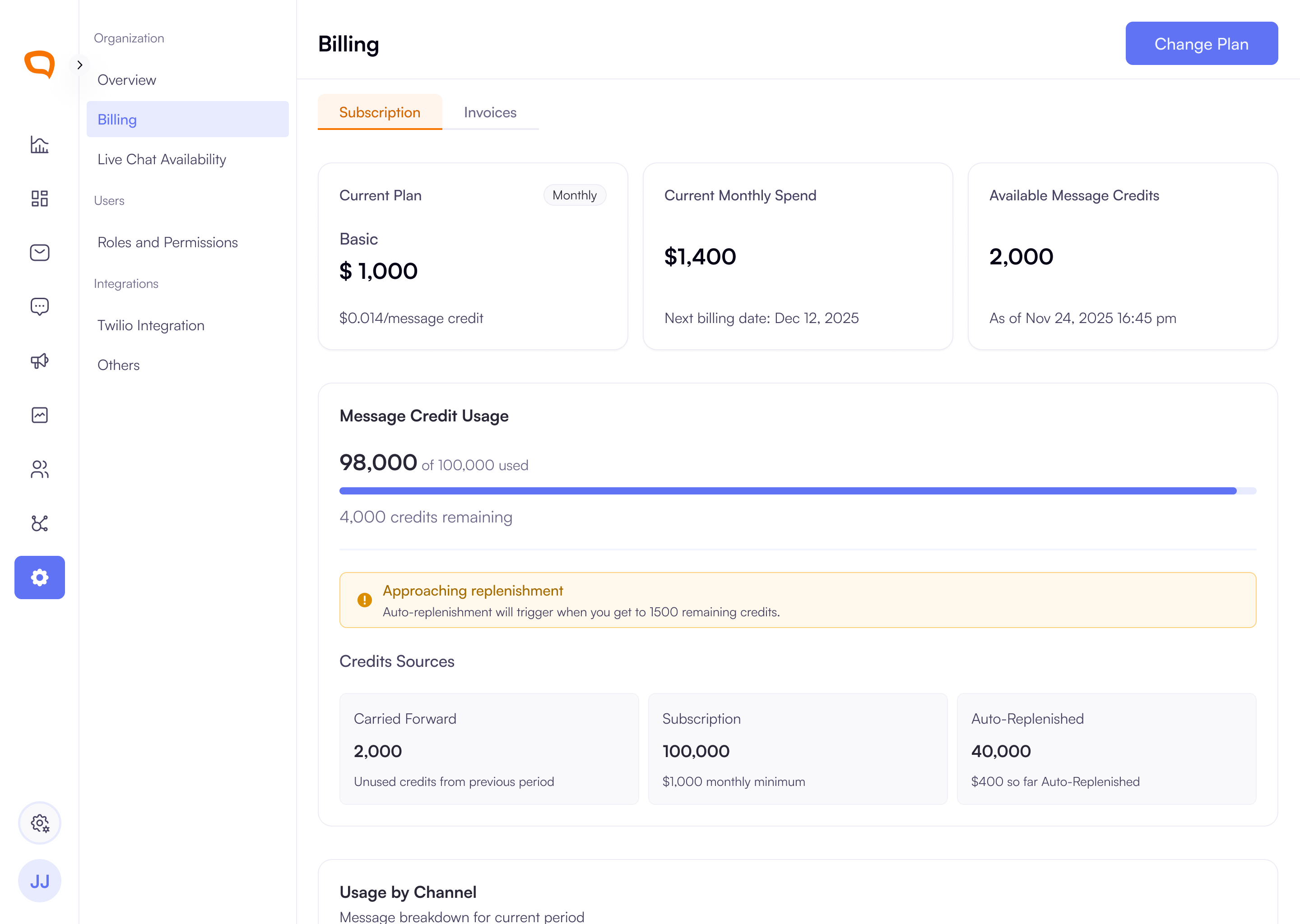
New Billing Overview - Credits, Usage & Payments: You can now manage subscriptions, credits, and payment methods in one centralized view.
Track credit balance, usage, and credit sources in real time.
View usage breakdown by channel including SMS, WhatsApp, Instagram, Facebook, LiveChat, Campaigns, and AI Agents.
Manage payment methods and set a primary payment option (card or ACH).
Configure auto-replenishment to automatically purchase credits when balances run low.
Purchase additional credits anytime using preset or custom amounts.
Smarter Notifications to Prevent Service Interruptions: Stay informed and take action before messaging is impacted.
Receive alerts when credits are low, payments fail, or action is required.
Messaging pauses when credits are exhausted and resumes once credits are added.
View real-time payment status and ACH verification updates.
Improved Plan Management & Subscription Control: Manage your subscription with clear visibility and control.
Compare plans and upgrade or downgrade through a guided flow.
View scheduled plan changes and cancel them before the billing date.
See your current plan, billing cycle, spend, and next billing date in one place.
Improvements
Onboarding Resumes Automatically: If you leave before completing setup, you’ll return to the exact step you last finished when logging back in. Progress is saved automatically, allowing seamless continuation.
Improved User Import Template with Role Selection: The downloadable import template now includes a dropdown for the Role column, defaulting to Agent and Super Admin roles to simplify assignment.
Client Logos in Platform Activity: Organization users now see client logos instead of user initials in Platform Activity, reducing confusion when working across multiple clients. Client Admins and Client Users will continue to see initials.
Bug Fixes
Email Case Sensitivity Fix: Email addresses are no longer treated as case-sensitive during signup or login.
Password Visibility Fix: The password visibility toggle now functions correctly during signup. Your password will now remain visible when the eye icon is selected.
Improved Notification Targeting: Queued notifications are delivered only to Super Admins associated with the relevant client or organization.
Transfer Timeout Visibility: Transfers that fail due to timeouts are now displayed as Failed Transfers in the Transfers Dashboard for clearer reporting.