December 8th, 2025
New Feature
Improved
Bug Fix
Organization onboarding, Bulk User Upload and Other Improvements
New Features
New Guided Account and Organization Setup Experience
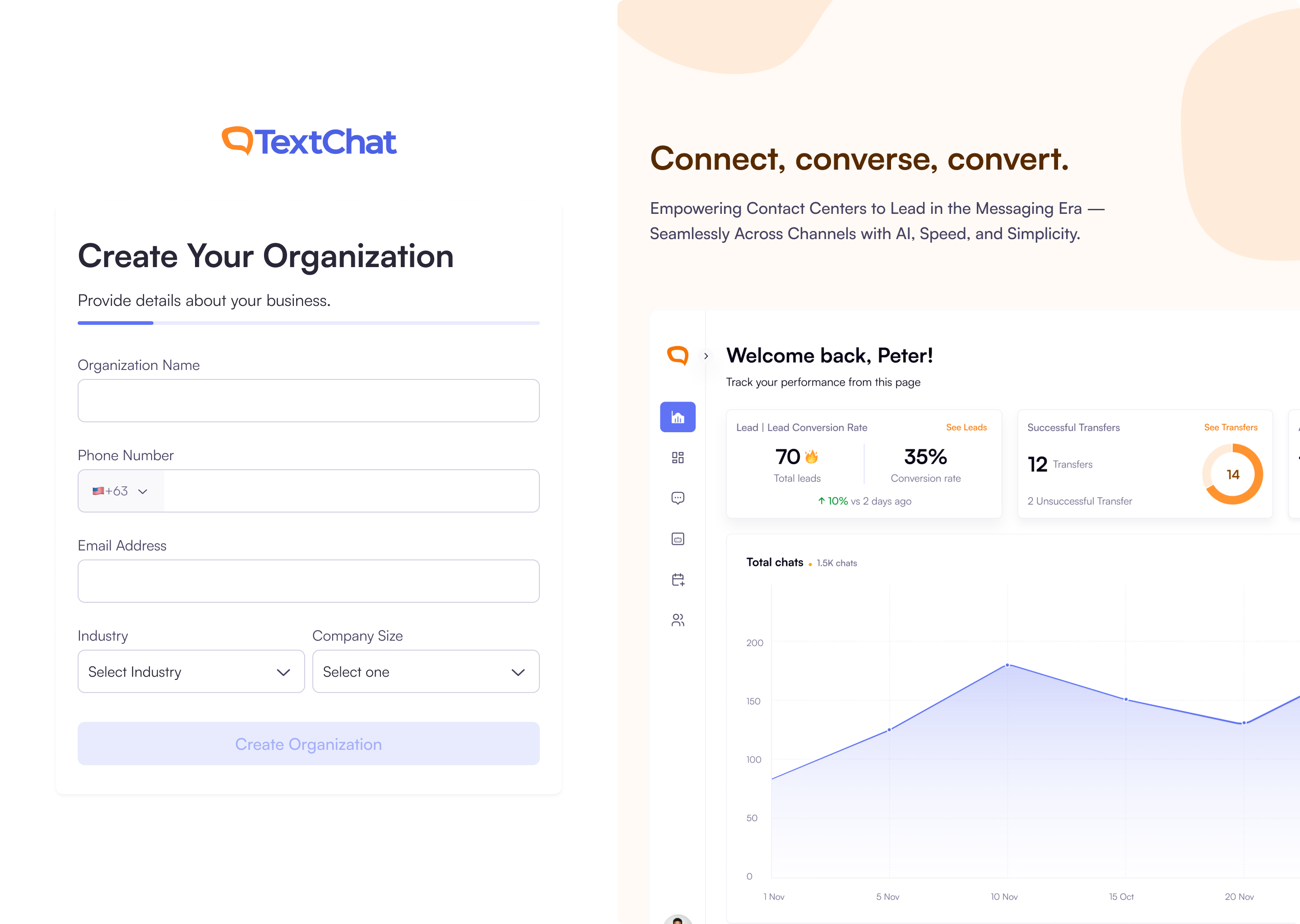
We’ve introduced a completely new onboarding flow to help new organizations get started quickly and confidently. You can now create your TextChat account, verify your email, set up your organization, and invite teammates: all in one seamless, step-by-step experience.
During signup, you’ll enter your basic details and receive real-time password validation to ensure your account is secure. After verifying your email with a 6-digit code, you’ll be guided to create your organization by providing essential business information. You can then invite up to three colleagues to join you before completing setup.
Once everything is ready, you’ll see a confirmation screen and can jump straight into the dashboard to begin using TextChat.
New Empty States to Guide Your First Steps in TextChat
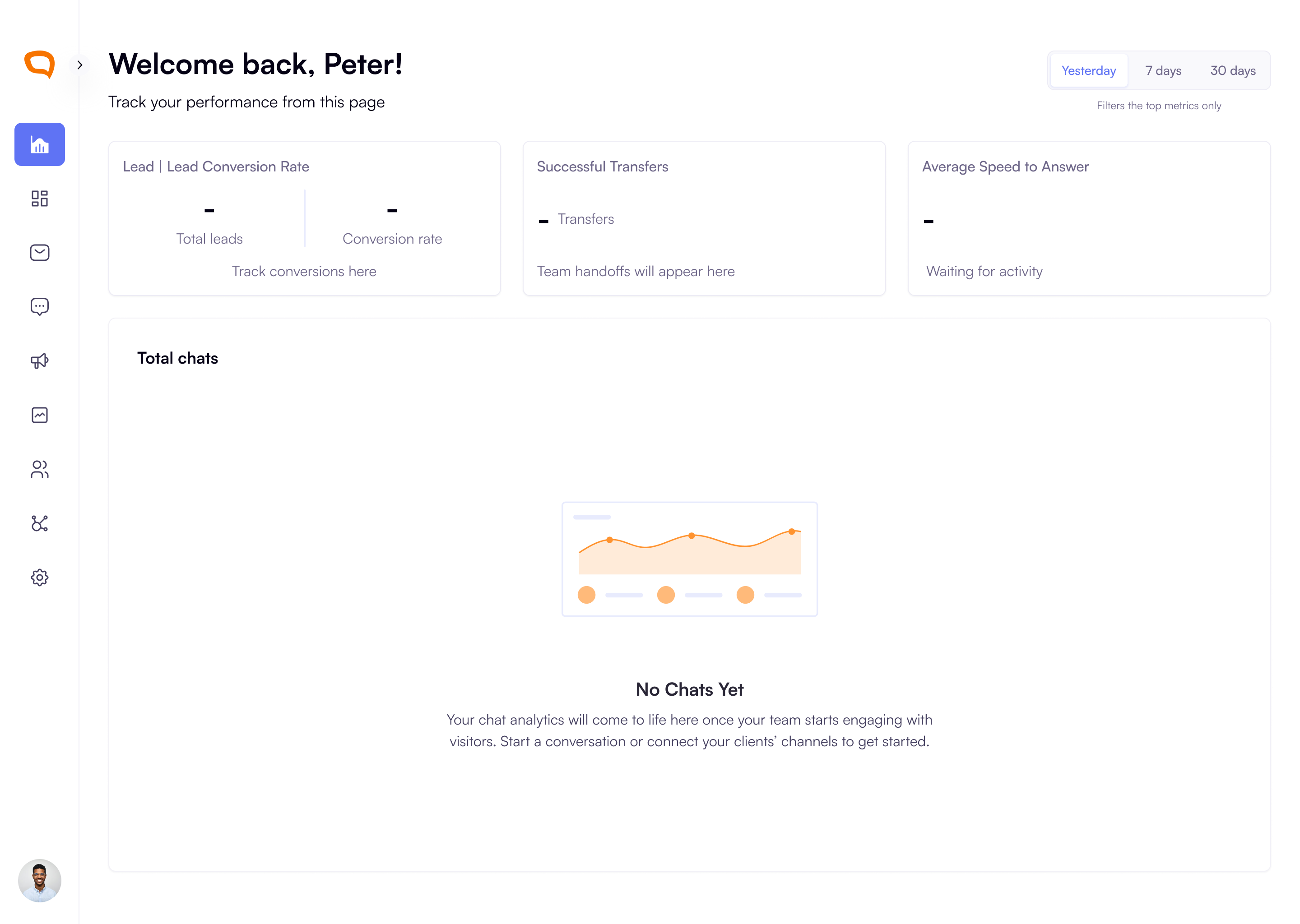
We’ve added helpful empty states across the platform to make your first login experience clearer and more intuitive. Your dashboard now welcomes you with personalized guidance on what to do next.
You’ll also see clear empty states in Active Conversations and Platform Activity, campaigns that explain why no messages appear yet and what actions you can take, such as connecting clients, connecting Twilio Accounts or adding channels.
Bulk User Import Now Available in User Management
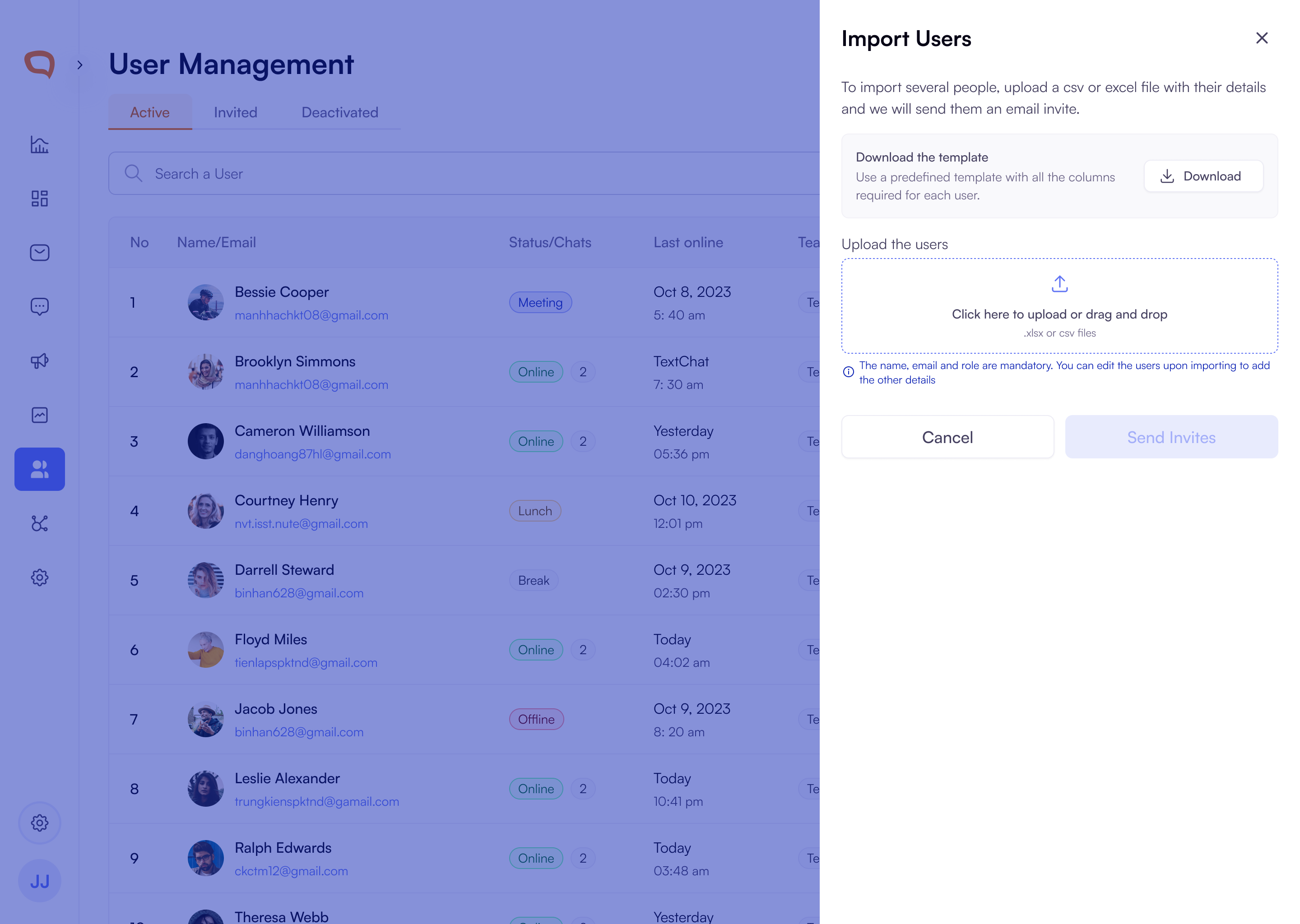
You can now easily bring multiple users into your workspace with the new Import Users tool. From the User Management screen, you can download a ready-made Excel template, fill in user details, and upload the file through a simple drag-and-drop panel. We validate your file automatically and highlight any issues such as, invalid or duplicate emails, so you can fix them before sending invites.
User Management now includes new tabs for
Active,Invited, andDeactivatedusers, allowing you to clearly track pending invitations. From the Invited tab, you can resend invites or revoke an invitation at any time, giving you complete control over who joins your organization.
Text Campaign Recipient Templates:
When creating campaigns, you can now download a ready-made template directly from the Recipients List section. This is to help you upload recipients without errors. The file includes all common columns for first name, last name, email, phone number, and program name.
Userback.io Integration for Faster Bug Reporting:
Userback.io has been integrated into the platform, allowing clients to capture and share screenshots and recordings directly within TextChat. This streamlines troubleshooting, reduces back-and-forth communication, and helps engineers diagnose issues more efficiently.
Text Message Scheduling and follow ups:
Message Delivery Window: To help you stay compliant with U.S. state regulations, scheduled and follow-up messages will now only be sent between 8 AM and 9 PM in each recipient’s local time.
Improvements
Knowledge Base Now Available Across All Channels: Fixed an issue where client knowledge base links were not appearing in conversations. Linked knowledge bases now attach automatically across all channels including SMS, Live Chat, WhatsApp, Instagram, and Facebook, and the button is hidden when no source exists.
Client Logos Added to Conversation Log for Organization Users: The conversation log now displays the client’s logo instead of user initials for Organization users such as Agents and Super Admins, reducing confusion when responding across multiple clients. Client Admins and Client Users will continue to see their initials.
Role Descriptions Added for Easier User Assignment: Super Admins can now add a description when creating or editing roles, making it easier to understand each role’s purpose.
Ability to Disconnect Unused Twilio Accounts: You can now disconnect Twilio accounts that are no longer linked to any clients.
Role Descriptions Now Visible During Assignment: When assigning roles, you’ll now see a brief description of each role to help you understand its purpose. You can also add or edit these descriptions when creating custom roles.
Bug Fixes
All Connected Channel Logos are Visible in Client Management: You can now see all the correct channel logos displayed under Client Management whenever a channel is connected.
Multichannel Setup Reliability Fix: Resolved an issue that prevented users from adding channels during multichannel widget setup. Connected Instagram, Facebook, WhatsApp, and SMS channels now appear correctly and can be configured without interruption.
User Profile Update Button Fixed: Addressed an issue where the update button failed to activate when modifying user details. The button now correctly enables whenever changes are made.
Improved SMS Conversation Handling: New SMS messages received after 24 hours will now correctly start a fresh conversation instead of reopening an old one. These new conversations are automatically assigned to an available agent, ensuring faster responses and cleaner conversation history.
Instagram Message Routing Fix: We’ve fixed an issue where new Instagram messages were sometimes appearing in the wrong conversation. Messages will now show up in the correct thread so you can continue chats without any confusion.
Conversation Queue Improvements: We’ve streamlined how conversation queue notifications work to make things less noisy and easier to manage. You’ll now receive only one toast notification when a conversation enters the queue, and only Super Admins who belong to that specific client or organization will be notified.