Creating Reports
Palera reporting allows you to quickly generate detailed insights into agent activity, performance efficiency, and live chat statistics across all messaging channels. Reports can be created instantly or scheduled for automated delivery.
Written By Thando Nomvungu
Last updated 21 days ago
How to Create a Report
Log in to your Palera dashboard.
Navigate to Client Management.
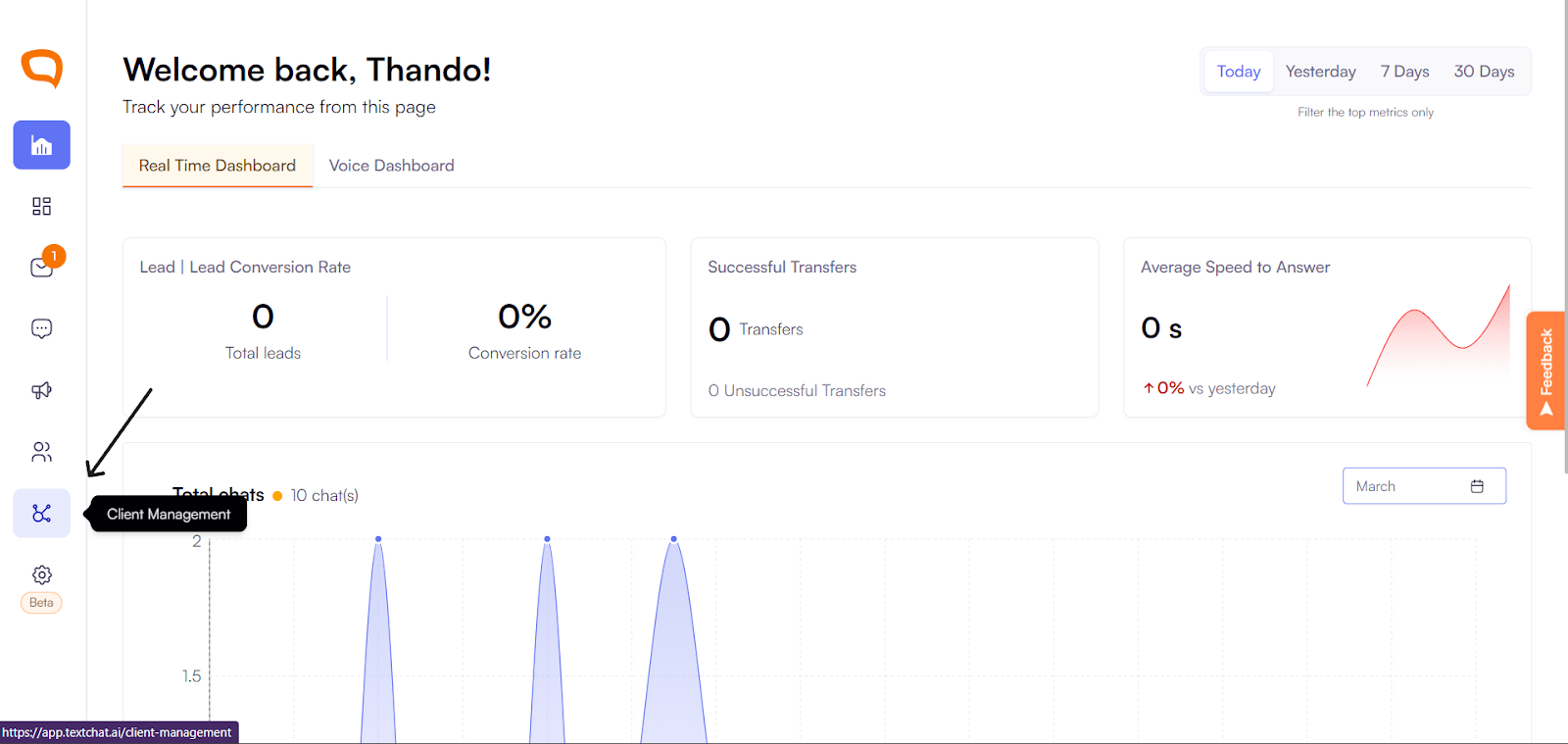
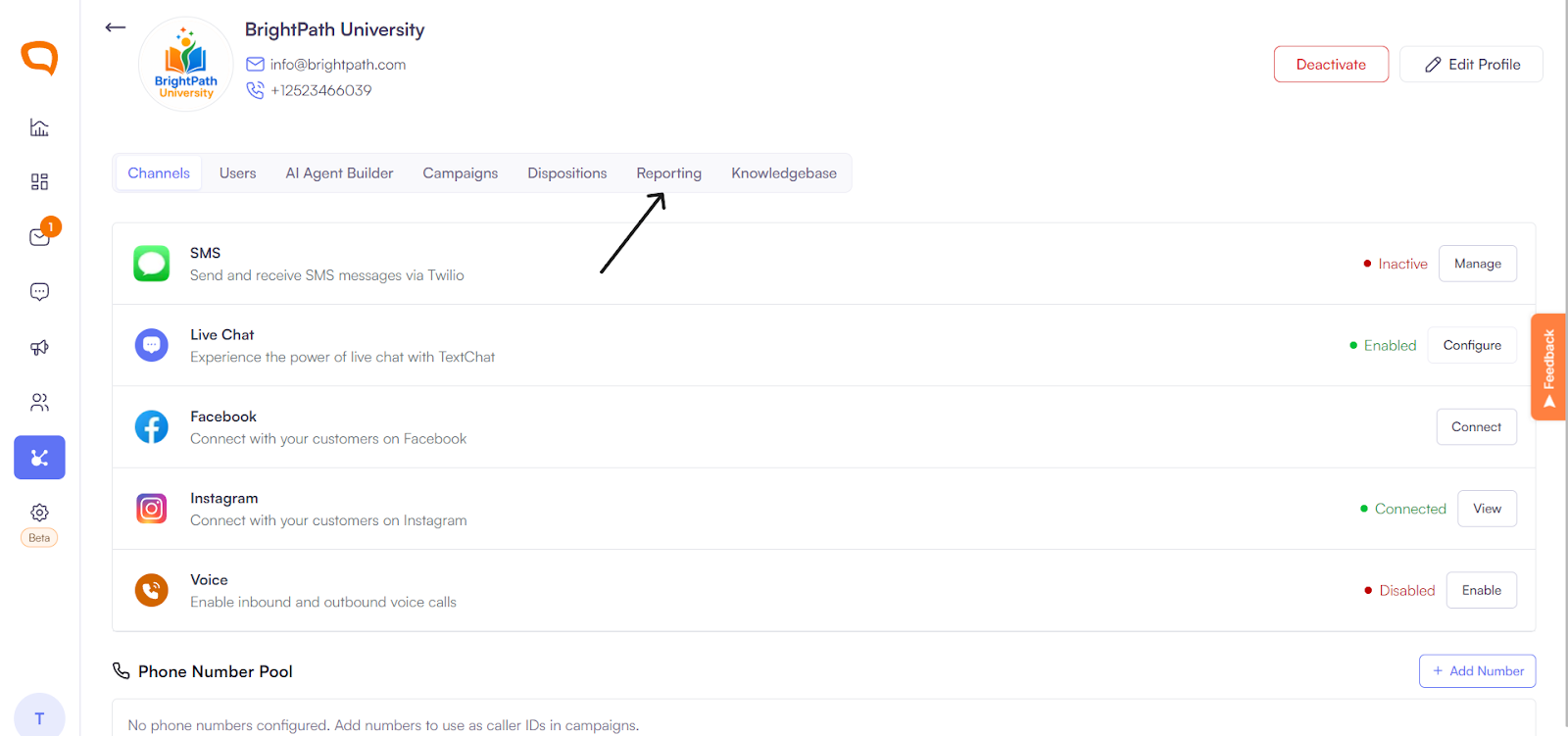
Choose the client and then click Reporting.
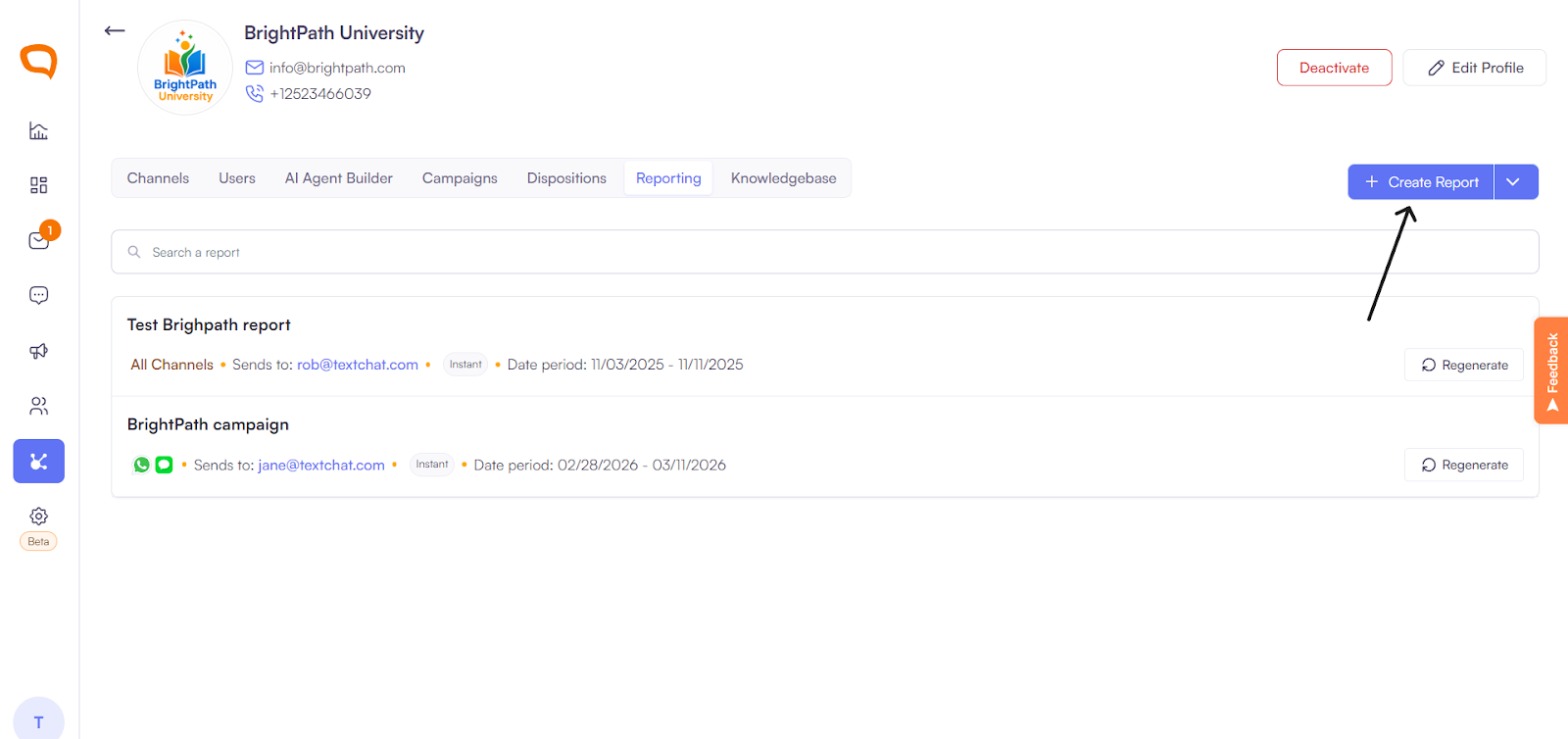
From your dashboard, click Create a Report.
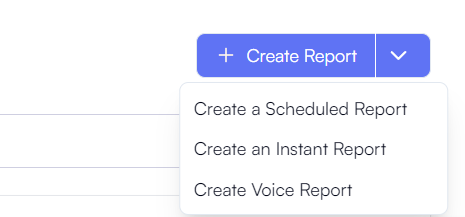
Choose whether you want to create:
An Instant Report, or
A Scheduled Report or
A Voice Report.
Enter a name for the report.
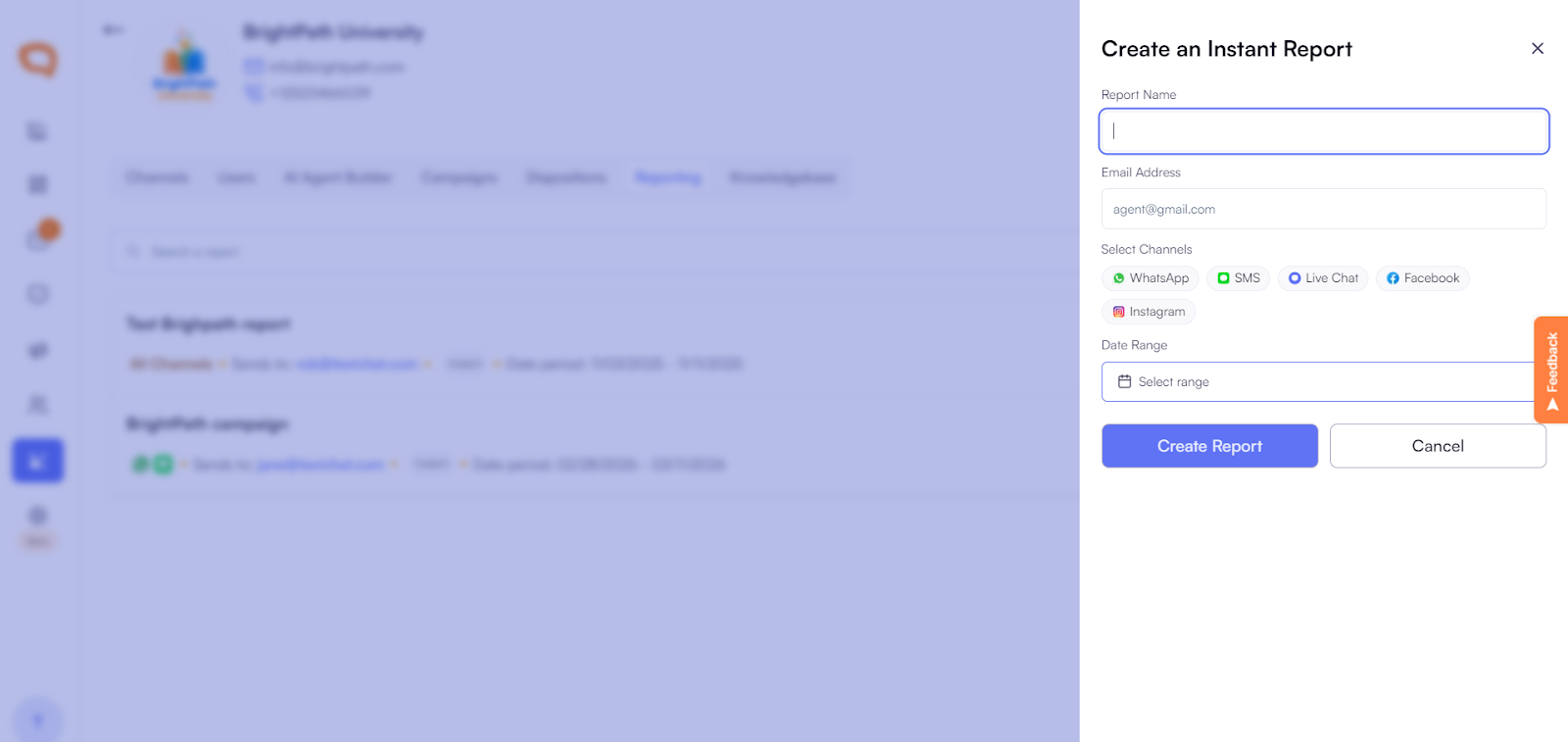
Choose your date range
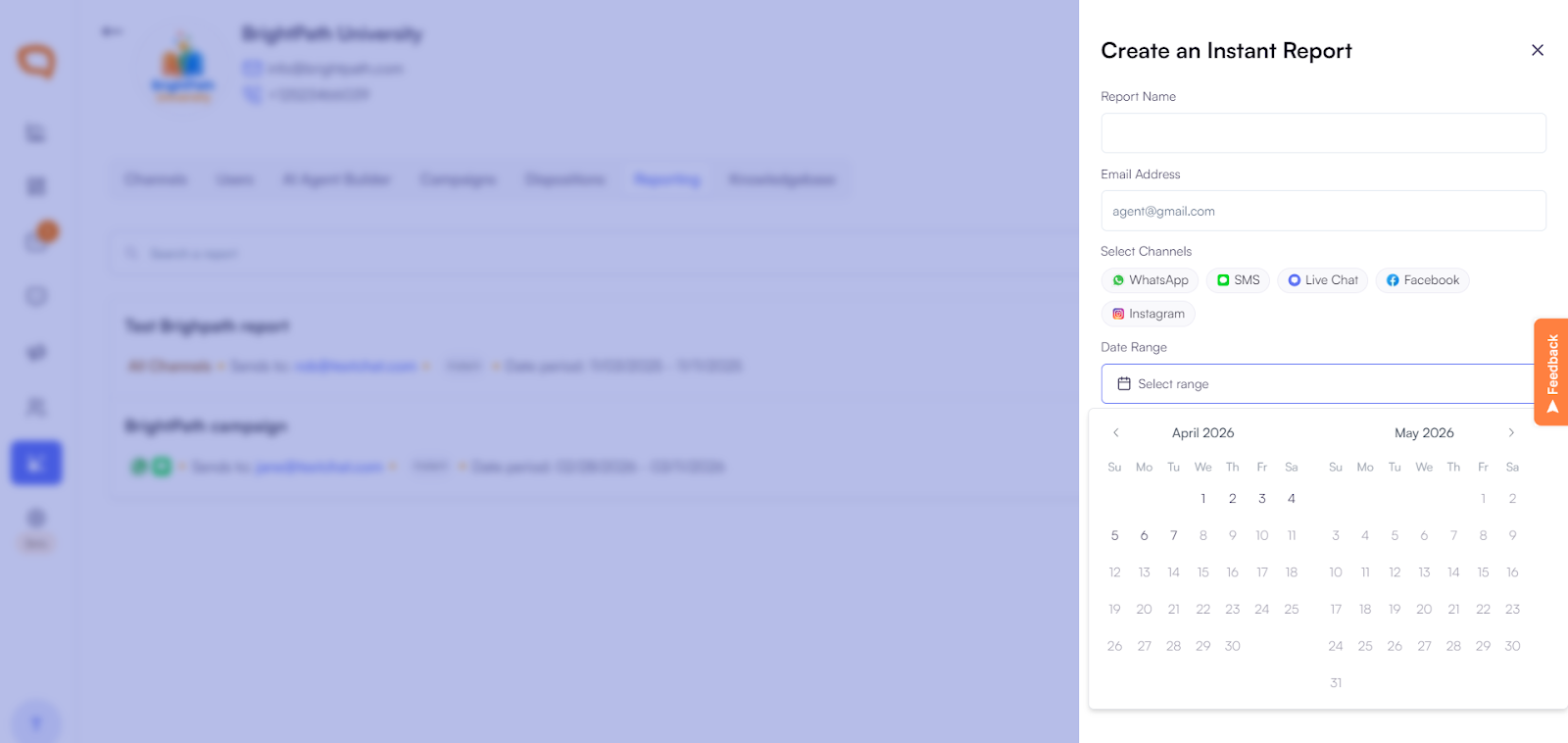
Click Create Report.
Report Delivery
Within a few seconds, the report will:
Download automatically to your computer
Be sent to your email address
What’s Included in the Report
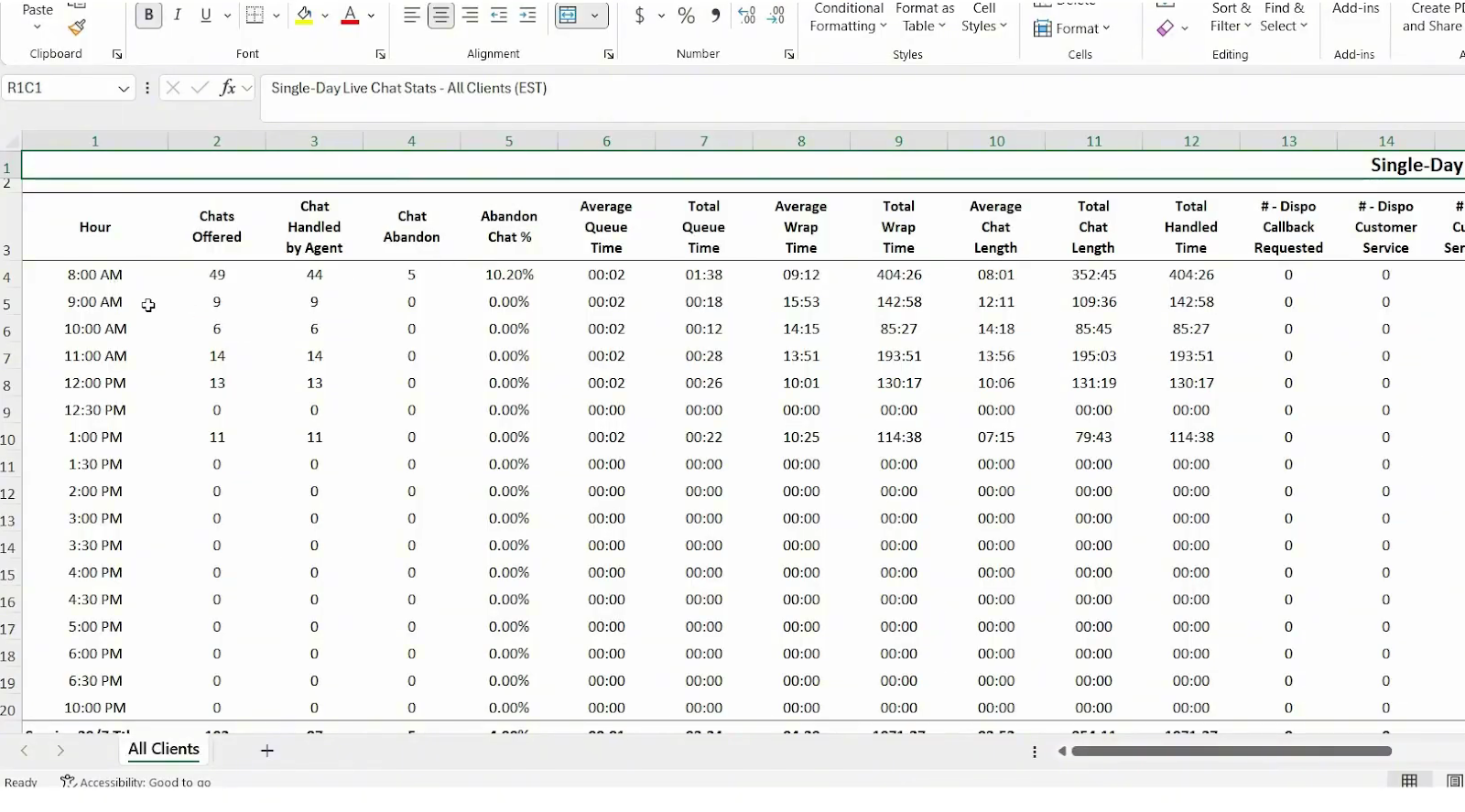
Once opened, reports include valuable metrics such as:
Agent activity summaries
Performance and efficiency metrics
Engagement data across all messaging channels
Live chat statistics and trends
Use Cases
Monitor agent productivity
Review performance over specific time periods
Support coaching and training initiatives
Track operational efficiency across channels
Key Metrics Explained
Total Chats – Number of chats initiated
Handled Chats – Chats successfully managed by agents
Missed Chats – Chats that were not answered
Average Response Time – Time taken to reply to visitors
Chat Duration – Average length of conversations
Agent Performance – Individual productivity metrics
Filtering & Exporting
Reports can be filtered by:
Date range
Agent
Department
Channel
Export options may include:
CSV
Excel
PDF
These exports can be used for performance reviews or quarterly reporting.
Practical Use Cases
Monitor daily support volume
Evaluate agent effectiveness
Improve staffing decisions
Track SLA compliance
Identify peak conversation periods