Multi-Channel Widget
Palera enables multi-channel messaging, allowing you to manage conversations from multiple platforms in one unified inbox. Customers can reach you via SMS, WhatsApp, Instagram, Facebook, or Live Chat via your website and every message appears in one place for your team to handle. You can display these channels directly on your website widget, giving customers the option to contact you through their preferred platform.
Written By Thando Nomvungu
Last updated 21 days ago
How Multi-Channel Works
Connect your messaging channels (SMS, WhatsApp, Instagram, Facebook, Live Chat)
All incoming messages are routed into one inbox
Conversations are assigned to agents using skill-based routing
Agents respond without switching between platforms
Supported Channels
Once configured, you can manage:
SMS
WhatsApp
Instagram
Facebook
Live Chat (Website Widget only)
Only configured channels will be available for use and display.
How to Enable Multi-Channel on the Widget
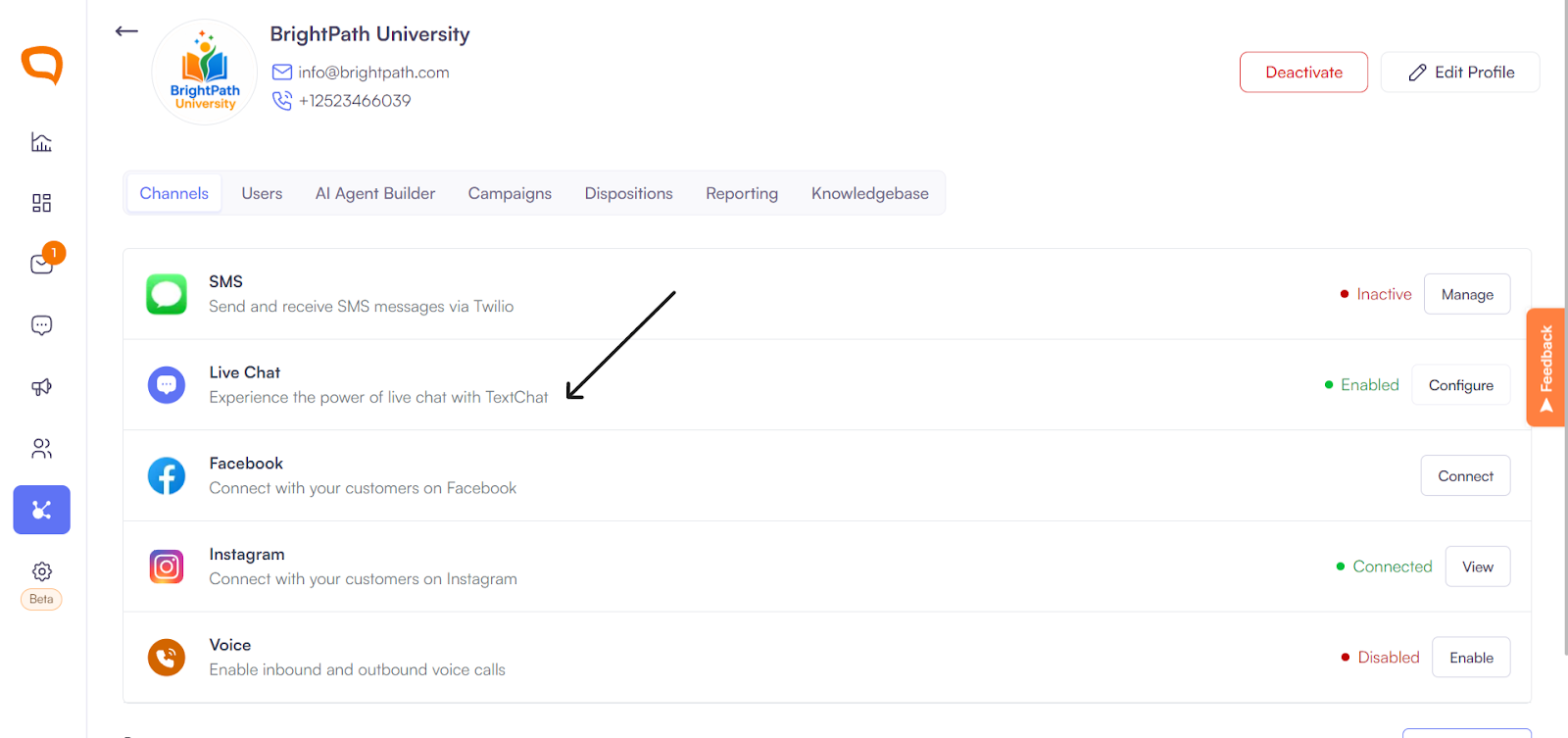
Go to Client Management > [Your Client] >
Navigate to Live Chat > Configure
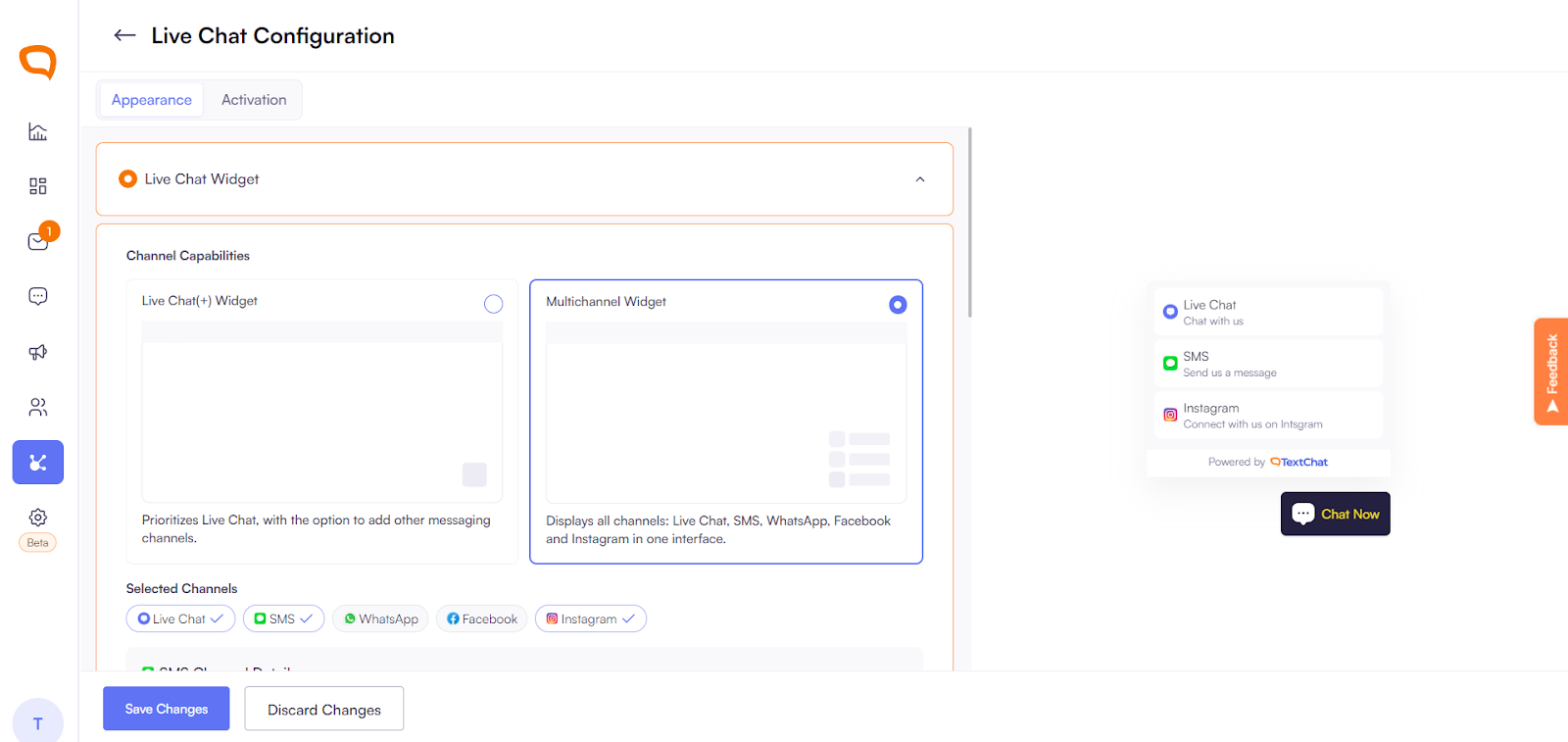
Select Multi-Channel Widget
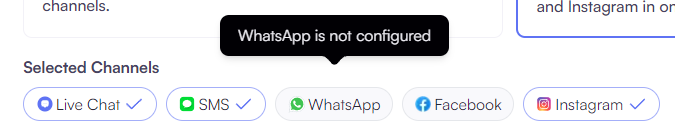
Add available channels:
Select from connected channels (e.g. SMS, WhatsApp, Instagram)

Channels not configured will be unavailable
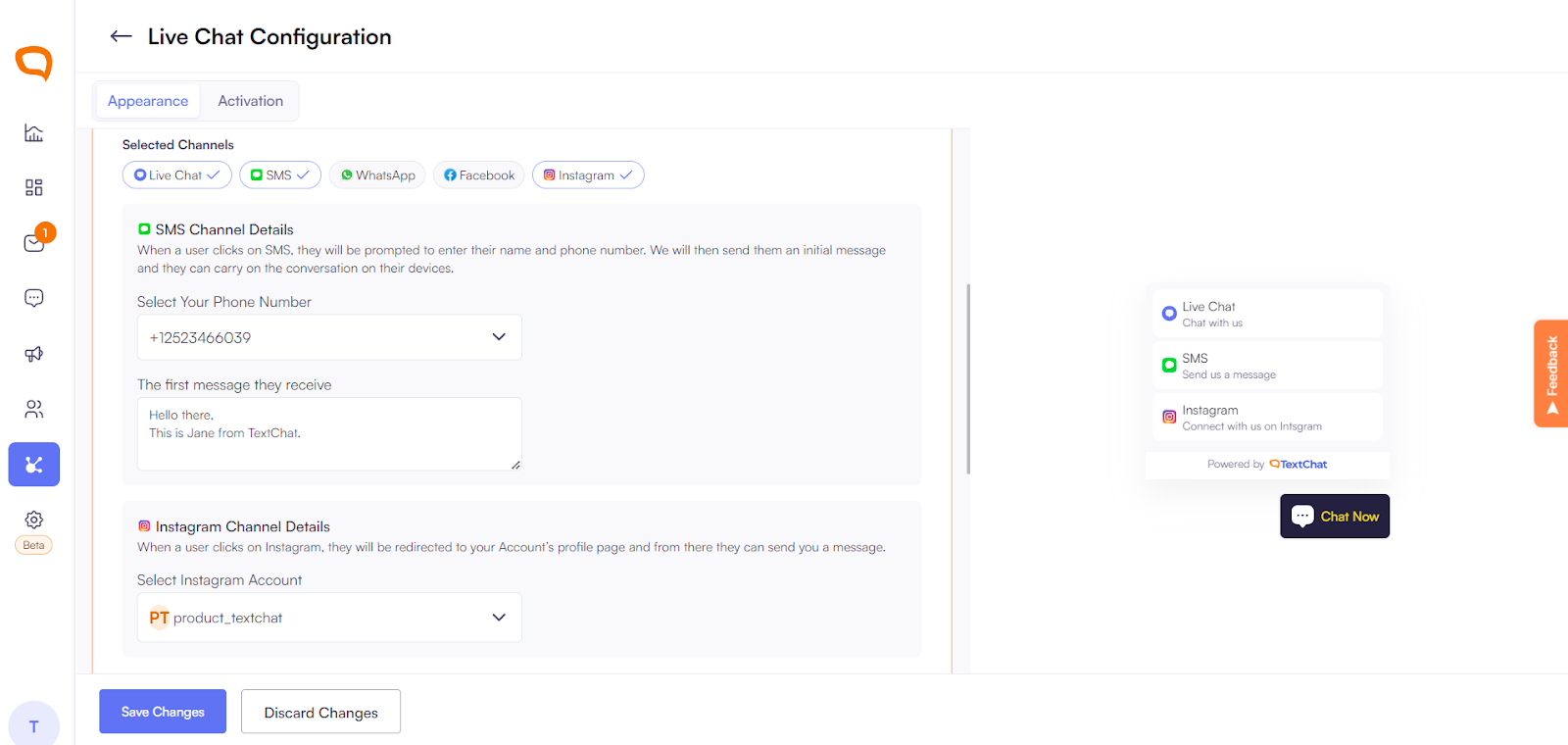
Configure each channel:
SMS: Select the Phone Number and set the first message. This is the message that you would initiate a conversation with to the customer.
WhatsApp: Select the Twilio WhatsApp-enabled number
Instagram/Facebook: Select the connected account
Live Chat: Configure as usual
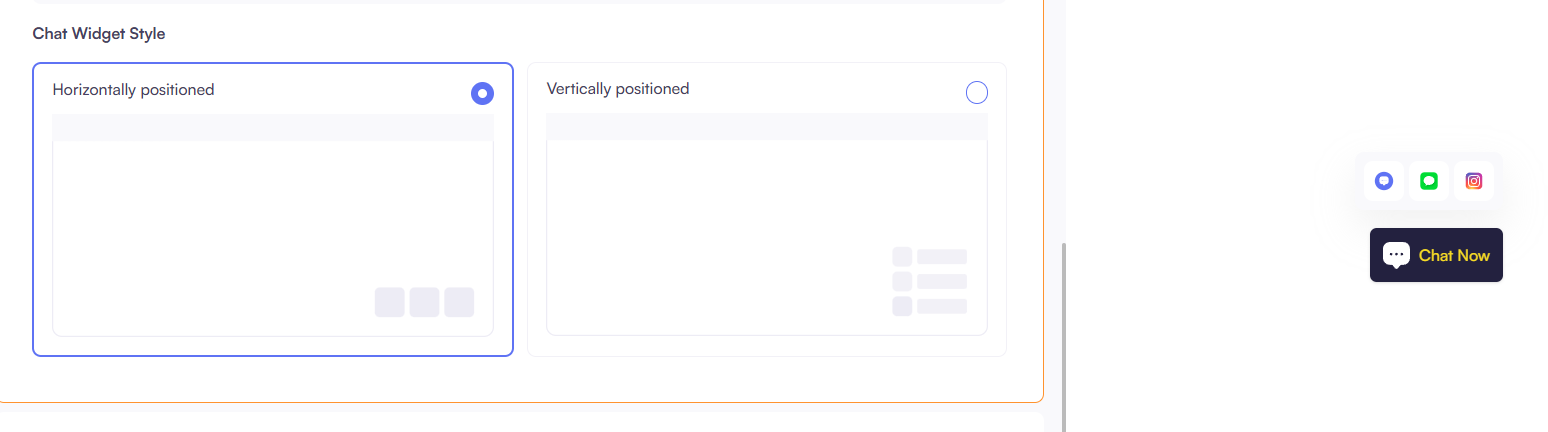
Choose widget layout:
Vertical – Shows channel names and icons
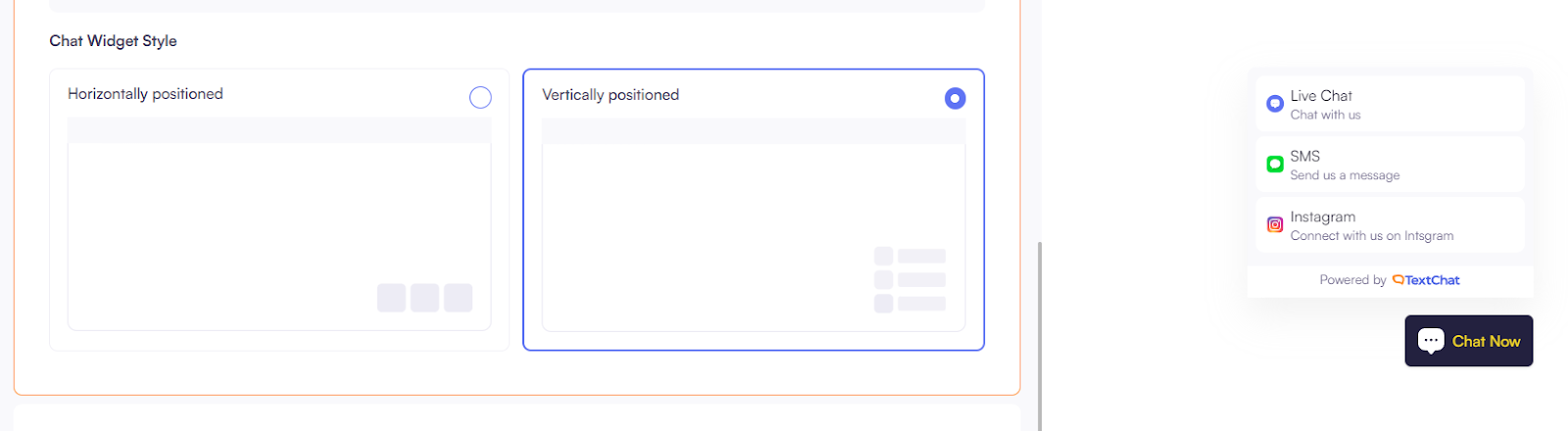
Horizontal – Shows icons only
Save changes
Customer Experience
When a customer visits your website:
They see all available channels in the widget
They can choose how they want to contact you:
Start a live chat
Open Instagram or Facebook:
Send an SMS
Message via WhatsApp
When a customer selects a channel on mobile, the corresponding app opens automatically. On web, the customer is redirected to the relevant website. For SMS, the user is prompted to enter their phone number, after which we send them a message containing the initial SMS text you have configured.
What happens next:
Messages are routed into Palera
Agents respond from the same unified inbox
Once the multi-channel widget is enabled, you can also enable the channel switching toggle on the live chat widget. This allows customers to switch between available channels directly from their side during a conversation. For example, a customer can start on live chat and then choose to continue via SMS, WhatsApp, or social media. This ensures a seamless experience while keeping the conversation context unified within Palera’s inbox.
Example Flow
A customer clicks WhatsApp → Opens WhatsApp → Sends a message
Another customer sends an SMS → Message appears in the same inbox
Another messages via Instagram → Same inbox
An agent handles all conversations without switching platforms
Important Notes
Channels must be connected first before adding them to the widget
SMS & WhatsApp require:
A Twilio account
Purchased/approved Twilio number
Social channels require:
Business/professional accounts
Correct login permissions
If a channel is not configured, it will not appear in the widget or inbox.
Key Benefits
One Inbox for Everything – No switching between apps
Customer Choice – Let customers message you on their preferred platform
Faster Response Times – Centralized conversations improve efficiency
Website Integration – Turn your site into a messaging hub
Scalable Support – Handle multiple channels with one team
Best Practices
Connect all relevant channels before enabling the widget
Test each channel (including WhatsApp) after setup
Use clear welcome messages for SMS and WhatsApp
Keep channel options relevant and user-friendly
Monitor conversations to ensure smooth routing across channels