Change User Status
Overview The Agent Status feature gives you real-time visibility into what your team is doing. It helps supervisors manage workloads, helps agents stay organized, and ensures customers are routed to the right person.
Written By Thando Nomvungu
Last updated 21 days ago
Viewing User Status
Go to User Management.
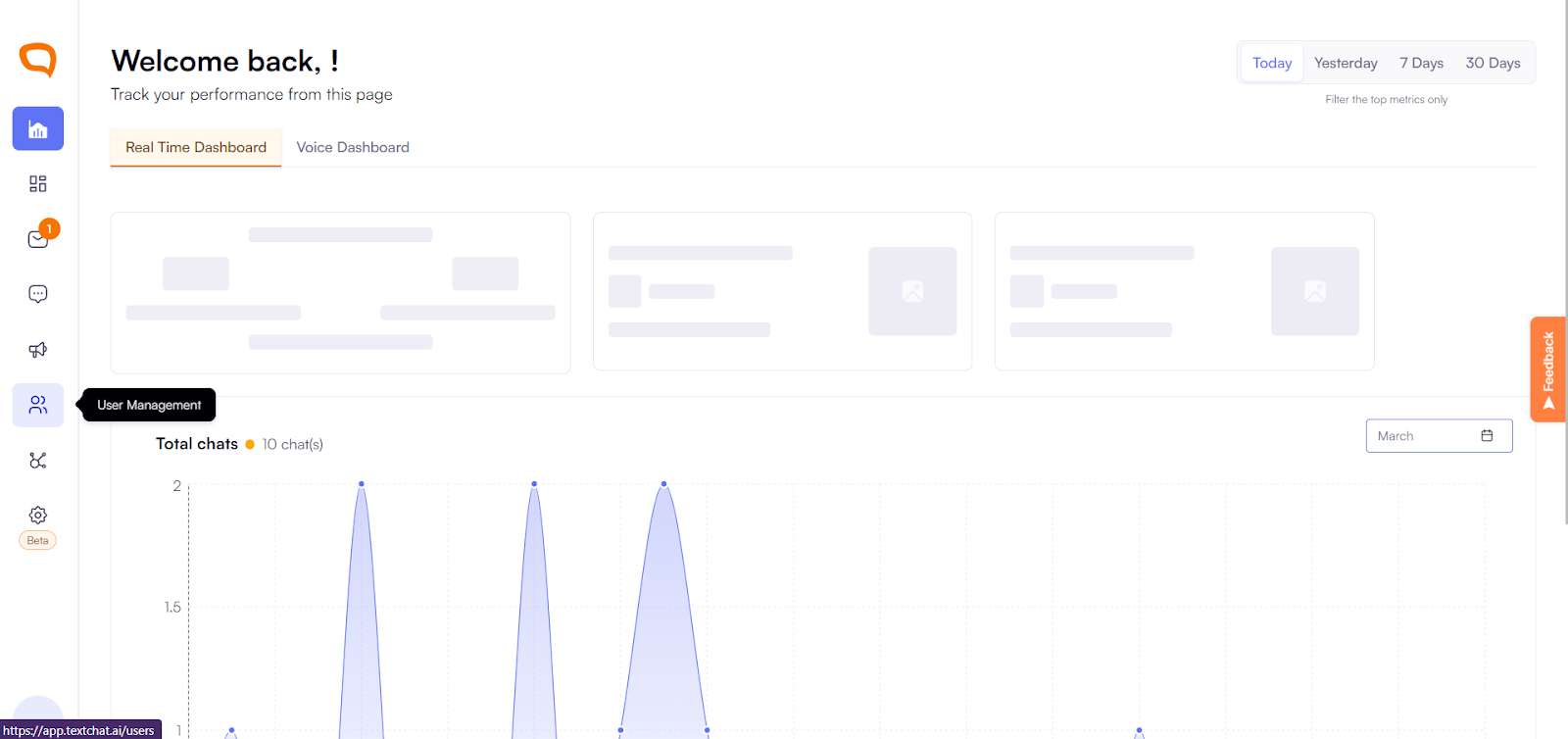
Here you can see every agent on your team at a glance.
View who is:
Available
Busy
Offline
On Break
How to Change Your Status
Click on your user profile.
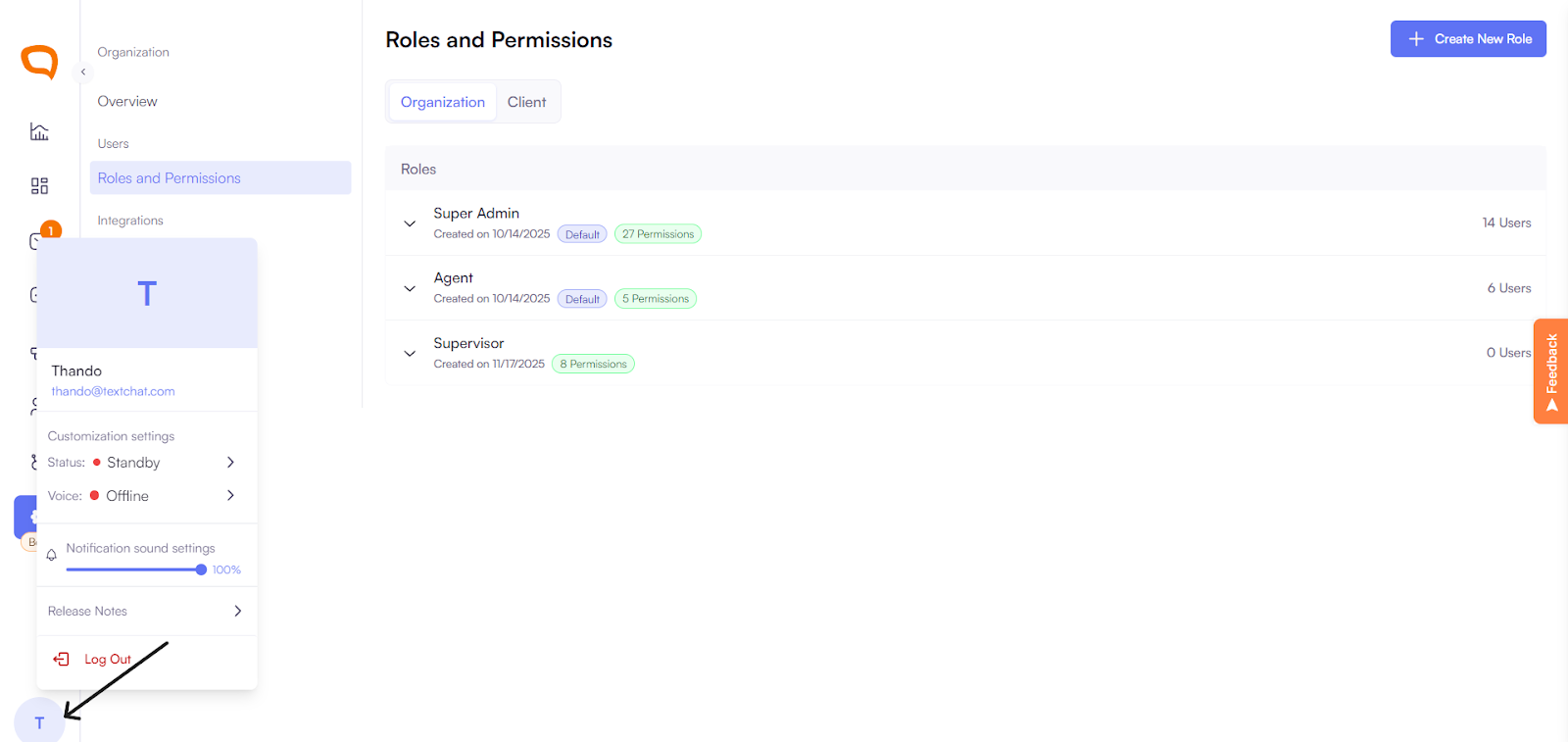
Open the Status dropdown.
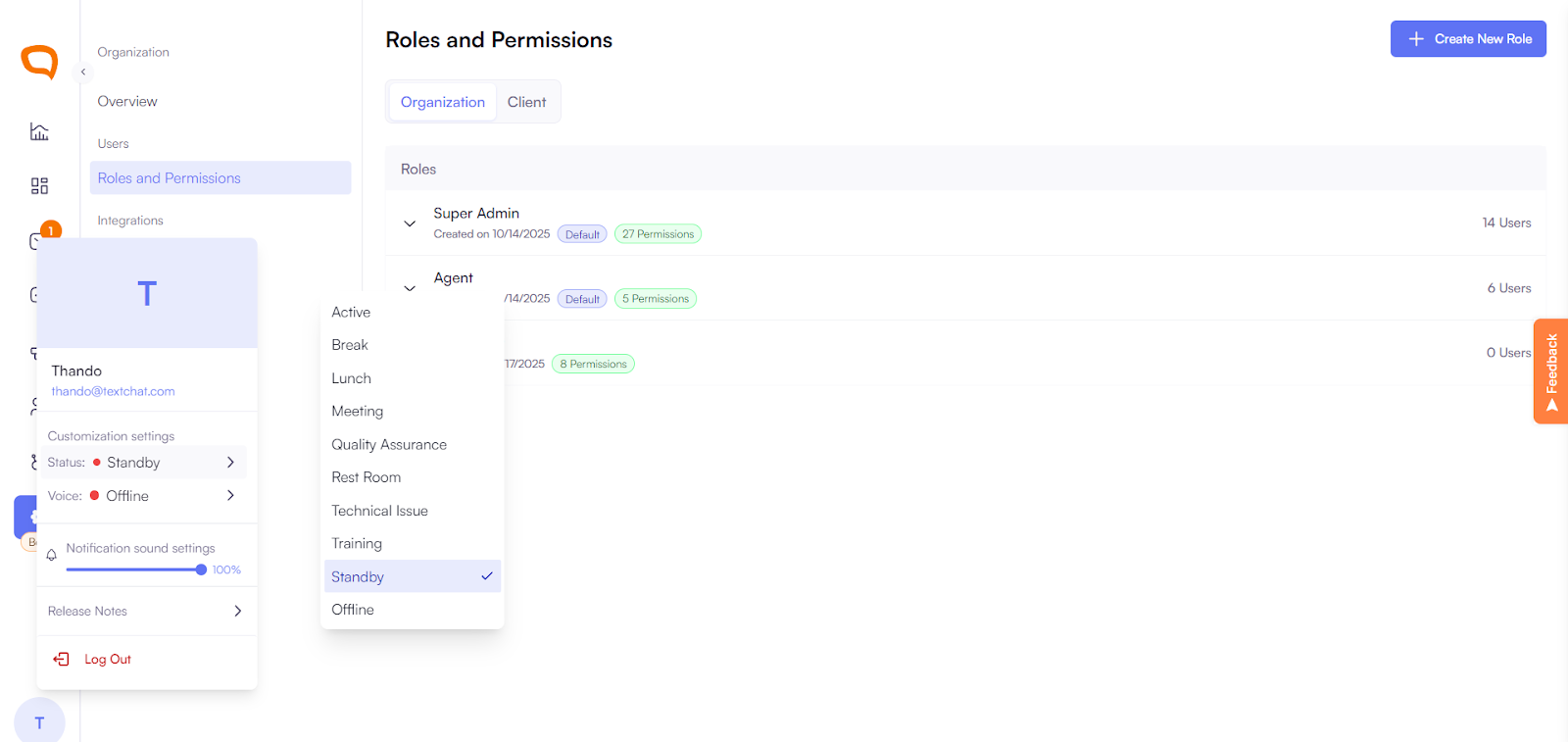
Select your new status:
Available
Busy
Offline
On Break
Click Save.
The update is instant and visible to your team in real time.
Why Status Matters
Supervisors can balance workloads more effectively
Agents can stay focused and organized
Customers are routed to the right available agent