Outbound Campaigns
Campaigns allow you to proactively message customers in bulk using personalised templates, scheduled follow-ups, and real-time performance tracking.
Written By Thando Nomvungu
Last updated 21 days ago
How to Create an Outbound Campaign
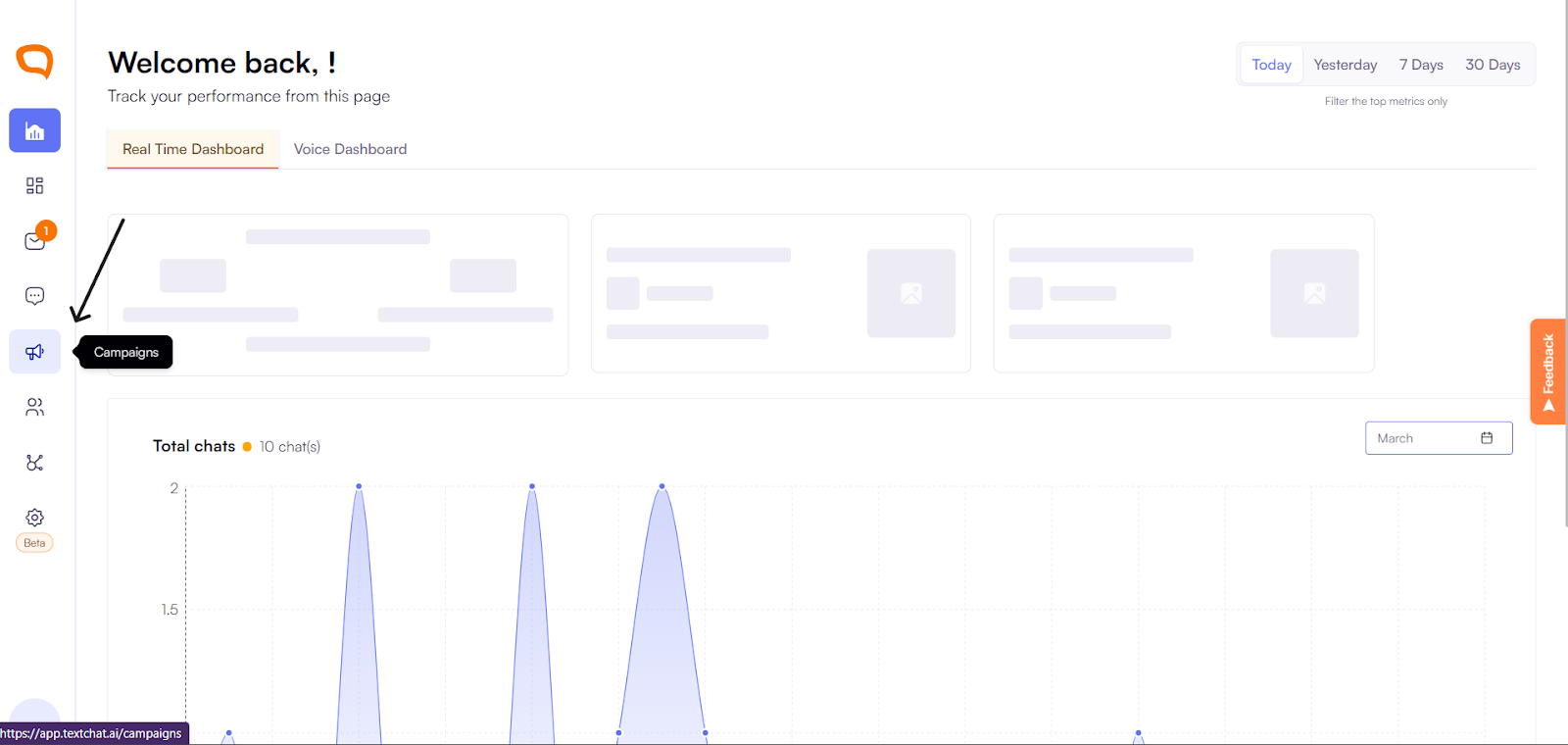
From your dashboard, go to Campaigns
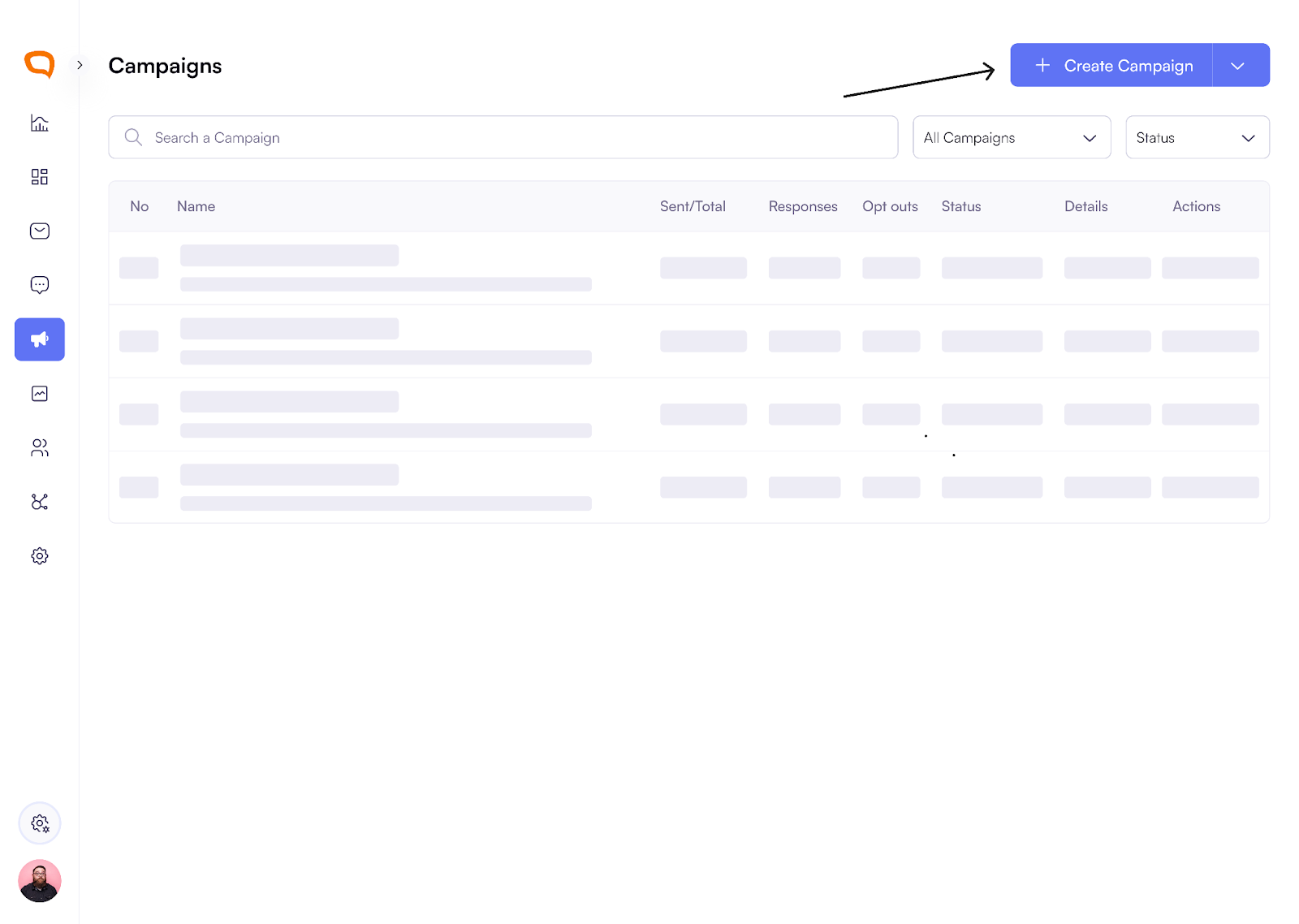
Click Create Campaign.
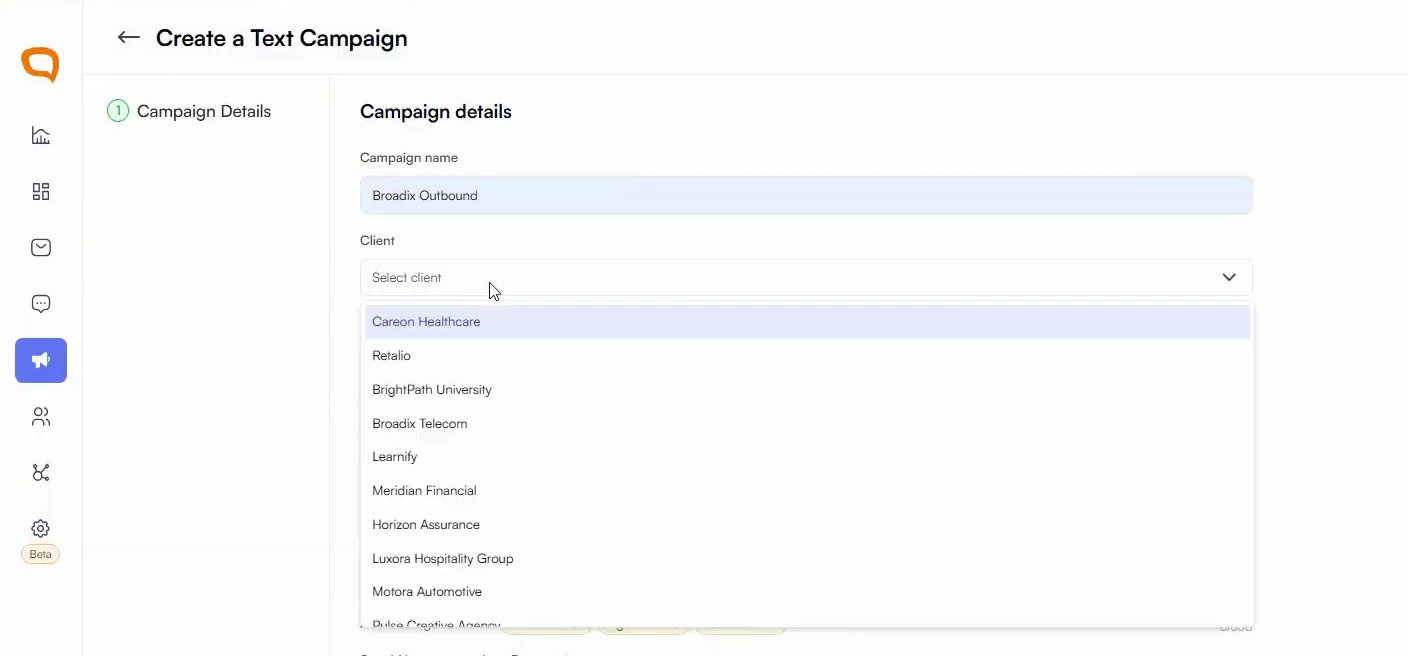
Enter a campaign name (e.g. Broadix Outbound).
Select the Client from the dropdown.
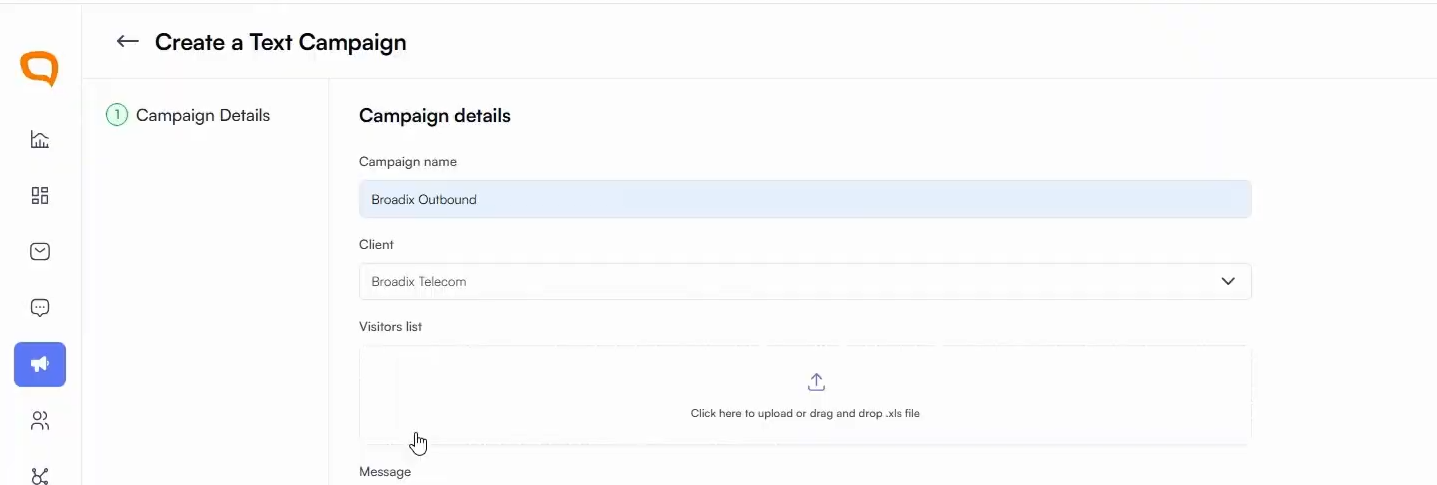
Upload your audience list (e.g. Existing Subscribers or 30 Day Lapsed Customers).
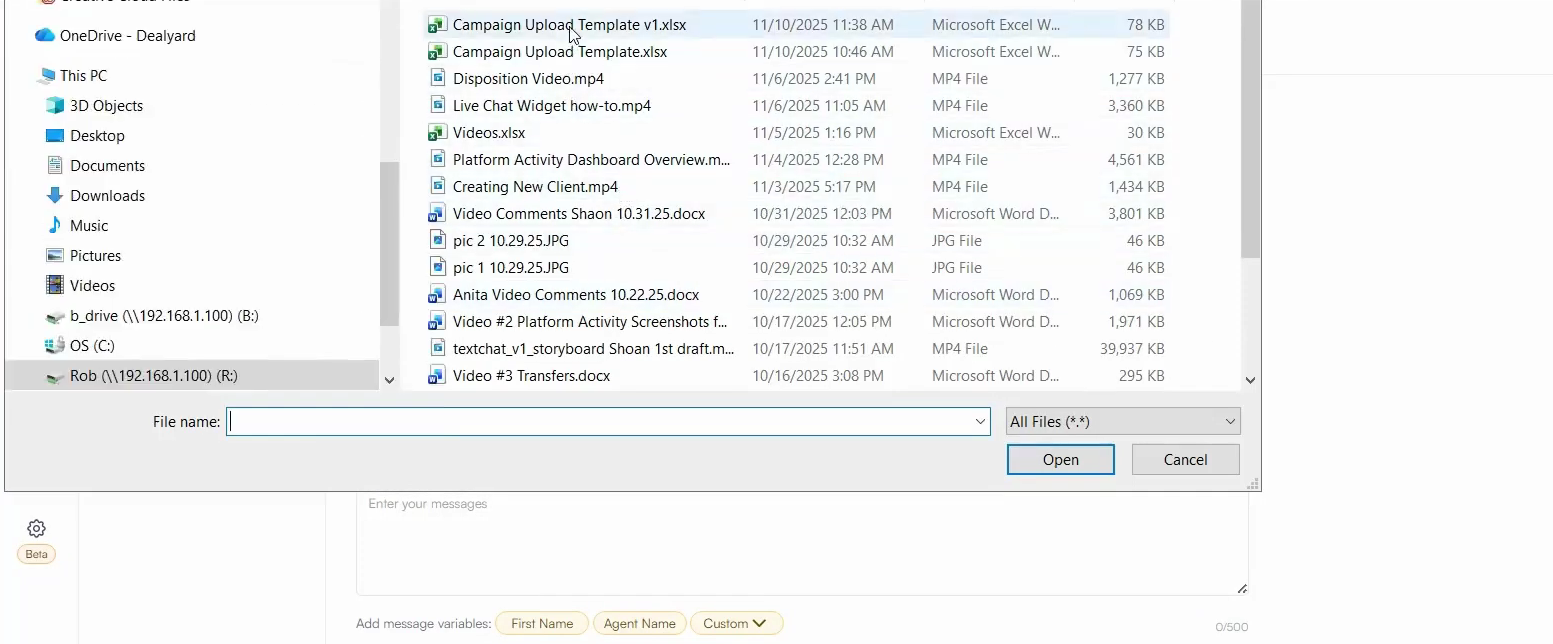
Craft your message:
Personalize using contact names, links, or promotional codes.
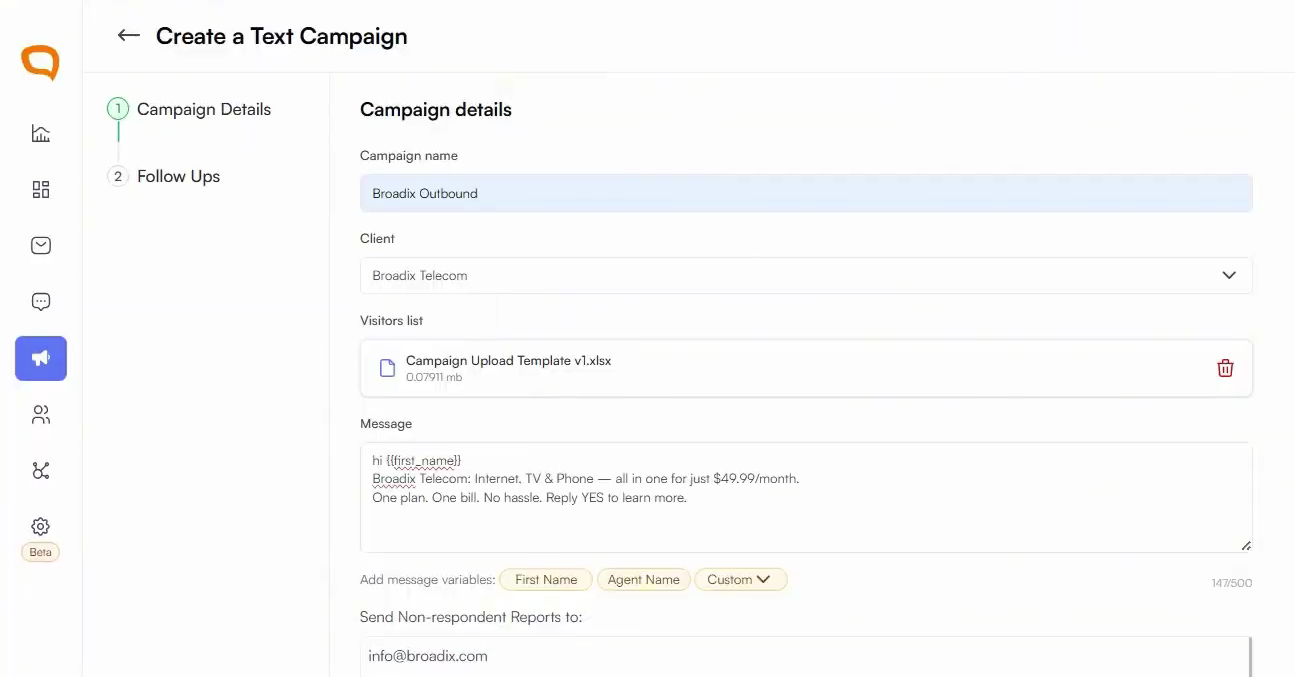
Add emails to receive non-respondent people

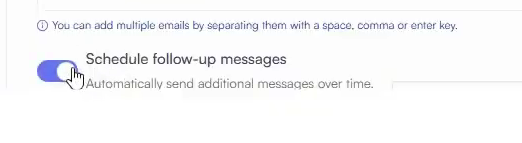
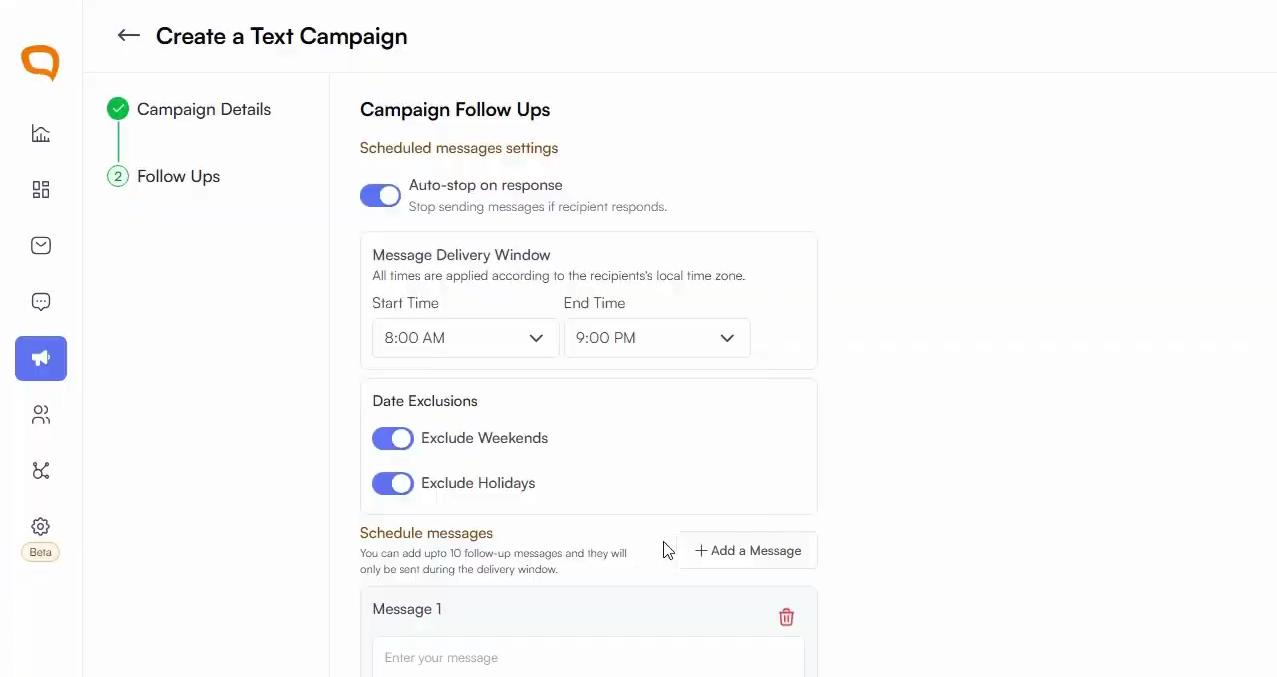
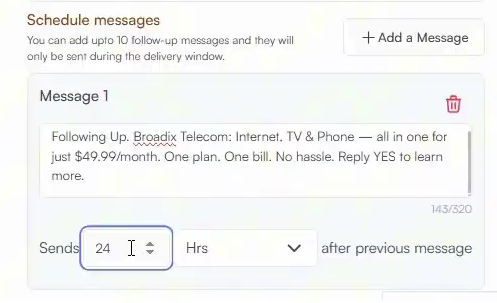
(Optional) Schedule follow-up messages:
You can create and customize up to 10 follow-up messages per campaign
Choose exactly when each follow-up is sent and what the message will say.
Schedule the campaign or send immediately.
Launch the campaign.
Performance Tracking
Once your campaign is live, Palera automatically tracks:
Deliveries
Replies
Conversions
This gives you real-time visibility into campaign performance.
Best Practices
Personalize messages to increase engagement
Use follow-ups to re-engage non-responders
Monitor performance in real-time to optimize results