October 14th, 2025
New Feature
Improved
Organization Settings, Multichannel Widget, Text Message Follow Ups & More
Improvements
Conversation Log: Agents will easily tell from which client a visitor is coming from in the conversation log. We updated the visitor avatar to the client logo to increase visibility.
Campaigns creation: Removed the manual sending of visitor messages when creating campaigns.
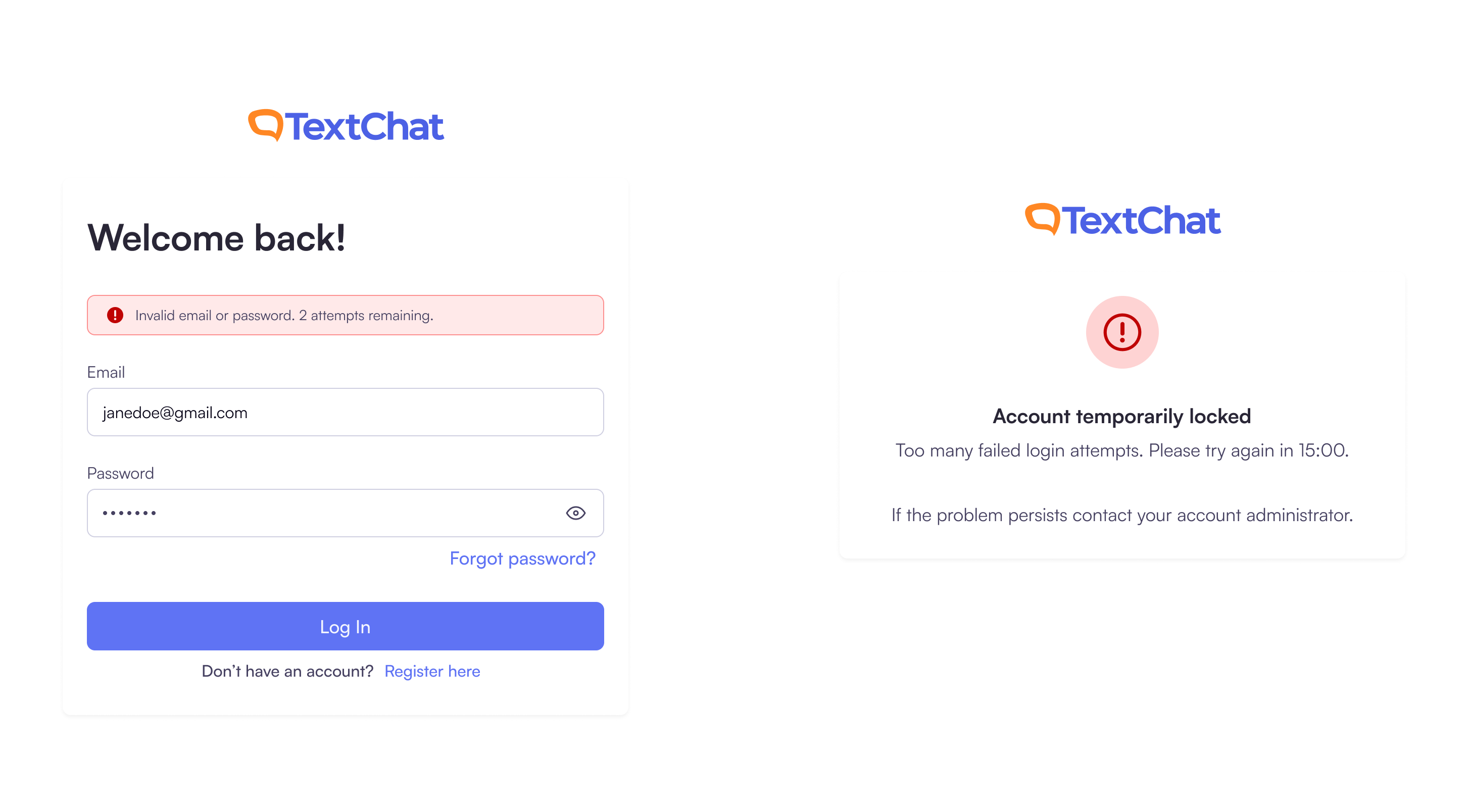
Improved Login Security & Resend Email Limits: To strengthen account security, we’ve introduced limits on incorrect login attempts and email resends.
Login Attempts: You can now enter the wrong credentials up to three times before your account is temporarily locked. You’ll be able to try again after 15 minutes.
Resend Email: You can resend the verification or reset email up to three times within 15 minutes. After that, the button will be disabled and a friendly message will let you know when you can try again.
These updates help prevent spam, accidental misuse, and unauthorized access attempts—keeping your account more secure.
New Features
Multichannel Support:
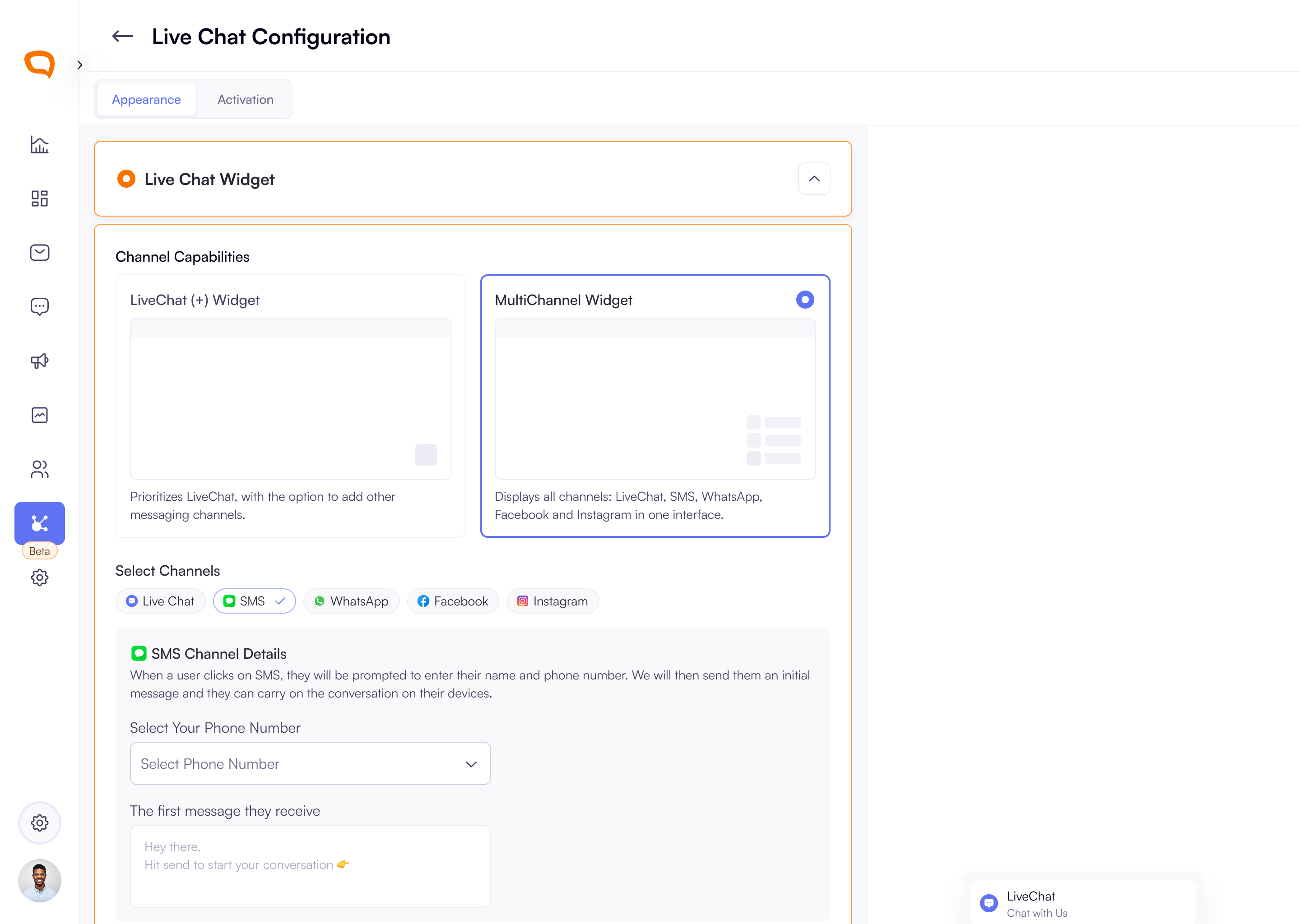
LiveChat and Multi-Channel Widgets: When setting up your widget, super admins can now select between LiveChat Widget (for chat-first experiences with optional cross-channel switching) and Multi-Channel Widget (for full multi-channel visitor entry and routing)
The Multichannel Widget selection allows you to configure different channels: LiveChat, SMS, WhatsApp, Instagram and Facebook.
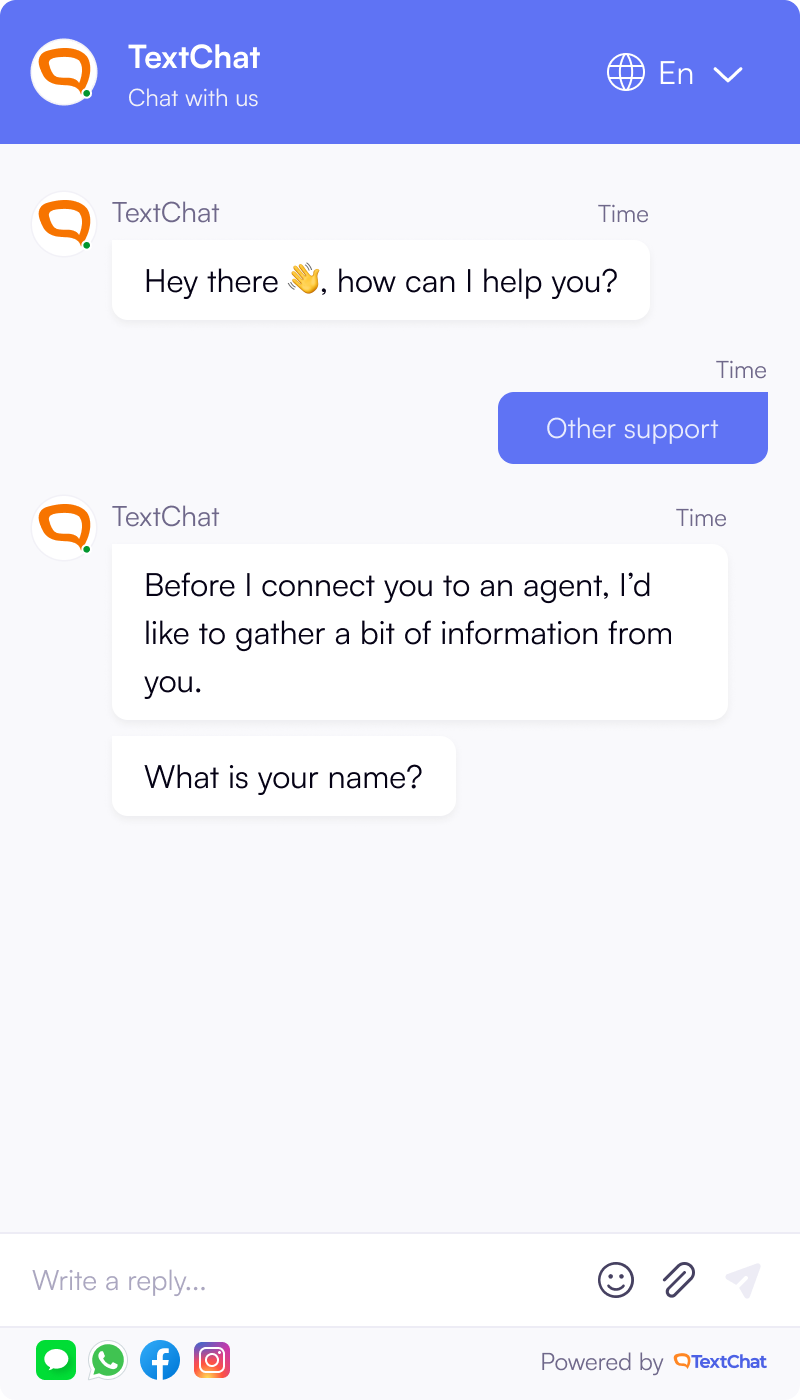
LiveChat Channel Switching: Visitors can now switch to a different channel during an active LiveChat conversation. They can either switch to SMS, WhatsApp, Facebook or Instagram.
Organisation Settings
Organisation Settings Screen Introduced:
Admins can now access a new Organisation area from the main navigation. The screen provides a structured layout with sections for organisation details, address, billing, and a danger zone. Organisation information can be edited with inline validation and clear success or error feedback.
Super Admins also have the ability to initiate organisation deletion through a secure confirmation flow with email verification, warnings, and status banners for submitted or cancelled requests.
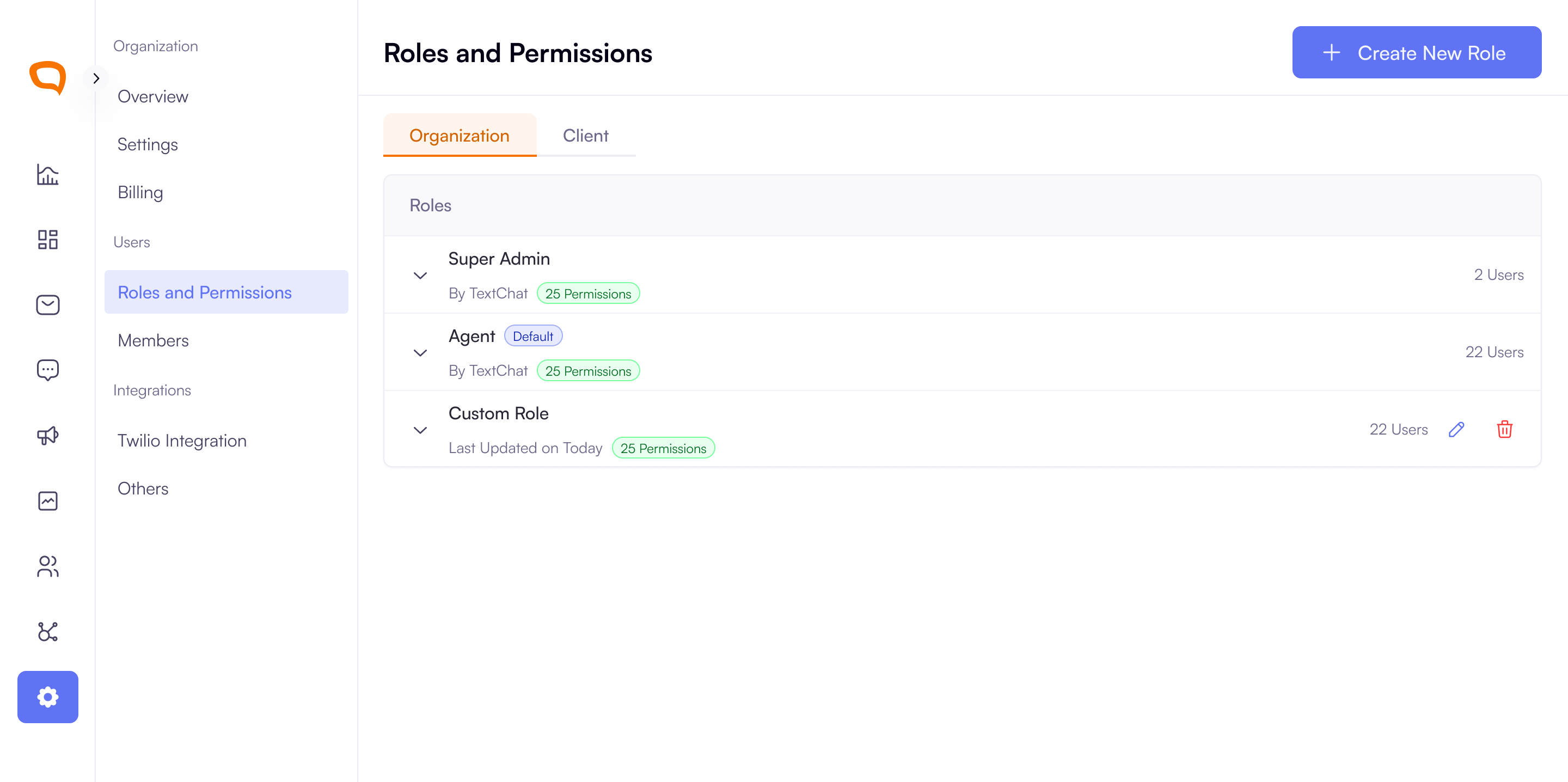
Roles & Permissions Enhancements: Super Admins can now manage roles in a clearer tabbed view for Organisation and Client levels. In addition to default TextChat roles, they can create, edit, and delete custom roles with granular permissions, and updates are applied instantly across the platform.
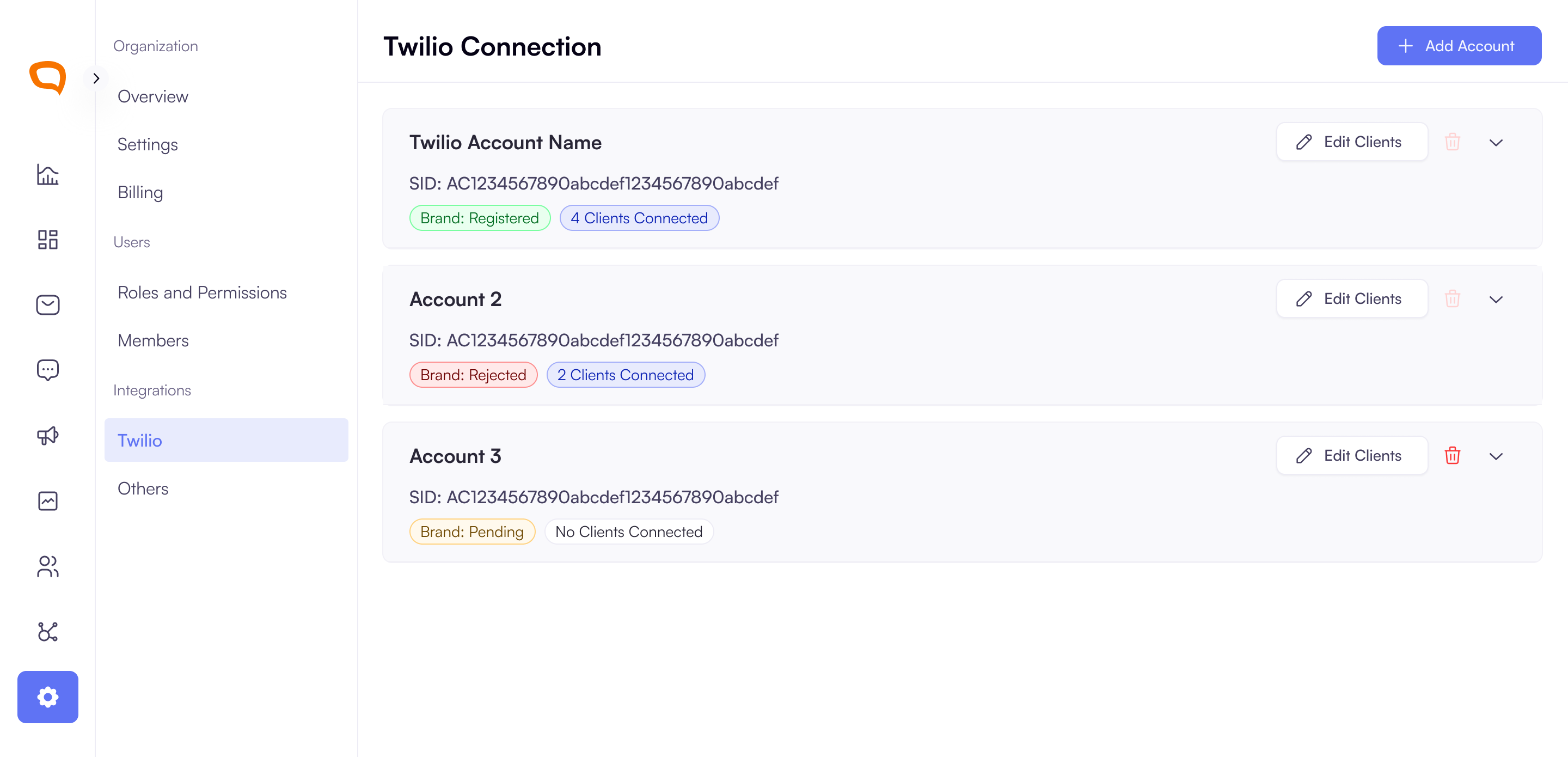
Twilio Account Management Added: Super Admins can now connect and manage Twilio accounts through a guided setup. They can enter existing credentials or access instructions to create a new account, then verify or create a Twilio Brand. Connected accounts are displayed in a collapsible list with status indicators, brand details, connected clients, and options to edit client assignments or remove unused accounts.
Text Message Scheduling
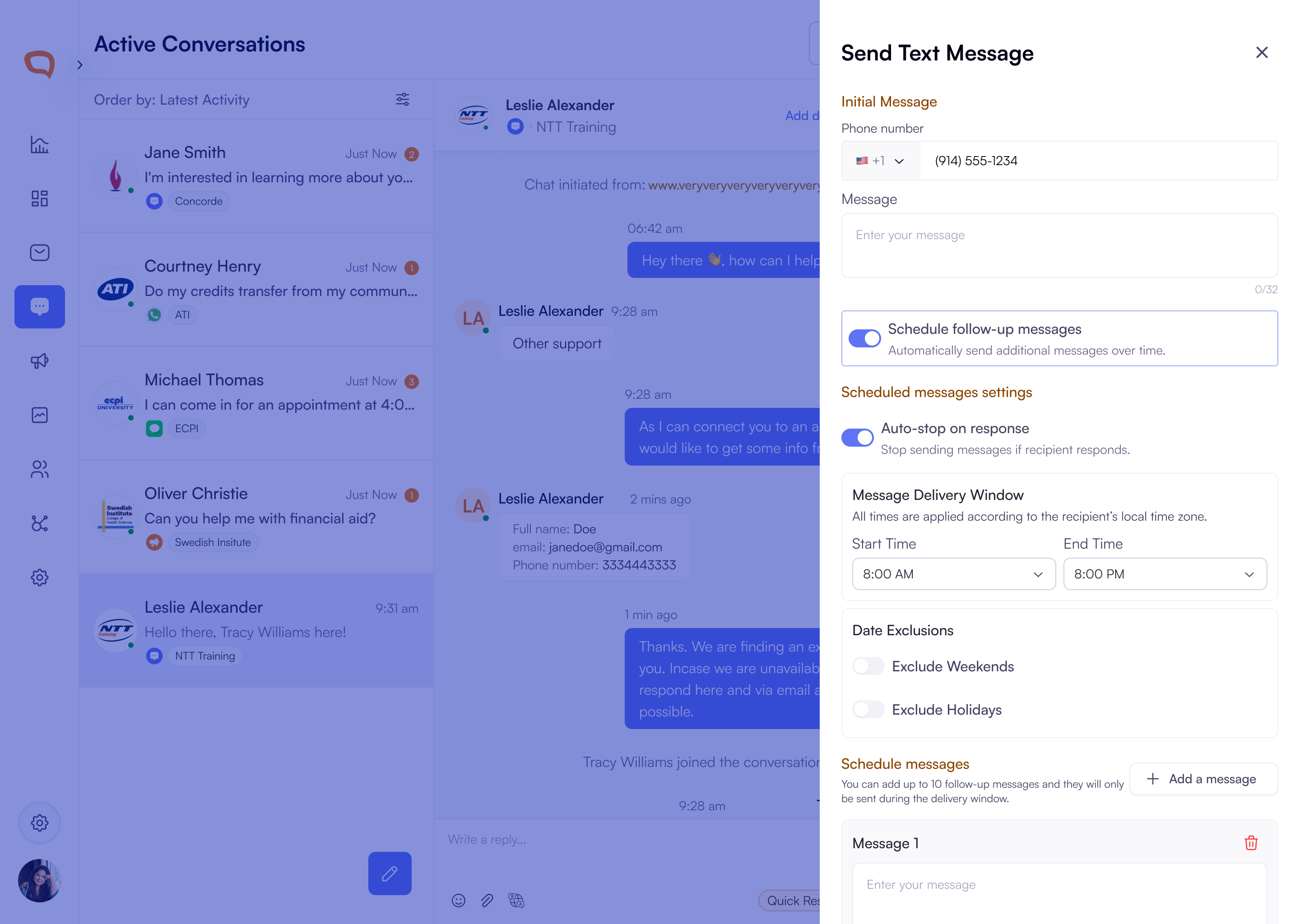
Added Text Message Scheduling and Follow-Ups: Agents can now send and schedule up to 10 follow-up messages with configurable delays, time restrictions, and date exclusions. Messages stop automatically when a recipient replies (enabled by default). Each scheduled message is saved with its text, send time, and status, with clear success and error feedback.
View Scheduled Follow-Up Messages in Conversation Threads: Agents now see a scheduled badge in the conversation thread when follow-up texts are planned. Clicking the badge opens a slider with a list of scheduled, sent, or cancelled messages, including message text, send interval, and timestamps on hover. Messages are shown in chronological order with read-only scheduling settings and a clear indicator of the next send time.
Message Delivery Window: To help you stay compliant with U.S. state regulations, scheduled and follow-up messages will only be sent between 8 AM and 9 PM in each recipient’s local time.
What you’ll see:
You won’t be able to schedule messages outside this delivery window.
Follow-up messages will automatically send during the next available time within the window.
Text Campaign Scheduling:
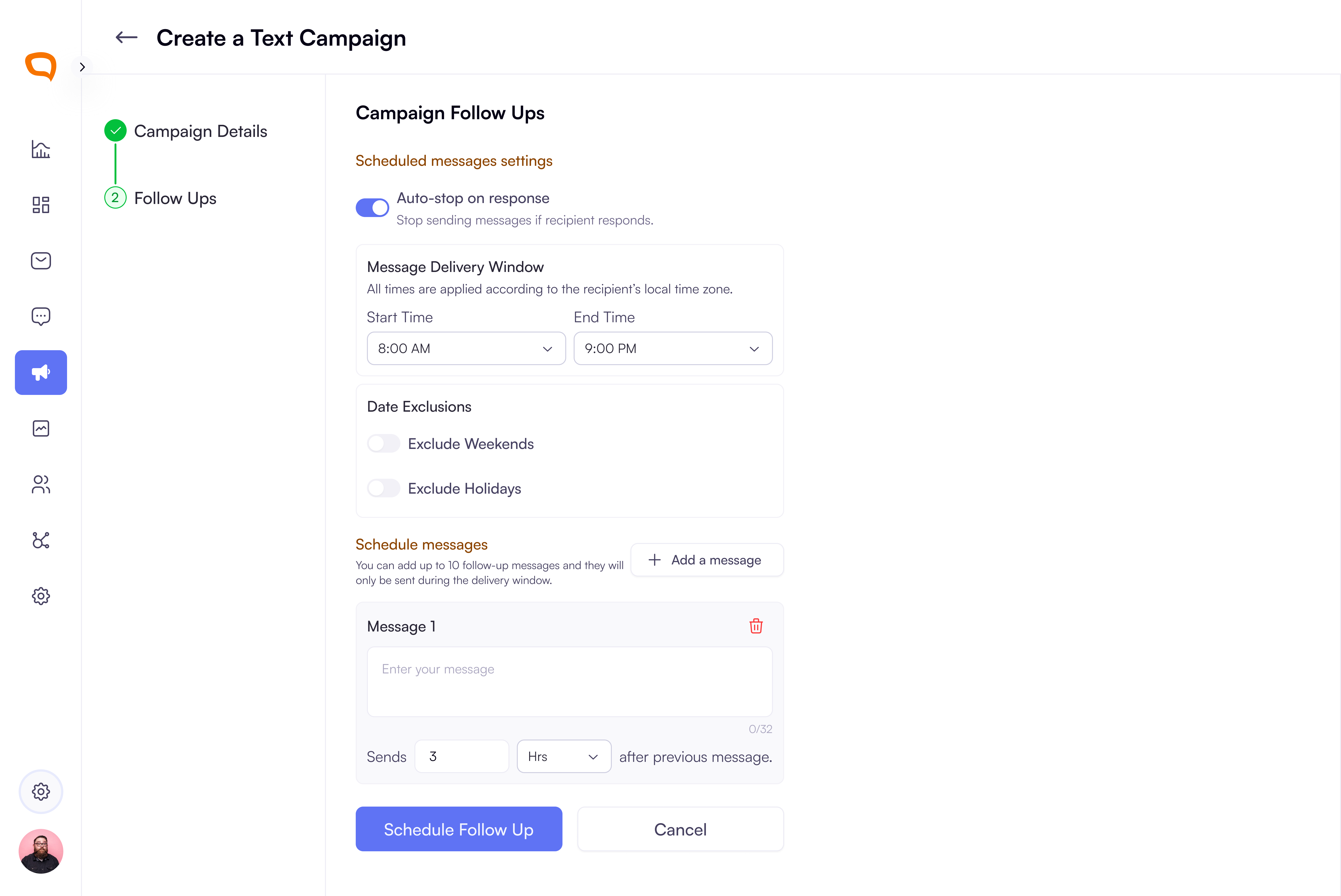
Campaigns Now Support Automated Follow-Up Scheduling: Users can enable follow-up scheduling during campaign setup with a new toggle that adds a second step. From there, they can configure auto-stop on reply, time restrictions, date exclusions, and add up to 10 follow-up messages with customizable delays and 320-character limits. This streamlines campaign automation and improves outreach efficiency.
Client Knowledgebases
Knowledgebase Link Support for Clients: Clients can now add a single external knowledge base link to support agents during conversations. Once added, the link is displayed with options to edit or delete.
Single Sign-On (SSO) Integration Login for Your Teams
Multi-Tenant SAML Support: Clients can now manage their own SAML configurations within TextChat, enabling secure, flexible authentication across multiple organizations.
To sign up, at the moment, Textchat sets up that up but soon we will have it on the client settings.