April 8th, 2026
New Feature
Improved
Bug Fix
New Features
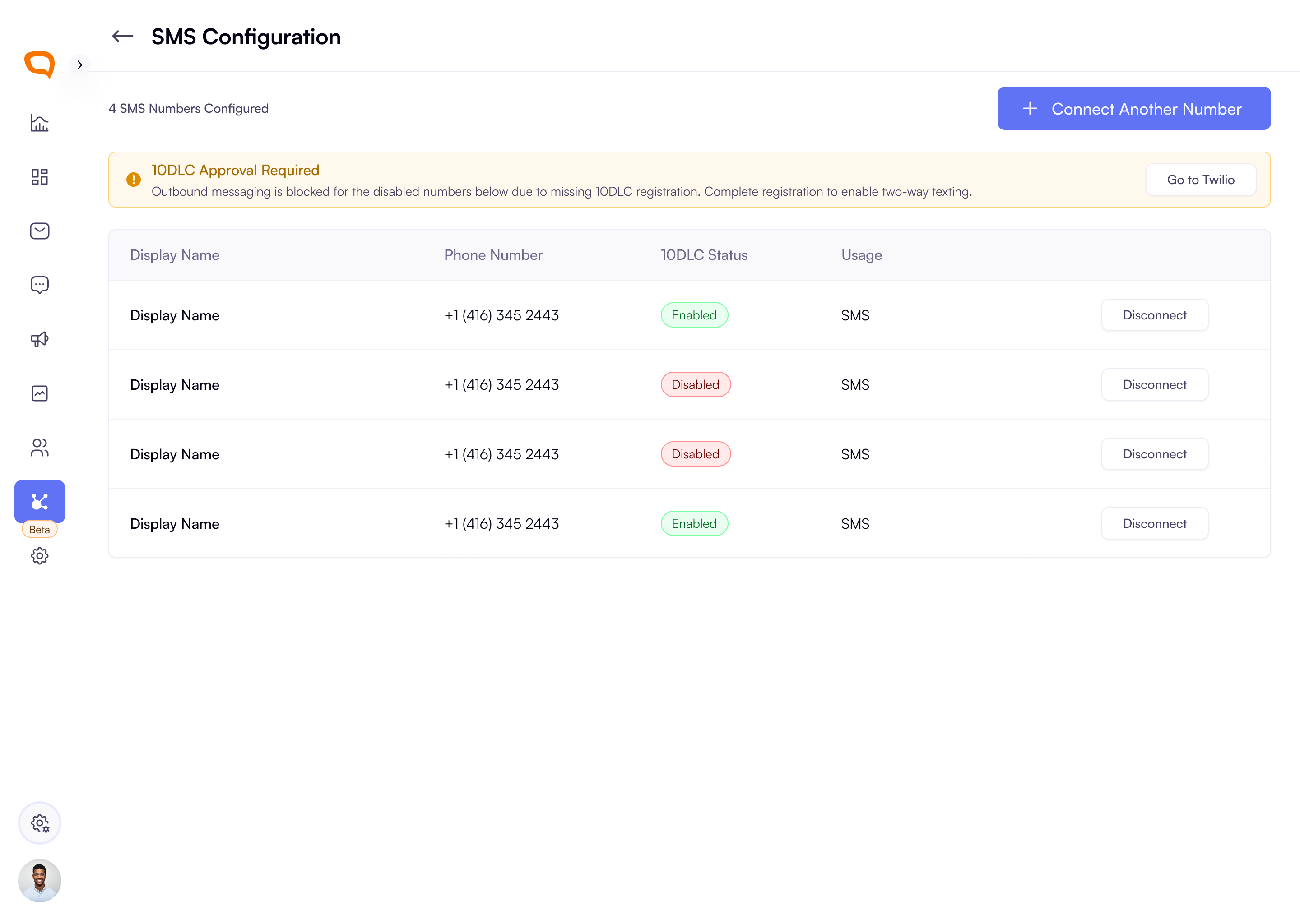
SMS Channel Setup and Number Management
Admins can now set up SMS in a more guided way, including a guide to connect Twilio credentials and completing SMS configuration with clearer steps.
You can now view available Twilio numbers, connect them to a specific client in the platform, assign how each number is used, and manage connected SMS numbers from one place.
Admins can disconnect an SMS number from the organization with clearer visibility into how that change affects existing conversations.
SMS number management includes 10DLC status visibility, so teams can understand whether a number is approved, restricted, or disconnected before trying to send messages.
Agents and Super Admins see clear alerts when a selected phone number is not yet 10DLC approved. The platform now explains why sending is blocked and gives users a clearer path to complete registration instead of leaving them stuck.
Note: 10DLC approval is required for outbound messaging to U.S. numbers. This means inbound messages from U.S. recipients may still come through, but agents won’t be able to reply until the selected number has been approved for 10DLC.
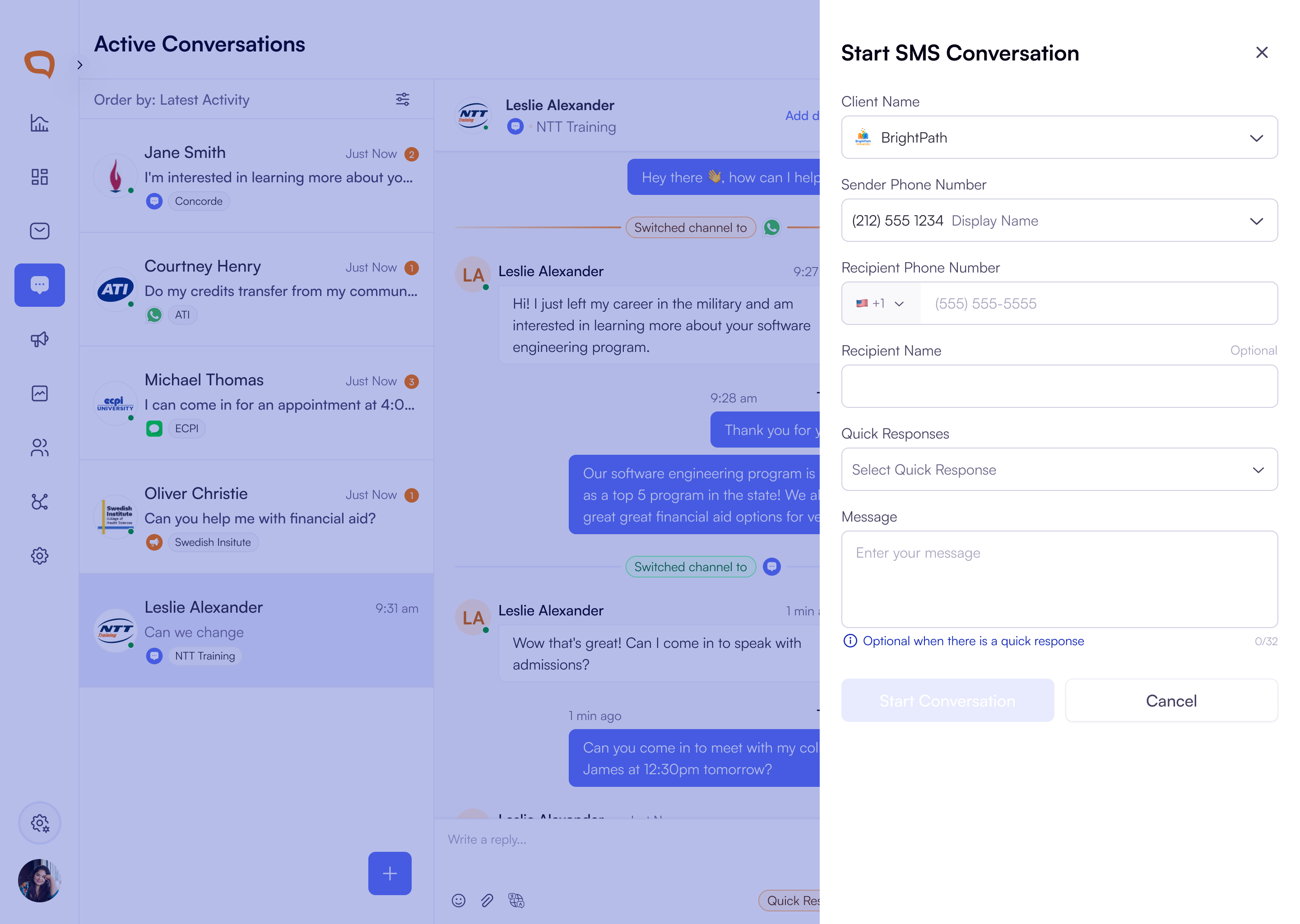
Outbound SMS from Active Conversations
Agents can now start a new outbound SMS conversation directly from the Active Conversations view, making it easier to proactively reach out without leaving their workflow.
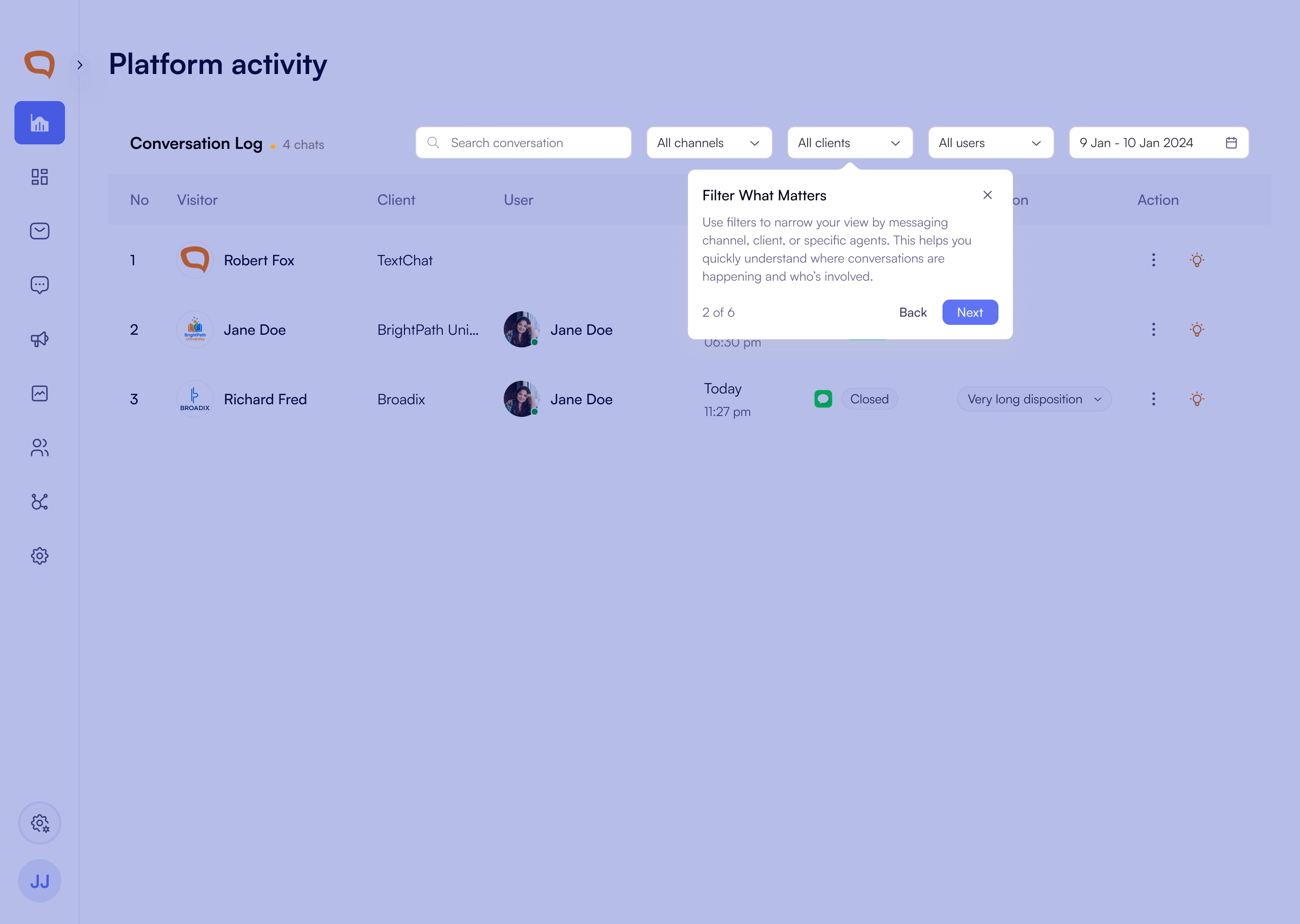
Guided Tours Across Key Pages
Users now get guided tours across key areas of the platform, making it easier to understand how to manage clients, users, and inbox workflows.
New guided walkthroughs are now available for the Client Details page, User Management, and onboarding flows, helping teams learn the product in context instead of figuring it out on their own.
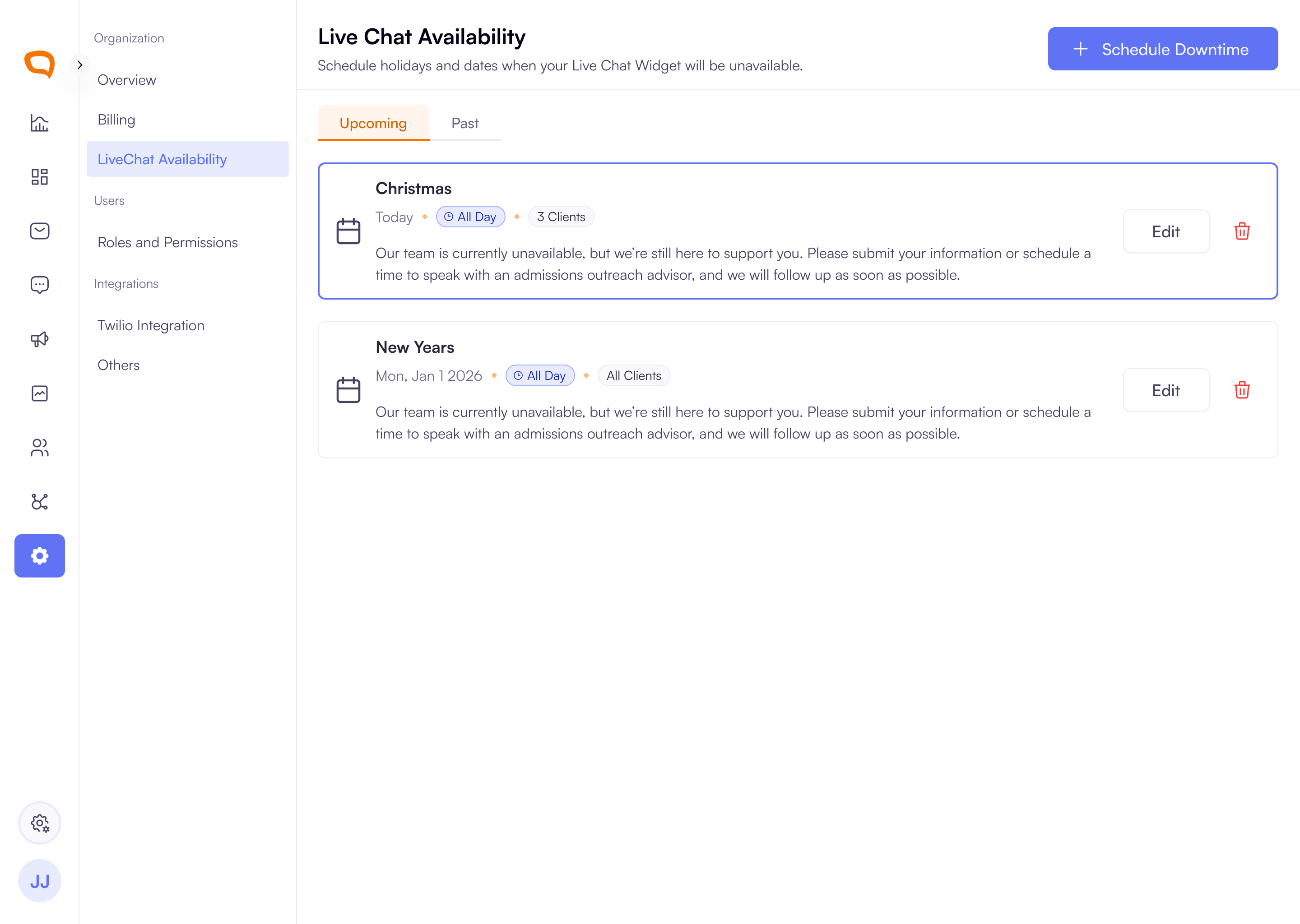
Live Chat Downtime Management
Super Admins can now schedule Live Chat downtime for planned outages or holidays.
You can also view, edit, and delete scheduled downtimes, making Live Chat availability easier to manage over time.
Clear empty states now appear when no downtimes are scheduled, so it’s easier to understand the current state and what to do next.
Improvements
Billing Permissions: Super Admins can now explicitly control who has access to billing through a dedicated Manage billing settings permission in role configuration.
Billing Details Management: Paid-plan organizations can now view and update billing address, billing contact, and tax ID information more clearly from the billing area.
Conversation Header Copy Updates: Conversation-ending actions now use clearer labels in the header, making it easier to understand what happens next.
End Conversation is now Close Conversation
Send transcript is now Send Transcript and Close
Discard chat is now Close Only
Recurring Payment Visibility: Organizations in paid plans now get clearer status information for ACH payments and better notifications when recurring payments fail, helping prevent avoidable service interruptions.
Agent Guidance During Service Interruptions: When messaging is unavailable, the platform now gives clearer context about why sending is blocked and what action is needed next.
Conversation Log: Organization users now see client logos instead of user initials in the conversation log, reducing confusion when working across multiple clients. Client Admins and Client Users will continue to see initials.
Free Trial End Notifications: Free trial users now receive clearer notifications before their trial ends, including reminders about upgrade timing and when account data will be permanently deleted if no action is taken.
Bug Fixes
Duplicate unsuccessful transfers are now reported more reliably, reducing confusion when the same failed transfer appeared multiple times.
Arc Browser now redirects correctly to the Mail app during billing and email-related flows.
Knowledge base links and attachments now load more reliably, including fixes for broken URLs, missing source names, and cases where updates only appeared after a page refresh.
Invited users and agents now appear correctly across invite flows, transfer lists, and user-management states.
Platform Activity now shows the correct chat state instead of marking queued chats as active.
Team management fixes resolved issues with deleting the wrong team and dropdown actions not behaving correctly.
Billing fixes resolved issues such as country/state mismatches, missing plan icons, banner alignment, and incorrect free-trial state behaviour.
Campaign and transfer reporting fixes addressed missing timeout visibility and dashboard UI inconsistencies.
Super Admin access and onboarding flows now behave more reliably, including invite acceptance, checklist issues, and permission-related edge cases.
February 23rd, 2026
New Feature
Improved
Bug Fix
New Features
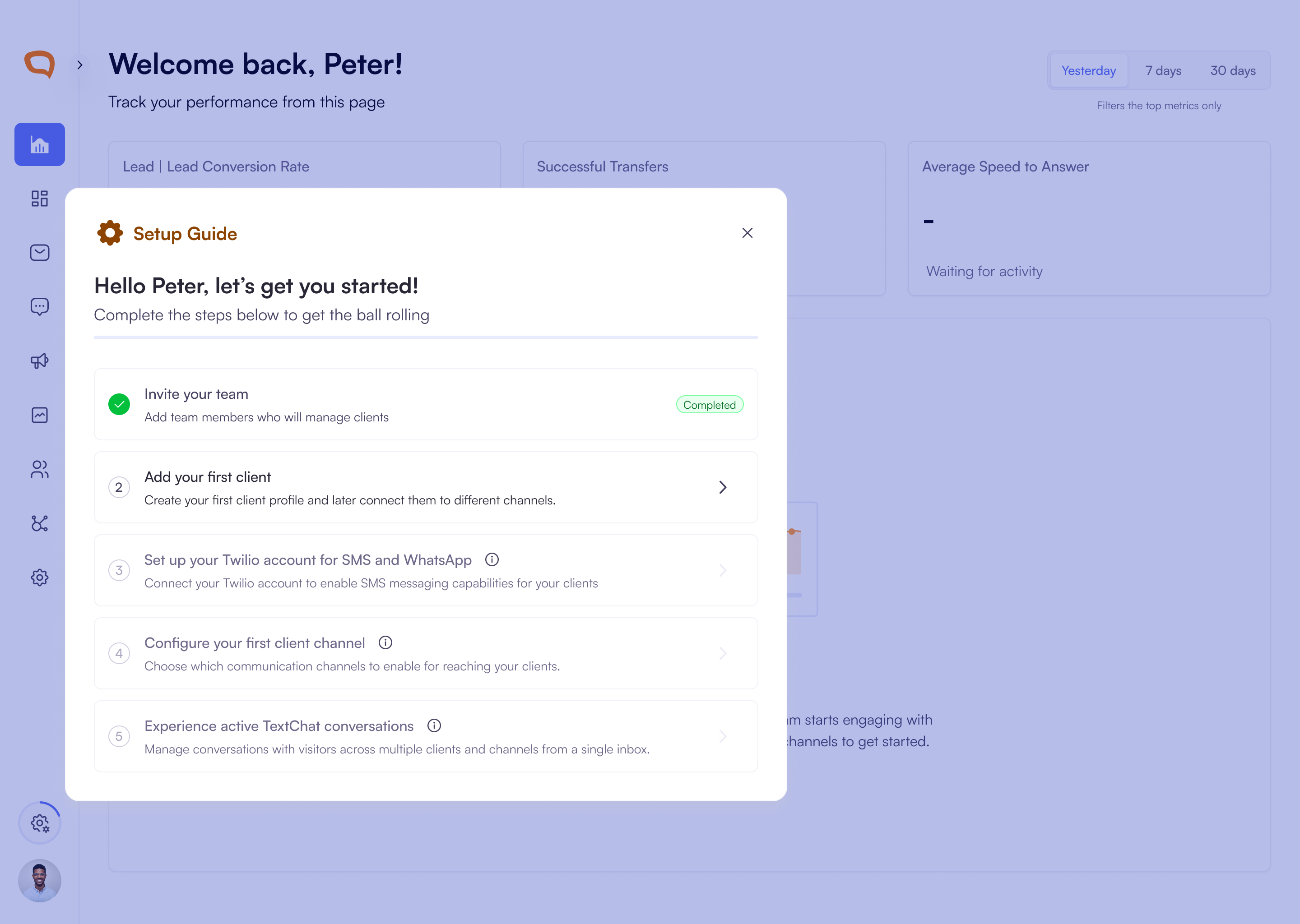
New Guided Onboarding Checklist
New organizations now see a built-in onboarding checklist that guides you through key setup steps such as inviting your team, adding clients, and connecting channels. Progress saves automatically and updates as each step is completed, helping you get fully set up faster.
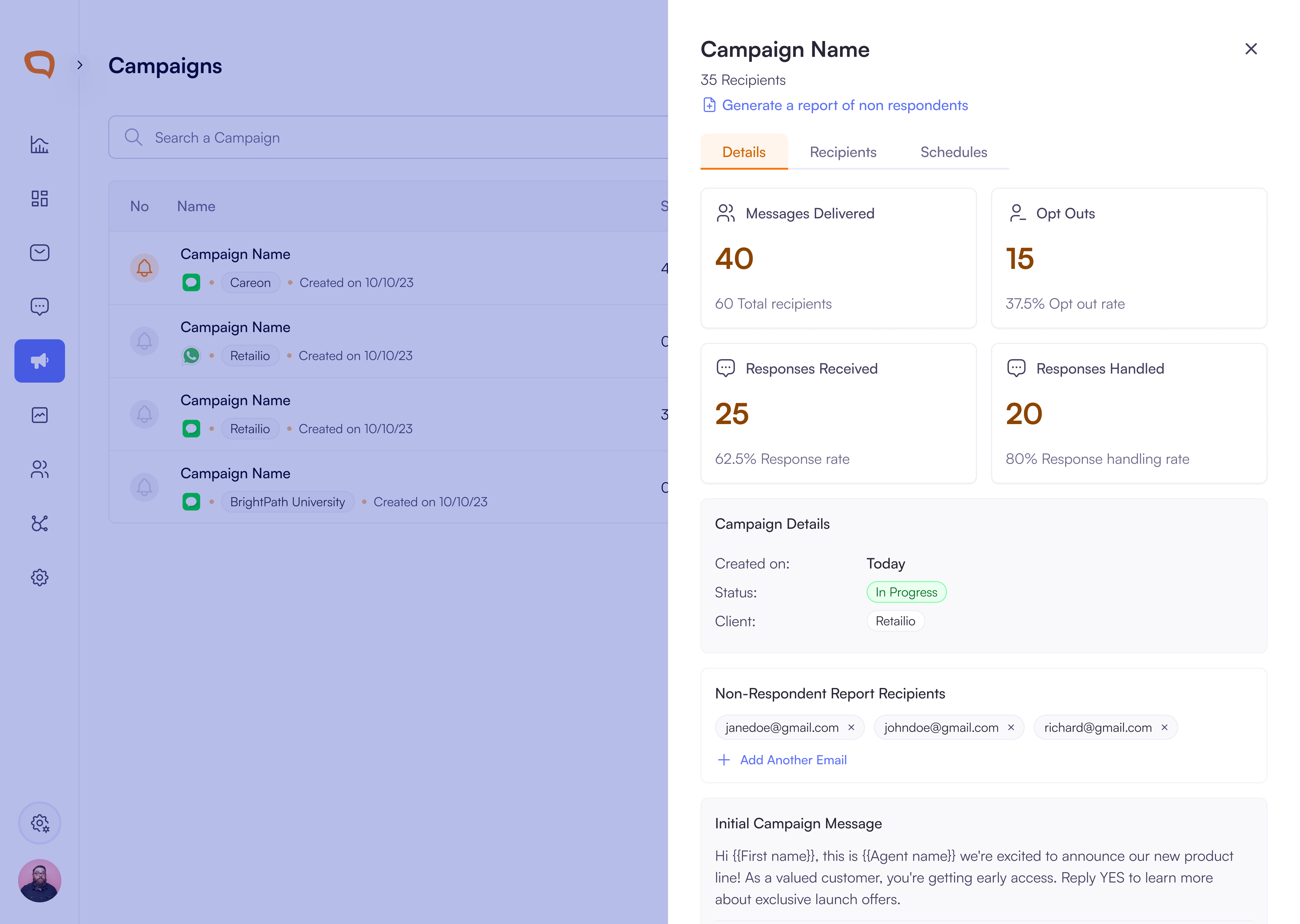
New Campaign Details Slide-Out Panel
You can now open a campaign slide-out panel to view and manage everything in one place without leaving the campaign list.
View campaign performance metrics including messages delivered, responses received, handled responses, opt-outs, status, and creation details.
Review scheduled follow-up messages with message previews, send timing, and next scheduled sends.
Switch instantly between Details, Recipients, and Schedules tabs to access campaign data and manage report recipients more efficiently.
Billing
New Free Trial Experience with Usage Tracking: You can now clearly track your free trial status, remaining days and message credit usage.
View a trial banner with countdown and Upgrade Now button.
Track message credit usage with a progress bar and channel breakdown.
Receive notifications when your trial is ending or credits run out.
Free trial organizations can create one client and continue viewing data even if messaging is paused.
Guided Billing Flow for Plan Upgrades: Upgrade from the free trial through a step-by-step billing experience.
Compare plans (Free, Basic, Professional, Enterprise) with pricing and included credits.
Choose monthly or annual billing and view per-channel pricing.
Add billing details securely via card or ACH.
Enable auto-replenishment to prevent running out of message credits.
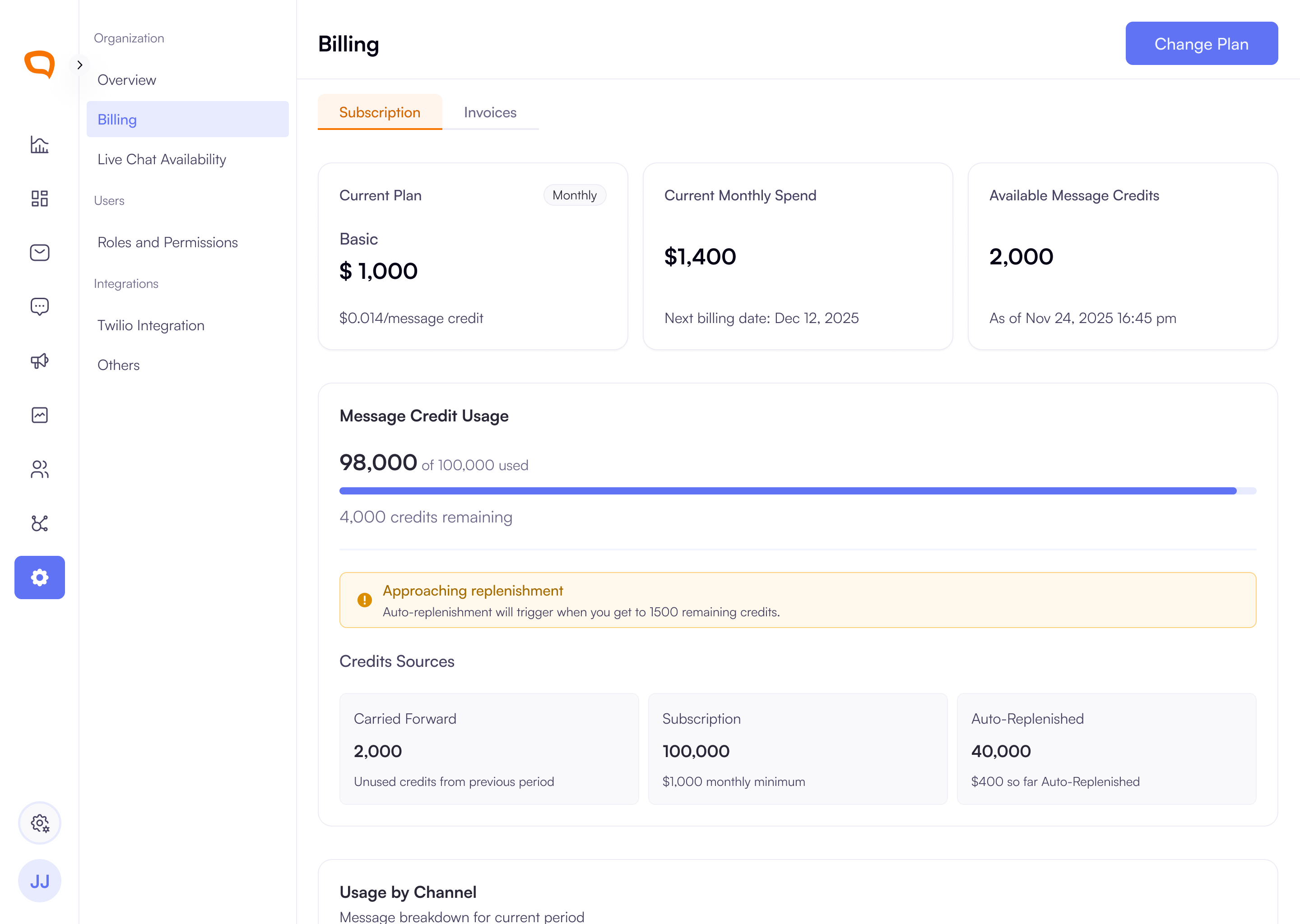
New Billing Overview - Credits, Usage & Payments: You can now manage subscriptions, credits, and payment methods in one centralized view.
Track credit balance, usage, and credit sources in real time.
View usage breakdown by channel including SMS, WhatsApp, Instagram, Facebook, LiveChat, Campaigns, and AI Agents.
Manage payment methods and set a primary payment option (card or ACH).
Configure auto-replenishment to automatically purchase credits when balances run low.
Purchase additional credits anytime using preset or custom amounts.
Smarter Notifications to Prevent Service Interruptions: Stay informed and take action before messaging is impacted.
Receive alerts when credits are low, payments fail, or action is required.
Messaging pauses when credits are exhausted and resumes once credits are added.
View real-time payment status and ACH verification updates.
Improved Plan Management & Subscription Control: Manage your subscription with clear visibility and control.
Compare plans and upgrade or downgrade through a guided flow.
View scheduled plan changes and cancel them before the billing date.
See your current plan, billing cycle, spend, and next billing date in one place.
Improvements
Onboarding Resumes Automatically: If you leave before completing setup, you’ll return to the exact step you last finished when logging back in. Progress is saved automatically, allowing seamless continuation.
Improved User Import Template with Role Selection: The downloadable import template now includes a dropdown for the Role column, defaulting to Agent and Super Admin roles to simplify assignment.
Client Logos in Platform Activity: Organization users now see client logos instead of user initials in Platform Activity, reducing confusion when working across multiple clients. Client Admins and Client Users will continue to see initials.
Bug Fixes
Email Case Sensitivity Fix: Email addresses are no longer treated as case-sensitive during signup or login.
Password Visibility Fix: The password visibility toggle now functions correctly during signup. Your password will now remain visible when the eye icon is selected.
Improved Notification Targeting: Queued notifications are delivered only to Super Admins associated with the relevant client or organization.
Transfer Timeout Visibility: Transfers that fail due to timeouts are now displayed as Failed Transfers in the Transfers Dashboard for clearer reporting.
December 8th, 2025
New Feature
Improved
Bug Fix
New Features
New Guided Account and Organization Setup Experience
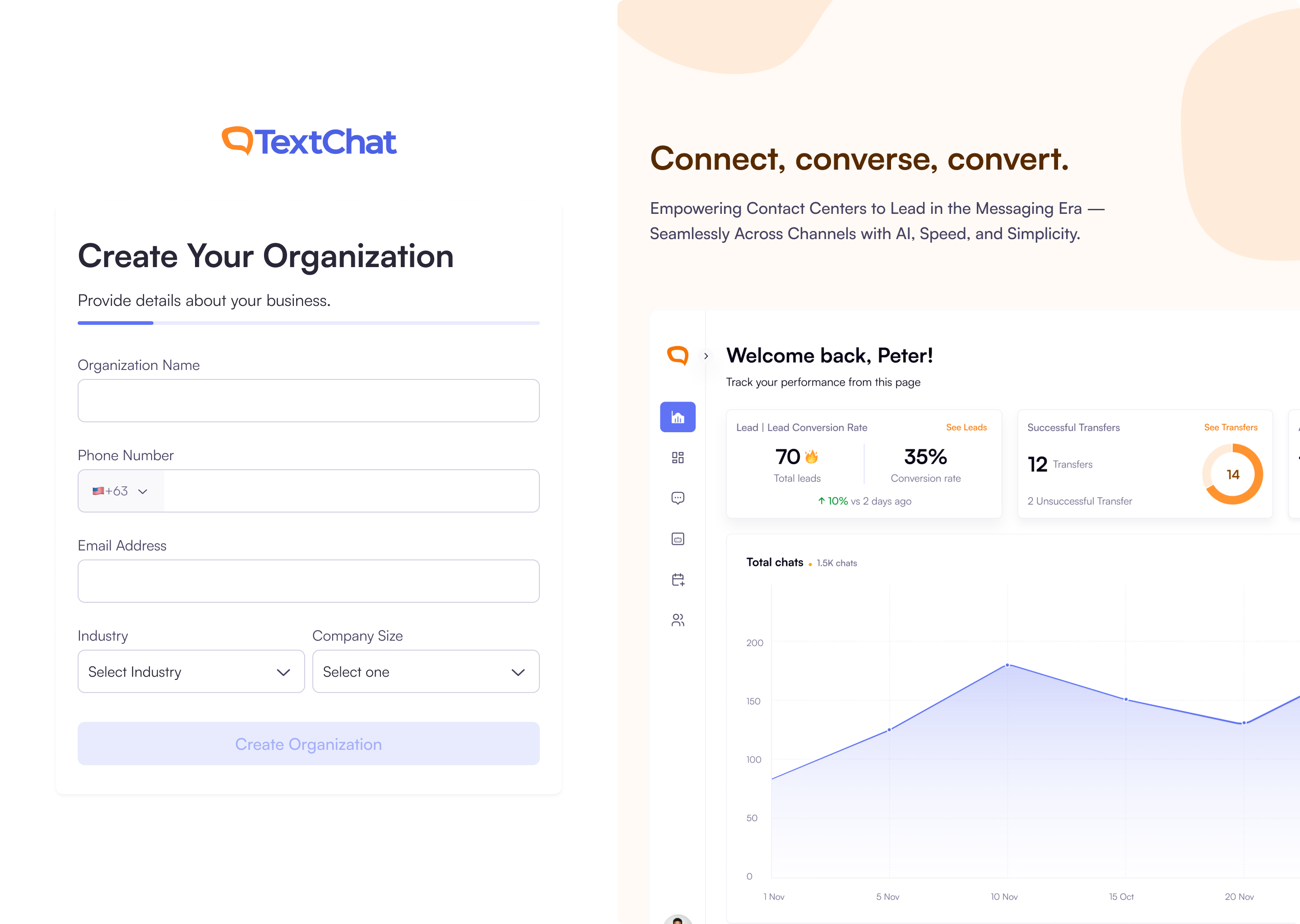
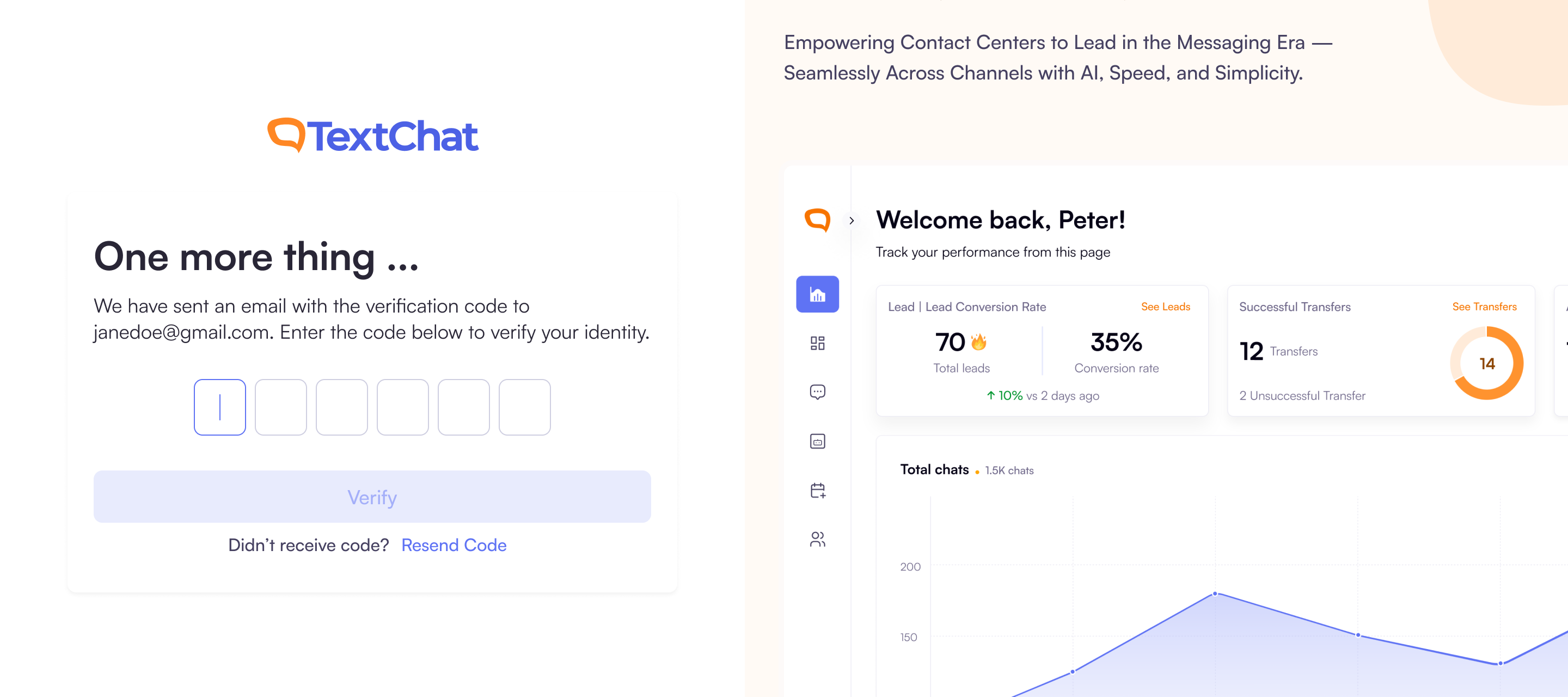
We’ve introduced a completely new onboarding flow to help new organizations get started quickly and confidently. You can now create your TextChat account, verify your email, set up your organization, and invite teammates: all in one seamless, step-by-step experience.
During signup, you’ll enter your basic details and receive real-time password validation to ensure your account is secure. After verifying your email with a 6-digit code, you’ll be guided to create your organization by providing essential business information. You can then invite up to three colleagues to join you before completing setup.
Once everything is ready, you’ll see a confirmation screen and can jump straight into the dashboard to begin using TextChat.
New Empty States to Guide Your First Steps in TextChat
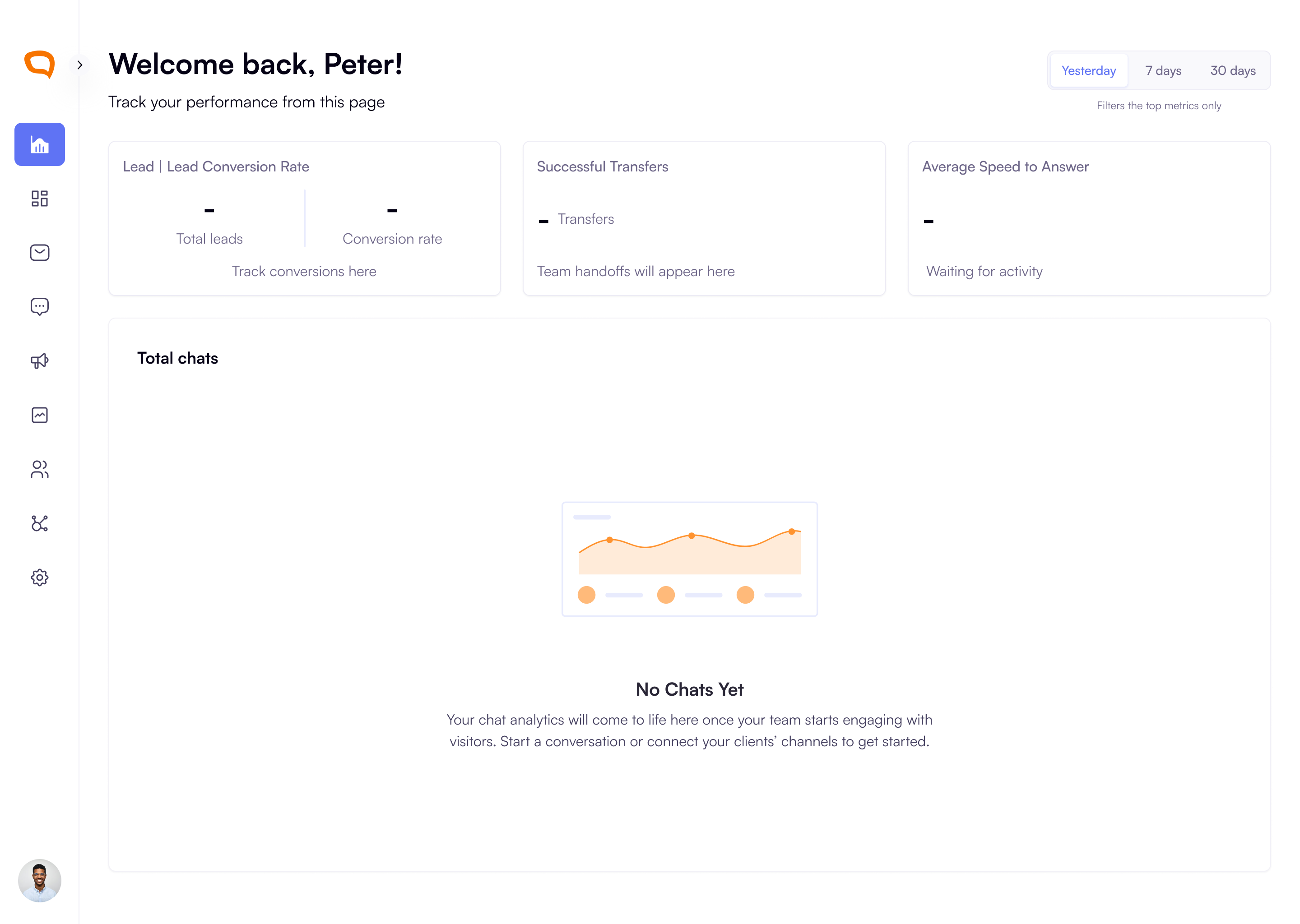
We’ve added helpful empty states across the platform to make your first login experience clearer and more intuitive. Your dashboard now welcomes you with personalized guidance on what to do next.
You’ll also see clear empty states in Active Conversations and Platform Activity, campaigns that explain why no messages appear yet and what actions you can take, such as connecting clients, connecting Twilio Accounts or adding channels.
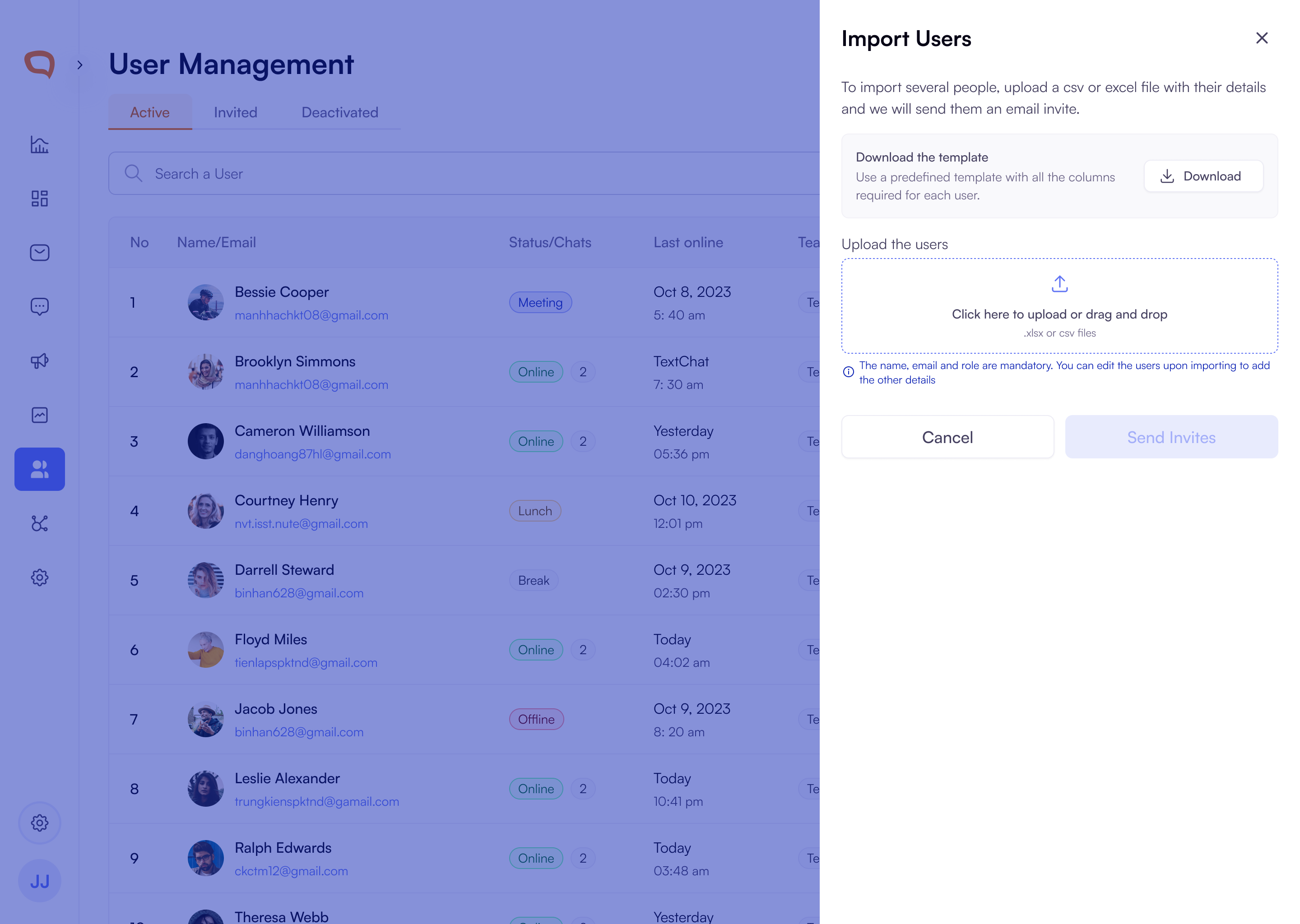
Bulk User Import Now Available in User Management
You can now easily bring multiple users into your workspace with the new Import Users tool. From the User Management screen, you can download a ready-made Excel template, fill in user details, and upload the file through a simple drag-and-drop panel. We validate your file automatically and highlight any issues such as, invalid or duplicate emails, so you can fix them before sending invites.
User Management now includes new tabs for
Active,Invited, andDeactivatedusers, allowing you to clearly track pending invitations. From the Invited tab, you can resend invites or revoke an invitation at any time, giving you complete control over who joins your organization.
Text Campaign Recipient Templates:
When creating campaigns, you can now download a ready-made template directly from the Recipients List section. This is to help you upload recipients without errors. The file includes all common columns for first name, last name, email, phone number, and program name.
Userback.io Integration for Faster Bug Reporting:
Userback.io has been integrated into the platform, allowing clients to capture and share screenshots and recordings directly within TextChat. This streamlines troubleshooting, reduces back-and-forth communication, and helps engineers diagnose issues more efficiently.
Text Message Scheduling and follow ups:
Message Delivery Window: To help you stay compliant with U.S. state regulations, scheduled and follow-up messages will now only be sent between 8 AM and 9 PM in each recipient’s local time.
Improvements
Knowledge Base Now Available Across All Channels: Fixed an issue where client knowledge base links were not appearing in conversations. Linked knowledge bases now attach automatically across all channels including SMS, Live Chat, WhatsApp, Instagram, and Facebook, and the button is hidden when no source exists.
Client Logos Added to Conversation Log for Organization Users: The conversation log now displays the client’s logo instead of user initials for Organization users such as Agents and Super Admins, reducing confusion when responding across multiple clients. Client Admins and Client Users will continue to see their initials.
Role Descriptions Added for Easier User Assignment: Super Admins can now add a description when creating or editing roles, making it easier to understand each role’s purpose.
Ability to Disconnect Unused Twilio Accounts: You can now disconnect Twilio accounts that are no longer linked to any clients.
Role Descriptions Now Visible During Assignment: When assigning roles, you’ll now see a brief description of each role to help you understand its purpose. You can also add or edit these descriptions when creating custom roles.
Bug Fixes
All Connected Channel Logos are Visible in Client Management: You can now see all the correct channel logos displayed under Client Management whenever a channel is connected.
Multichannel Setup Reliability Fix: Resolved an issue that prevented users from adding channels during multichannel widget setup. Connected Instagram, Facebook, WhatsApp, and SMS channels now appear correctly and can be configured without interruption.
User Profile Update Button Fixed: Addressed an issue where the update button failed to activate when modifying user details. The button now correctly enables whenever changes are made.
Improved SMS Conversation Handling: New SMS messages received after 24 hours will now correctly start a fresh conversation instead of reopening an old one. These new conversations are automatically assigned to an available agent, ensuring faster responses and cleaner conversation history.
Instagram Message Routing Fix: We’ve fixed an issue where new Instagram messages were sometimes appearing in the wrong conversation. Messages will now show up in the correct thread so you can continue chats without any confusion.
Conversation Queue Improvements: We’ve streamlined how conversation queue notifications work to make things less noisy and easier to manage. You’ll now receive only one toast notification when a conversation enters the queue, and only Super Admins who belong to that specific client or organization will be notified.
October 14th, 2025
New Feature
Improved
Improvements
Conversation Log: Agents will easily tell from which client a visitor is coming from in the conversation log. We updated the visitor avatar to the client logo to increase visibility.
Campaigns creation: Removed the manual sending of visitor messages when creating campaigns.
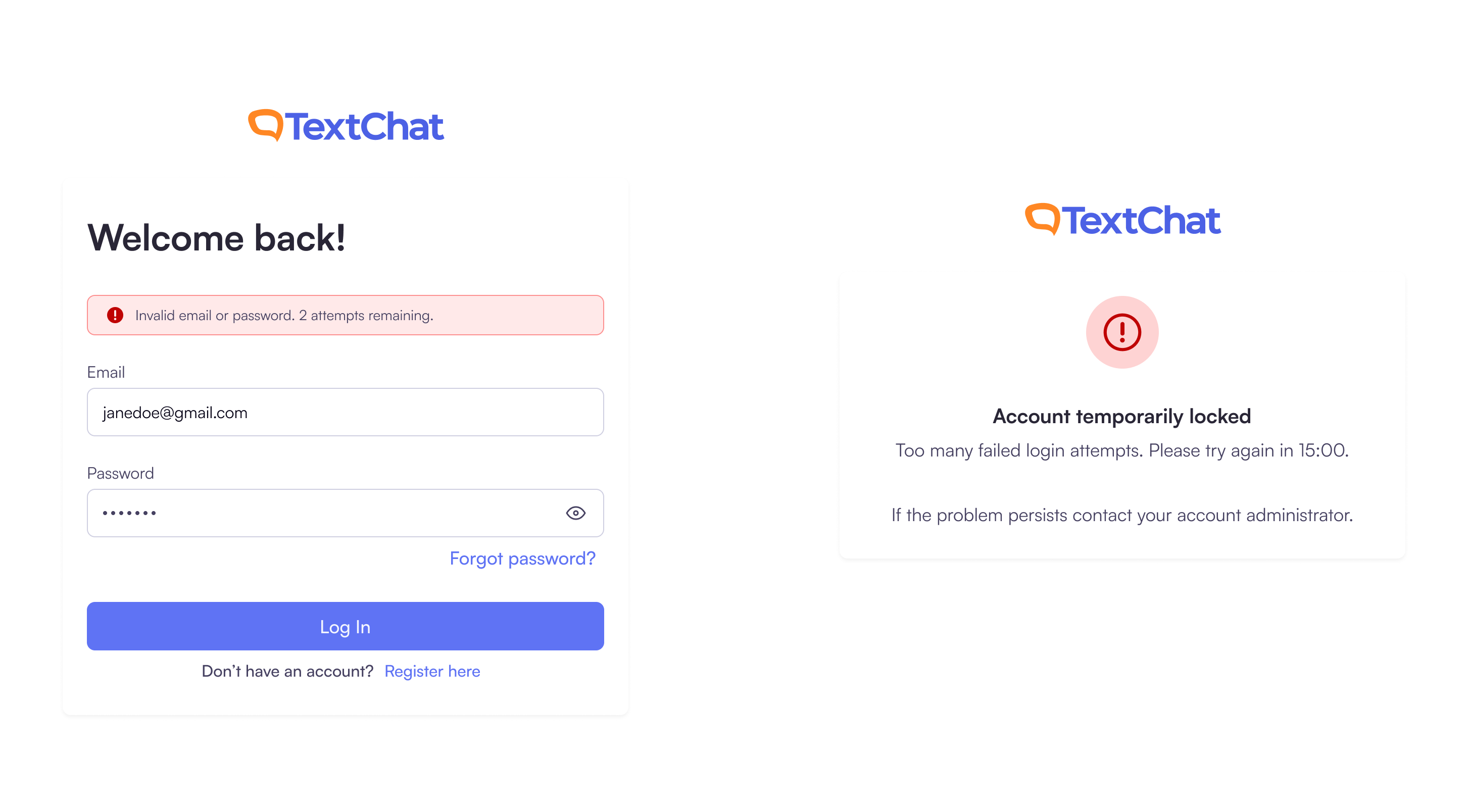
Improved Login Security & Resend Email Limits: To strengthen account security, we’ve introduced limits on incorrect login attempts and email resends.
Login Attempts: You can now enter the wrong credentials up to three times before your account is temporarily locked. You’ll be able to try again after 15 minutes.
Resend Email: You can resend the verification or reset email up to three times within 15 minutes. After that, the button will be disabled and a friendly message will let you know when you can try again.
These updates help prevent spam, accidental misuse, and unauthorized access attempts—keeping your account more secure.
New Features
Multichannel Support:
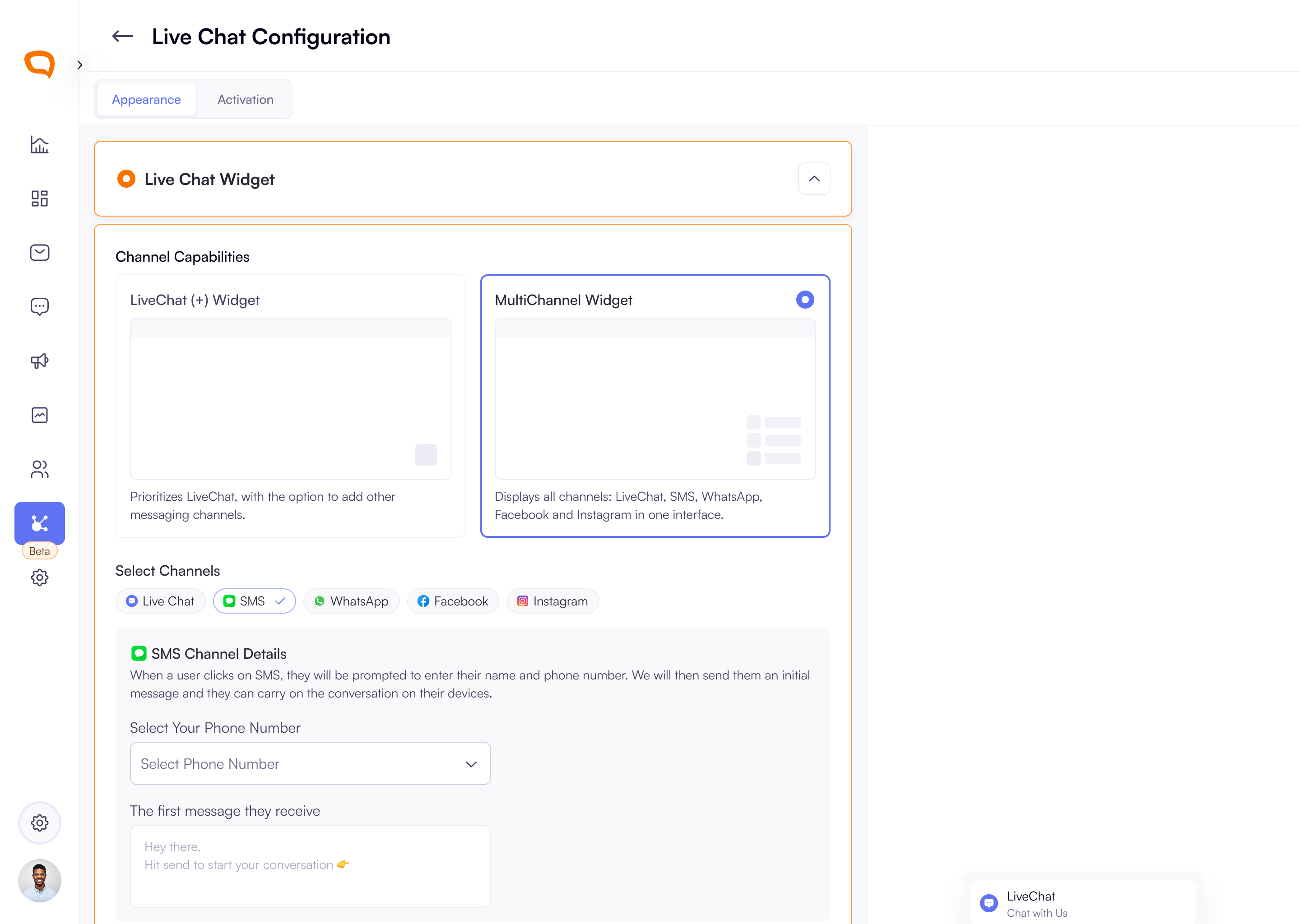
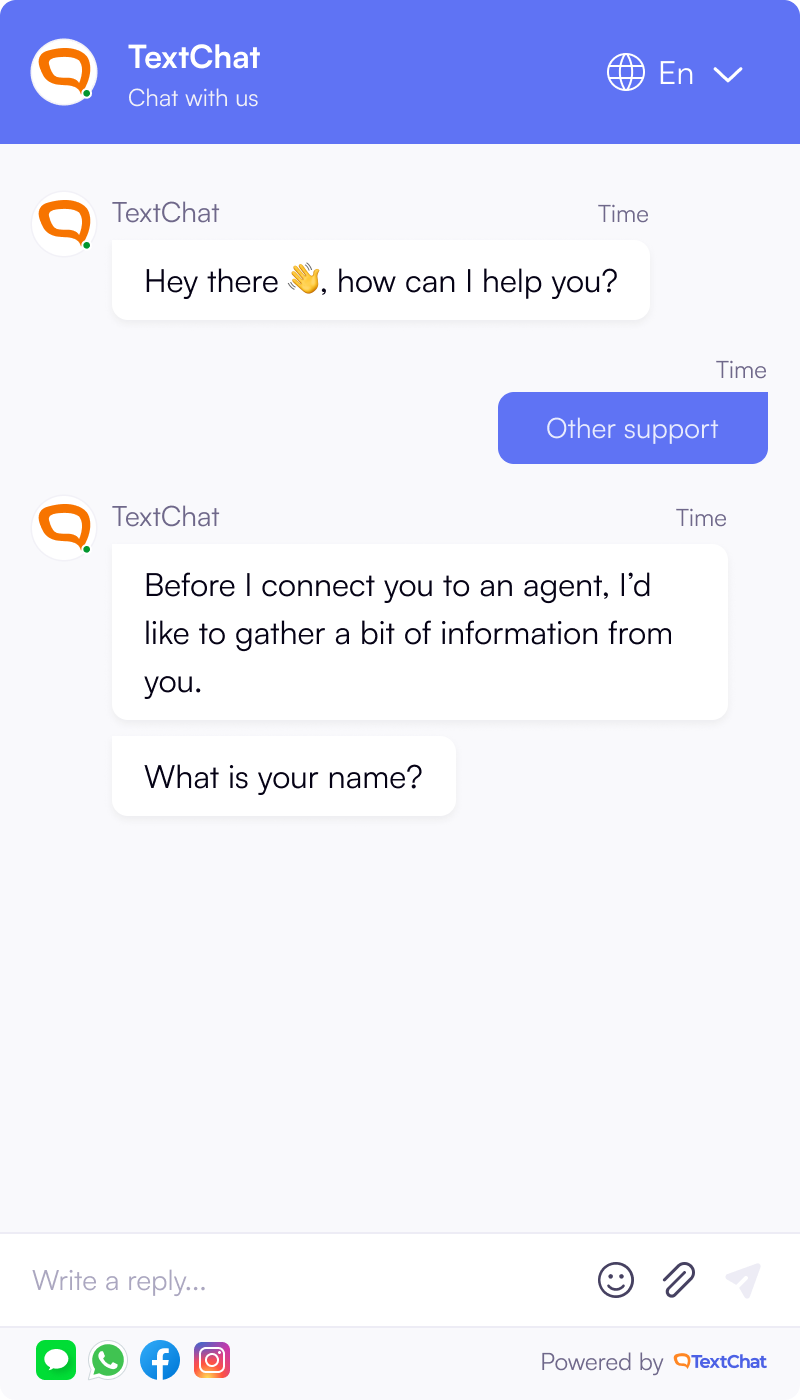
LiveChat and Multi-Channel Widgets: When setting up your widget, super admins can now select between LiveChat Widget (for chat-first experiences with optional cross-channel switching) and Multi-Channel Widget (for full multi-channel visitor entry and routing)
The Multichannel Widget selection allows you to configure different channels: LiveChat, SMS, WhatsApp, Instagram and Facebook.
LiveChat Channel Switching: Visitors can now switch to a different channel during an active LiveChat conversation. They can either switch to SMS, WhatsApp, Facebook or Instagram.
Organisation Settings
Organisation Settings Screen Introduced:
Admins can now access a new Organisation area from the main navigation. The screen provides a structured layout with sections for organisation details, address, billing, and a danger zone. Organisation information can be edited with inline validation and clear success or error feedback.
Super Admins also have the ability to initiate organisation deletion through a secure confirmation flow with email verification, warnings, and status banners for submitted or cancelled requests.
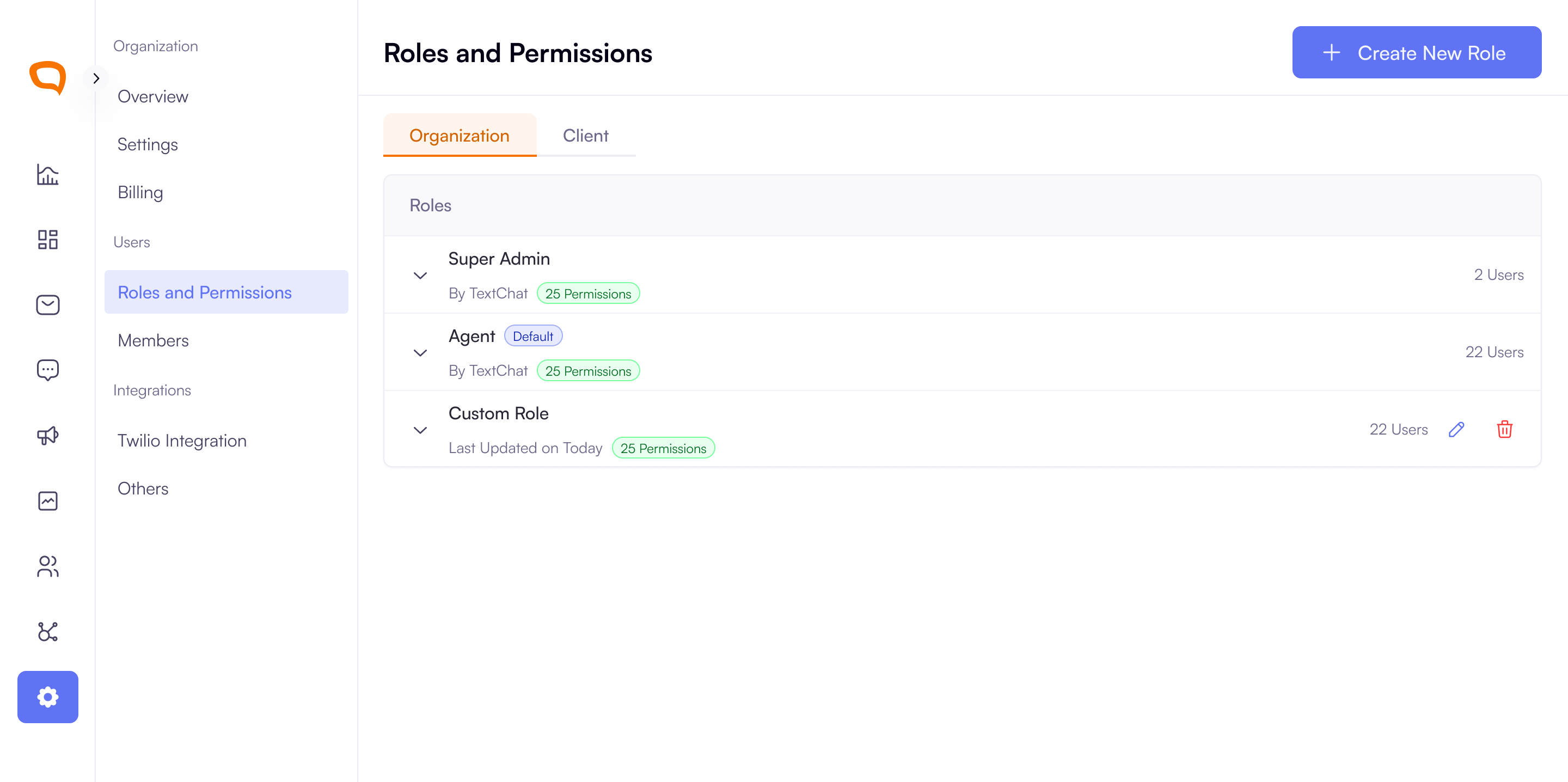
Roles & Permissions Enhancements: Super Admins can now manage roles in a clearer tabbed view for Organisation and Client levels. In addition to default TextChat roles, they can create, edit, and delete custom roles with granular permissions, and updates are applied instantly across the platform.
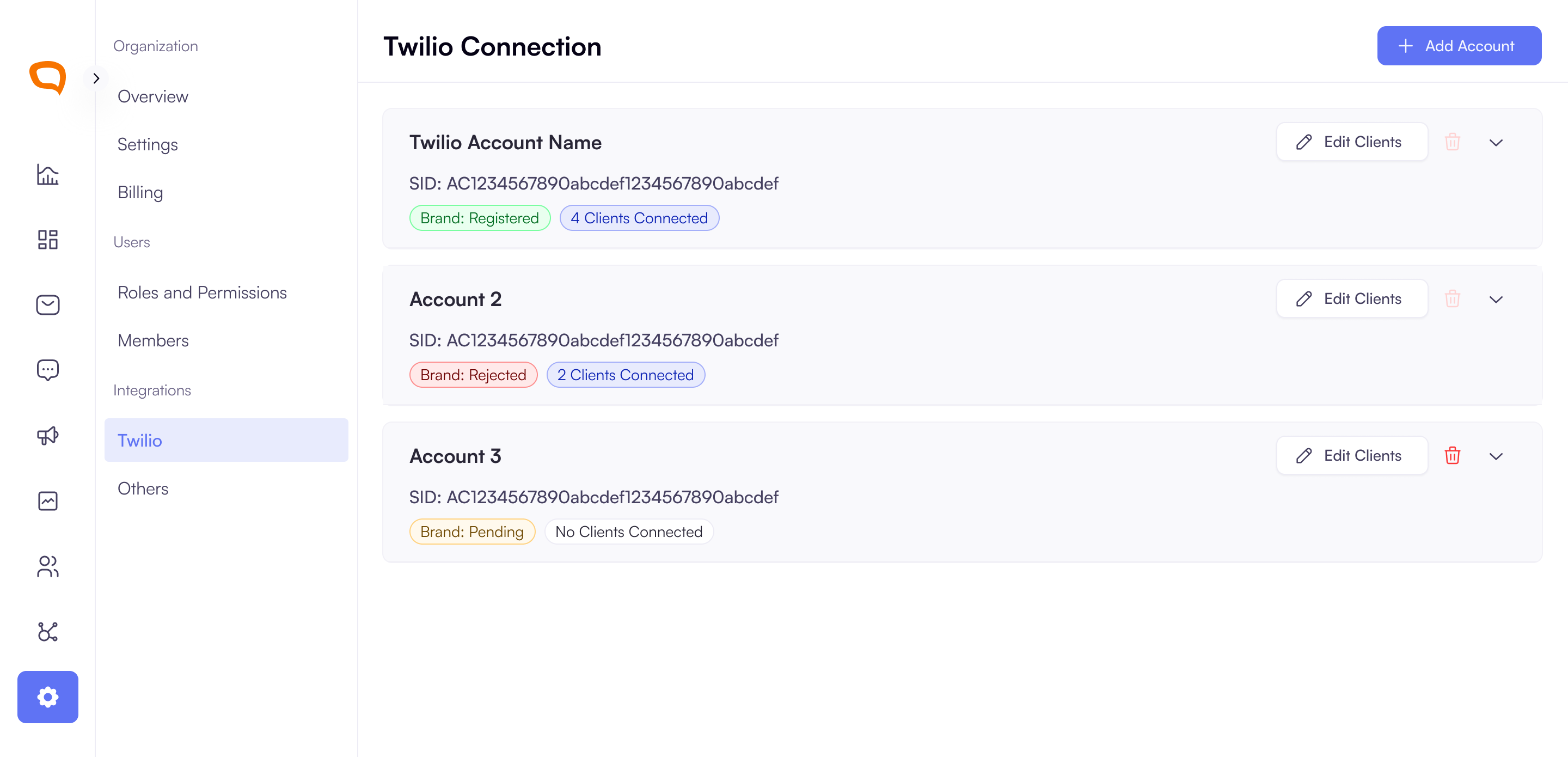
Twilio Account Management Added: Super Admins can now connect and manage Twilio accounts through a guided setup. They can enter existing credentials or access instructions to create a new account, then verify or create a Twilio Brand. Connected accounts are displayed in a collapsible list with status indicators, brand details, connected clients, and options to edit client assignments or remove unused accounts.
Text Message Scheduling
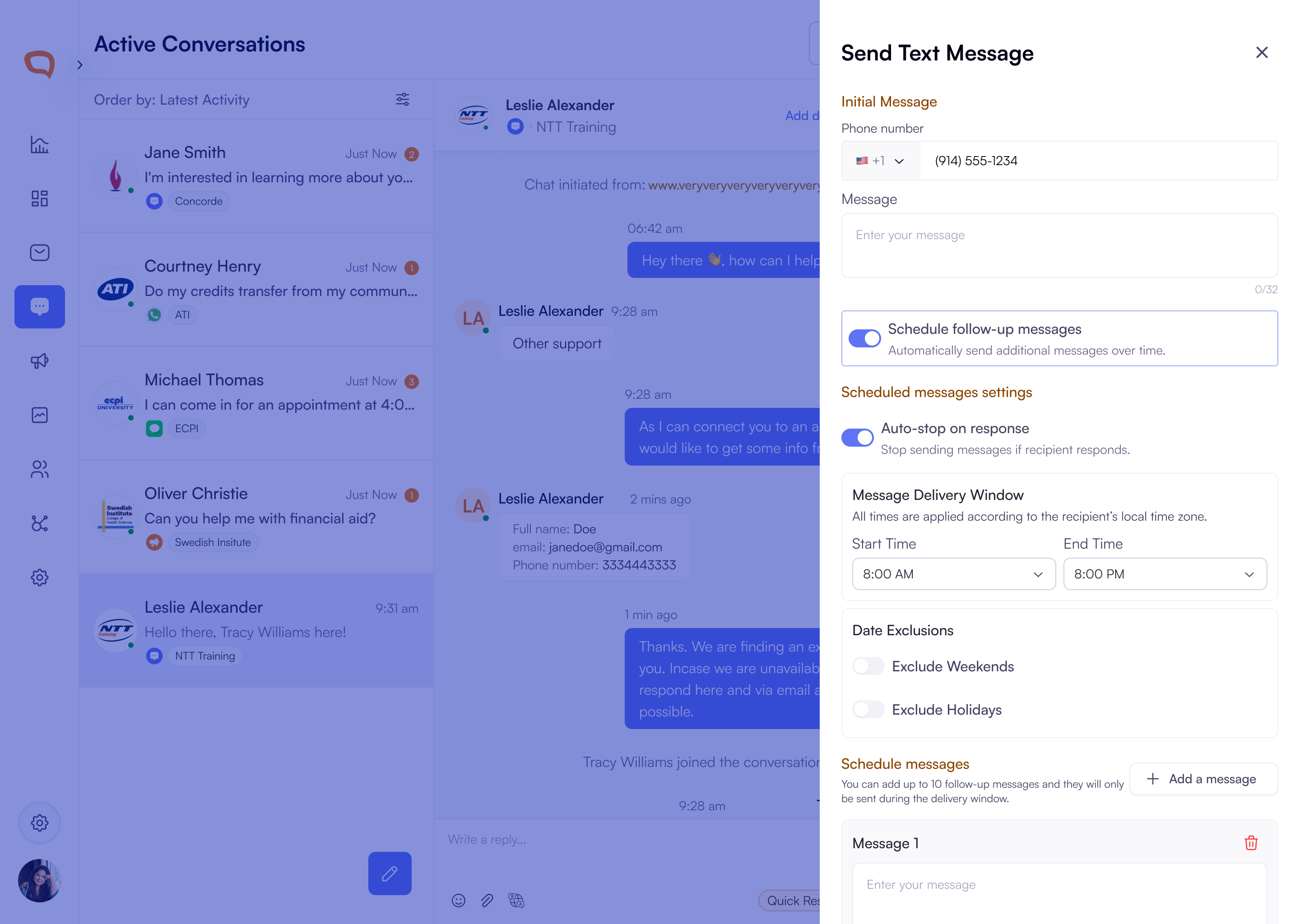
Added Text Message Scheduling and Follow-Ups: Agents can now send and schedule up to 10 follow-up messages with configurable delays, time restrictions, and date exclusions. Messages stop automatically when a recipient replies (enabled by default). Each scheduled message is saved with its text, send time, and status, with clear success and error feedback.
View Scheduled Follow-Up Messages in Conversation Threads: Agents now see a scheduled badge in the conversation thread when follow-up texts are planned. Clicking the badge opens a slider with a list of scheduled, sent, or cancelled messages, including message text, send interval, and timestamps on hover. Messages are shown in chronological order with read-only scheduling settings and a clear indicator of the next send time.
Message Delivery Window: To help you stay compliant with U.S. state regulations, scheduled and follow-up messages will only be sent between 8 AM and 9 PM in each recipient’s local time.
What you’ll see:
You won’t be able to schedule messages outside this delivery window.
Follow-up messages will automatically send during the next available time within the window.
Text Campaign Scheduling:
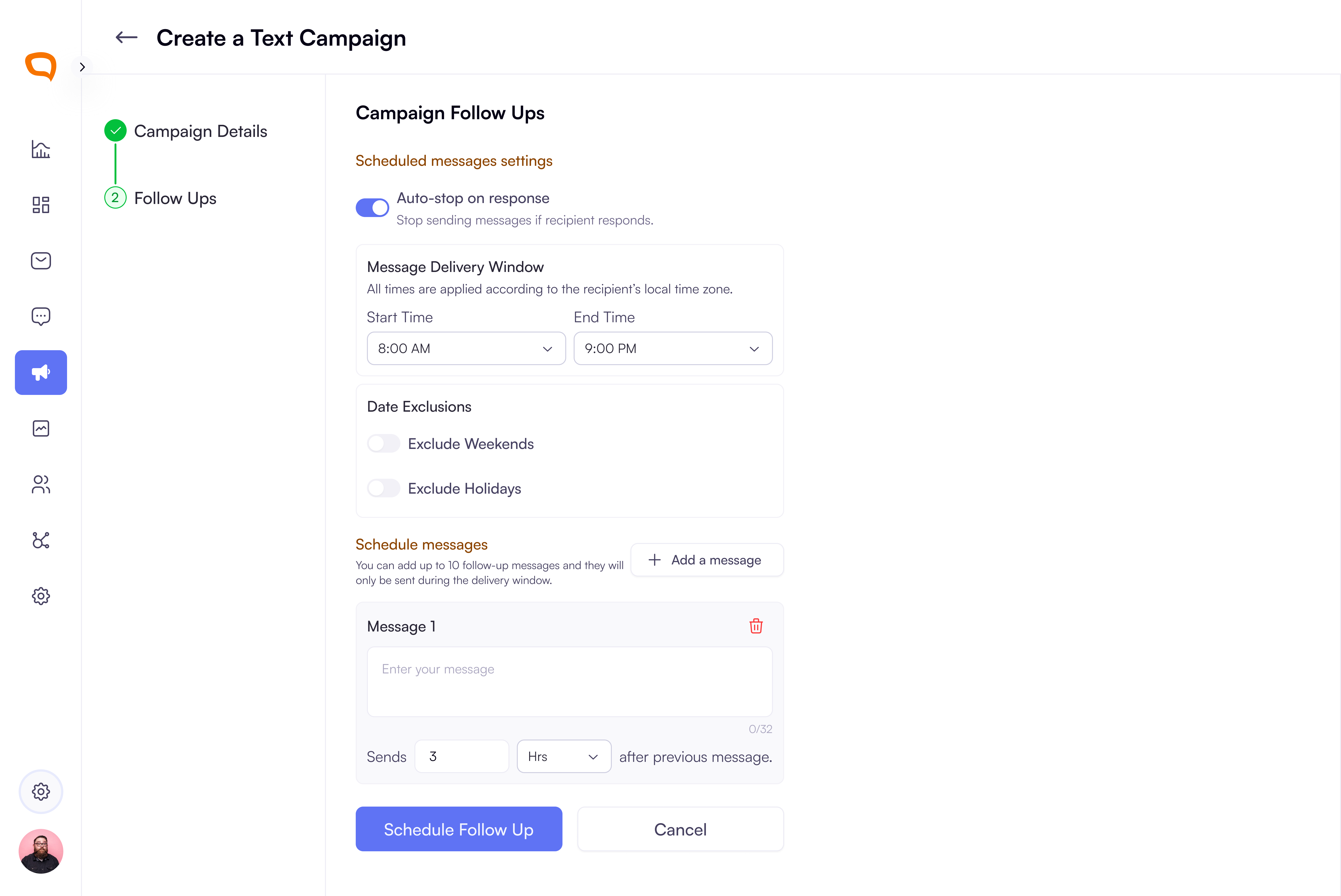
Campaigns Now Support Automated Follow-Up Scheduling: Users can enable follow-up scheduling during campaign setup with a new toggle that adds a second step. From there, they can configure auto-stop on reply, time restrictions, date exclusions, and add up to 10 follow-up messages with customizable delays and 320-character limits. This streamlines campaign automation and improves outreach efficiency.
Client Knowledgebases
Knowledgebase Link Support for Clients: Clients can now add a single external knowledge base link to support agents during conversations. Once added, the link is displayed with options to edit or delete.
Single Sign-On (SSO) Integration Login for Your Teams
Multi-Tenant SAML Support: Clients can now manage their own SAML configurations within TextChat, enabling secure, flexible authentication across multiple organizations.
To sign up, at the moment, Textchat sets up that up but soon we will have it on the client settings.
September 2nd, 2025
New Feature
Improved
Bug Fix
New Features:
Enhanced Reporting Suite:
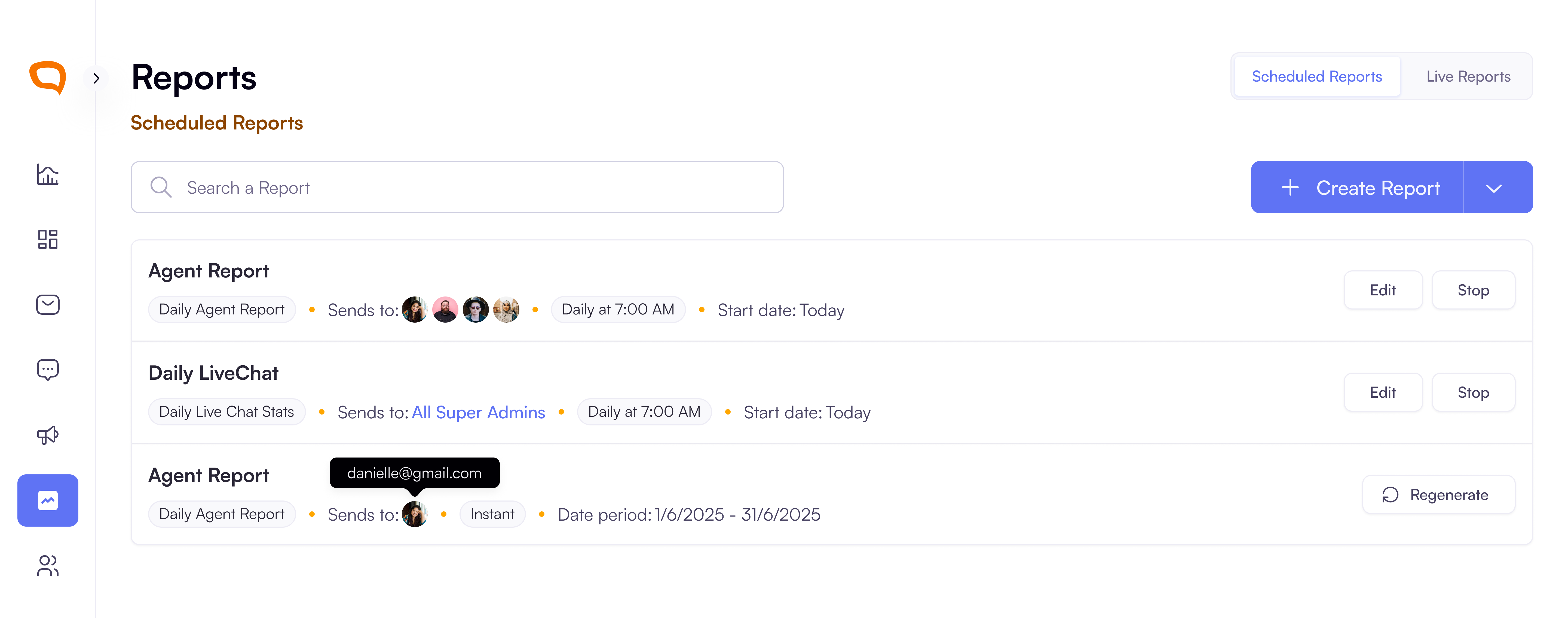
Organizations can now generate instant or Scheduled reports about itself and their clients which unifies performance insights across all channels.
Single and Multi-day Agent Reports: Track total time logged in, availability, breaks, training, meetings, utilization, and total conversations.
Single and Multi day Live Chat Reports by Client: Total chats, average response time, chats per hour, average chat length, and % time answering.
Social Channels (Instagram and Facebook) Post & Comment Improvements
Agents now receive instant notifications for new posts or comments after a page connection. The new comments are auto-assigned to available agents.
Agents own threads unless offline, when reassignment occurs automatically.
New conversations and unread comments can be replied to from the Message Center.
Improvements
Weekly User Email Verification Added: To enhance account security, users will now be required to verify their email once every week. This quick check helps protect your workspace and ensures only authorized users maintain access.
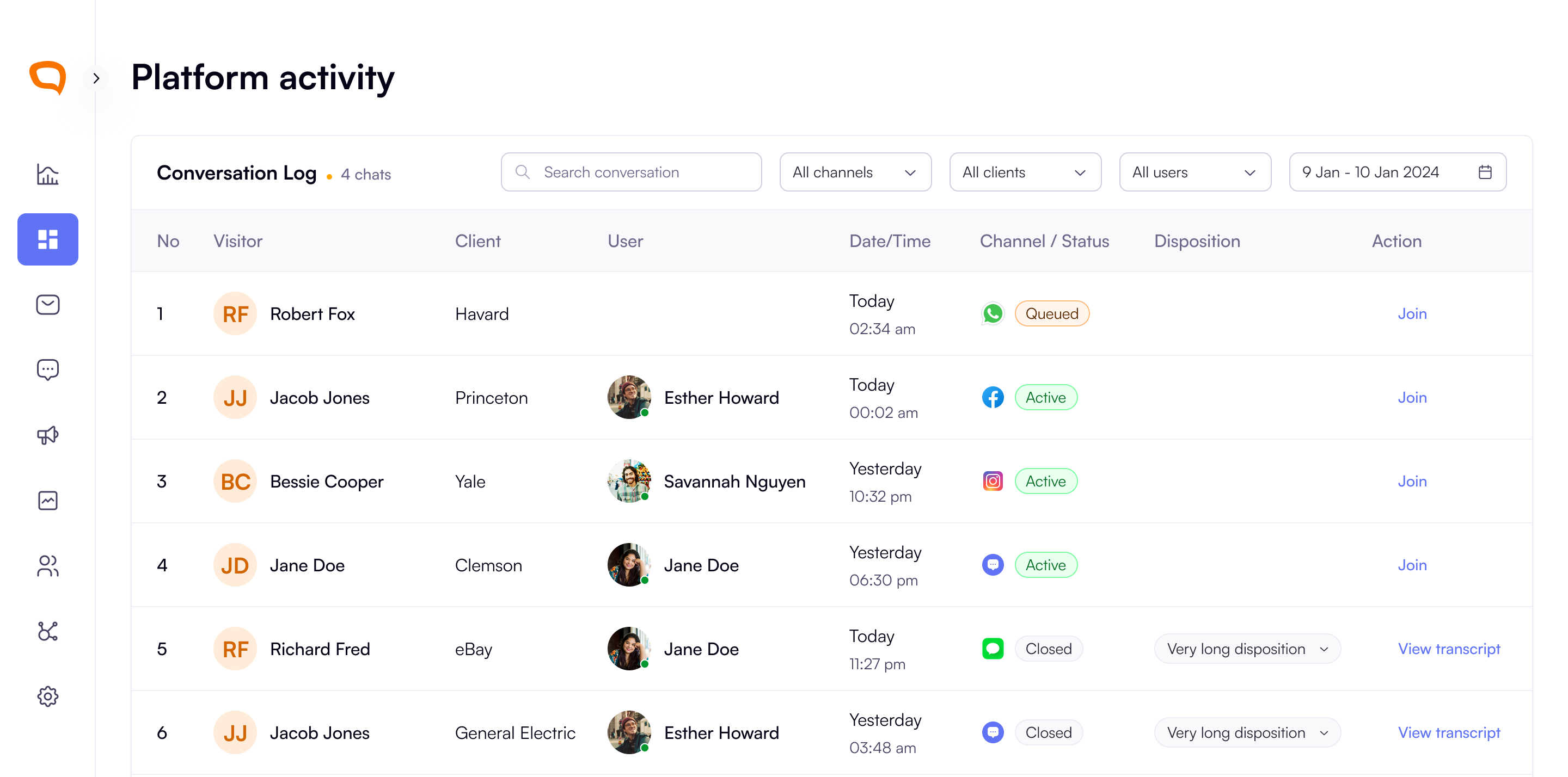
Improved Visibility for Queued Conversations: Super Admins can now easily see all queued conversations directly in the conversation list on platform activity. They’ll receive a notification whenever a new conversation enters the queue. Clicking Jump to takes them straight to Platform Activity to manage waiting students.
Instagram Channel Connection for Clients : Super Admins can now quickly glance the state of the Instagram connection from the Channels Tab in the Client details. They can see badges with the states:
Connected,ExpiredThe user is also notified of call to actions when pages in the Instagram connection expire.
WhatsApp Channel – Delivery Receipts: Agents now see two grey ticks (✓✓) when a WhatsApp message is delivered, giving instant visibility.
Emoji Support in Reply Form: Users can now attach emojis to their responses from the emoji picker in the reply fields for more expressive messaging.
LiveChat Language Selector: The language picker now shows a globe icon + language abbreviation e.g.,
ESand a dropdown arrow for better accessibility.Facebook Posts Likes : We currently sync Facebook posts’ likes once in a day, at midnight, to avoid rate limits.
Facebook and Instagram Unread Counter for Posts: Posts now display an unread comment counter that updates as agents reply, showing total unreplied messages across threads.
LiveChat – Mobile Responsiveness: The LiveChat widget is now fully responsive on mobile. It repositions when keyboard opens and the Language menu width responds to the screen size.
Restrict Visibility of Unassigned Channels: Agents can now only see channels they’re assigned to through skill based routing. They can no longer see channels they have not been assigned to answer for.
Campaigns Added as a Channel for skill based routing: Agents can now be assigned to answer for Campaigns as a channel. To view this, you can manage an agent and assign then campaigns and the maximum number of conversations they can handle for the same.
When an agent’s bandwidth drops, they now receive an unstable connection alert to communicate why messages might delay sending.
Security: Clickjacking Protection: Added
X-Frame-OptionsandCSP frame-ancestorsheaders to block external iframe embedding and prevent clickjacking.Sensitive data protection in API Endpoints: We improved our data security by removing sensitive fields from Agent, User, and Conversation API responses.
Dashboard and Interaction Refinements
Refined hover and focus states for interactive elements.
Smoother load transitions in channel connection modals.
Added subtle animations to emoji picker and dropdown menus.
Bug Fix:
Draft Handling & Connection Alerts: When an agents sends a draft message, it is now automatically once sent to prevent duplicates.
Client Detail Updates: Fixed an issue where client and super admins could not update client images.
August 16th, 2025
New Feature
Improved
Bug Fix
Features
Scheduled & Instant Reporting: Super admins can now create and manage organization reporting which includes but is not limited to
Live ChatandAgent Reporting. They can set up recurring reports with specific frequencies and recipients, or generate instant, one-off reports for a custom date range.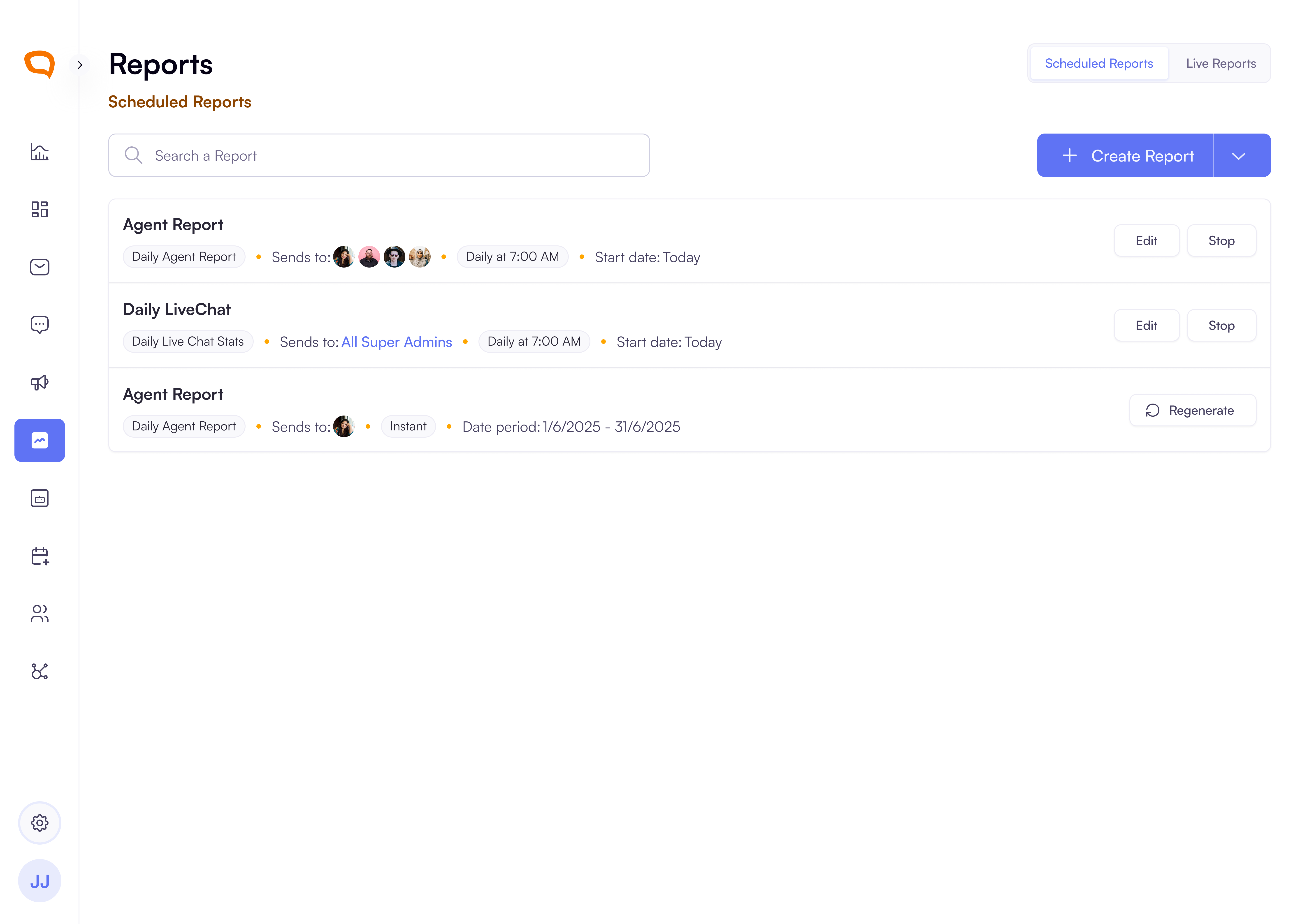
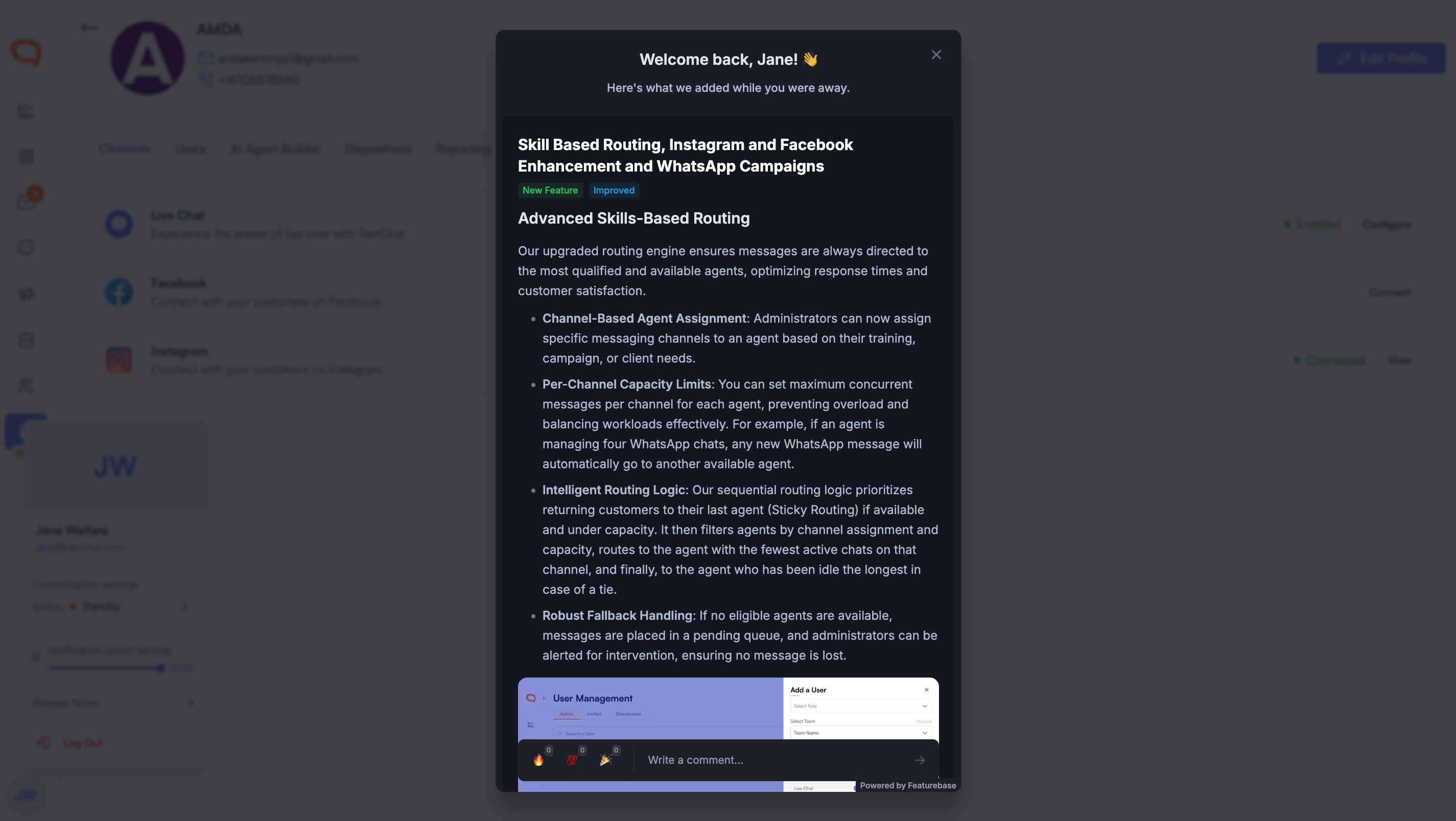
In-App Release Notes Easily stay up to date on new features and improvements by viewing release notes directly from your dashboard profile dropdown.
Improvements
Chat End Flow Improvement: Transcript confirmation now displays before the conversation ended message for clearer user experience.
Channel Memory Enhancement: Unassigned channels now retain their previous settings and auto-populate values when reactivated.
Conversation Header Responsiveness: Updated conversation thread headers to show icon-only buttons when visitor panel is open, plus improved End Conversation and Release button icons.
Mobile LiveChat Enhancement: Improved mobile chat experience with better screen fit and keyboard handling for visitors.
Facebook New Comment Notification and Agent Assignment: Added automatic assignment of Facebook comments/posts to agents with notifications.
WhatsApp Delivery Receipts: Agents now see delivery status with grey tick indicators when messages are delivered to visitors.
Disconnected Facebook and Instagram Accounts: Disabled reply functionality and added warning notices for disconnected channels like Facebook and Instagram.
Campaigns Message Resend Improvements: We've improved the message resend functionality. When you choose to resend an undelivered message, the status immediately updates to "Sending," and a loading bar appears. Once the process is complete, you'll see a banner with feedback and the message status will update to either
DeliveredorUndelivered.Emoji Support for Replies on Facebook and Instagram: We've added a new emoji picker to the reply input field, making it easy for you to engage when responding to comments.
Bug Fixes
Message Draft Improvements: Messages now clear from draft mode immediately upon sending to prevent duplicate sends.
User Management
Channel Visibility Fix: Super admins can enable agent access to their assigned channels, automatically disabling unassigned channels in the client list.
Channel Assignment: New channel assignments now initialize with a conversation count of 1 instead of 0 for active users.
Conversation Assignment Fix: Agents without channel assignments no longer receive new conversations.
July 26th, 2025
New Feature
Improved
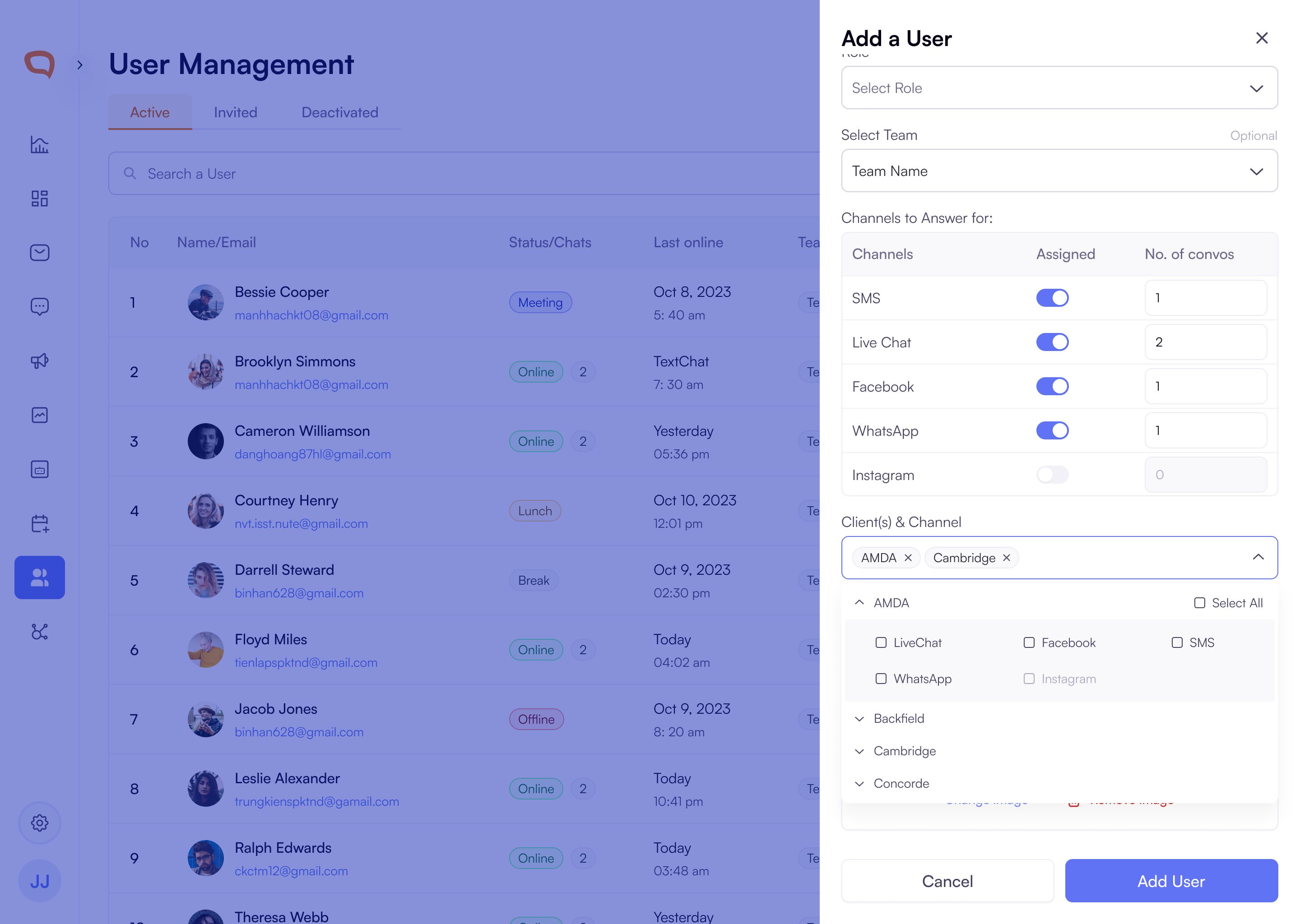
Advanced Skills-Based Routing
Our upgraded routing engine ensures messages are always directed to the most qualified and available agents, optimizing response times and customer satisfaction.
Channel-Based Agent Assignment: Administrators can now assign specific messaging channels to an agent based on their training, campaign, or client needs.
Per-Channel Capacity Limits: You can set maximum concurrent messages per channel for each agent, preventing overload and balancing workloads effectively. For example, if an agent is managing four WhatsApp chats, any new WhatsApp message will automatically go to another available agent.
Intelligent Routing Logic: Our sequential routing logic prioritizes returning customers to their last agent (Sticky Routing) if available and under capacity. It then filters agents by channel assignment and capacity, routes to the agent with the fewest active chats on that channel, and finally, to the agent who has been idle the longest in case of a tie.
Robust Fallback Handling: If no eligible agents are available, messages are placed in a pending queue, and administrators can be alerted for intervention, ensuring no message is lost.
Expanded Channel Support:
Instagram Direct Messages
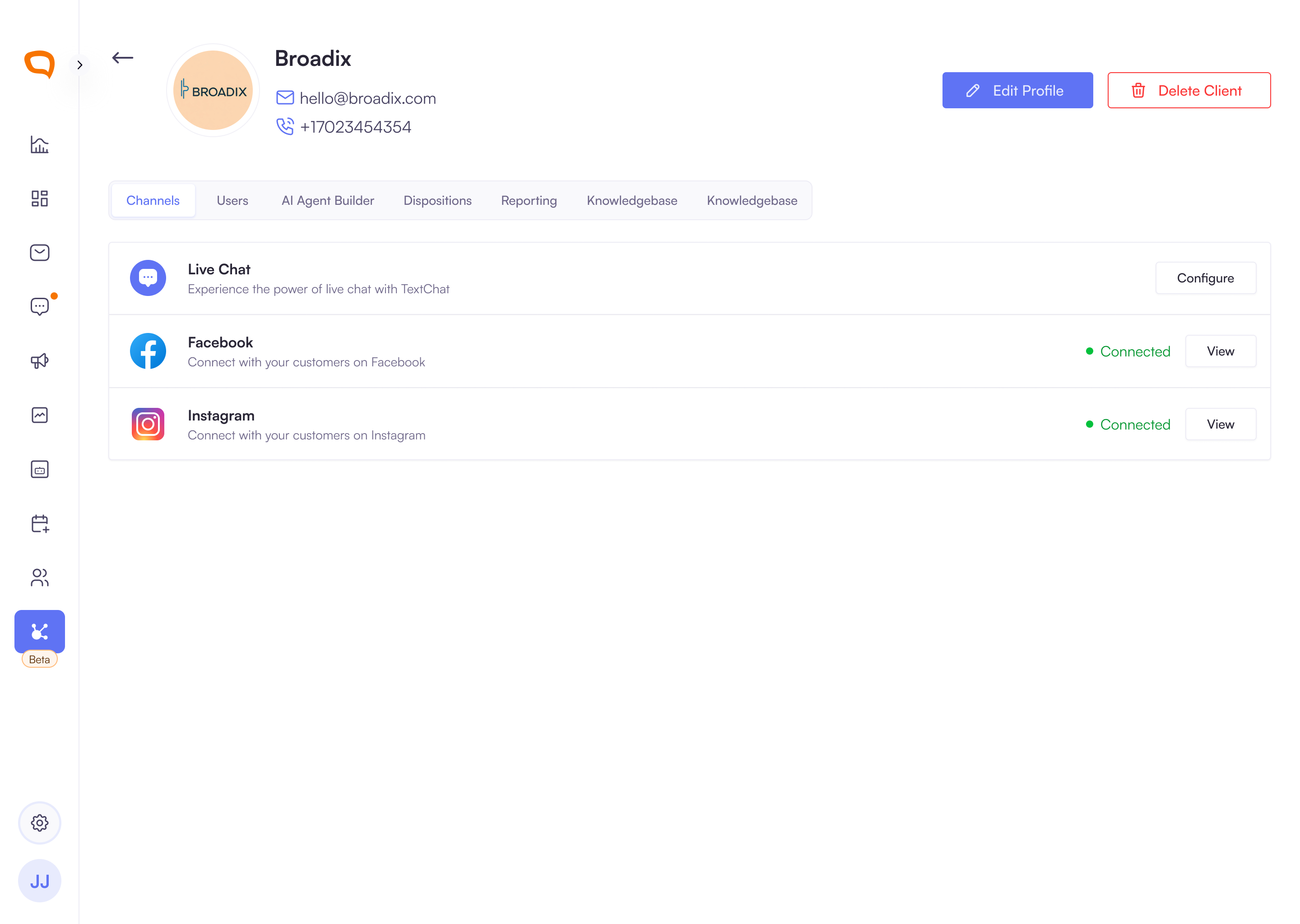
Instagram Direct Messages (DMs) Integration: Agents can now view and respond to all customer DMs sent to connected Instagram Business/Creator accounts from a single inbox. This centralizes communications, allowing for quicker replies without needing to switch platforms. Story mentions and replies are also visible, ensuring no customer engagement is missed.
Instagram Comment Management: Manage and reply to all comments on your clients’ Instagram posts directly from within the platform. You can also view like and comment counts on posts, facilitating better engagement and reputation management.
Simplified Instagram Account Management: Super Admins can easily connect, disconnect, and reconnect multiple Instagram Business/Creator accounts. The platform will promptly notify you of expired tokens or permission changes, allowing for quick resolution of connectivity issues.
Facebook Page Updates
Enhanced Facebook Page Integration: This update provides a unified inbox for all Facebook Page conversations and engagements, including Messenger messages, post comments, and likes. Agents can reply, like, or comment directly from the platform, streamlining workflows and improving agent efficiency.
Centralized Facebook Account Control: Super Admins can connect multiple Facebook Pages and receive alerts for expired tokens, ensuring continuous service and enabling efficient batch management for larger accounts.
Important API Notes:
For Instagram you:
Can only reply to incoming DMs within a 24-hour window
Can’t initiate outbound DMs is not supported.
Can only connect Business/Creator Instagram accounts. The platform does not support personal Instagram accounts or marketing /audience insights for Facebook.
WhatsApp Campaigns
Multichannel campaigns: Agents can now send both Text and WhatsApp campaigns to different users. Use designated creation for each campaign and visualise all in table.
Filter your campaigns based on the channel and status
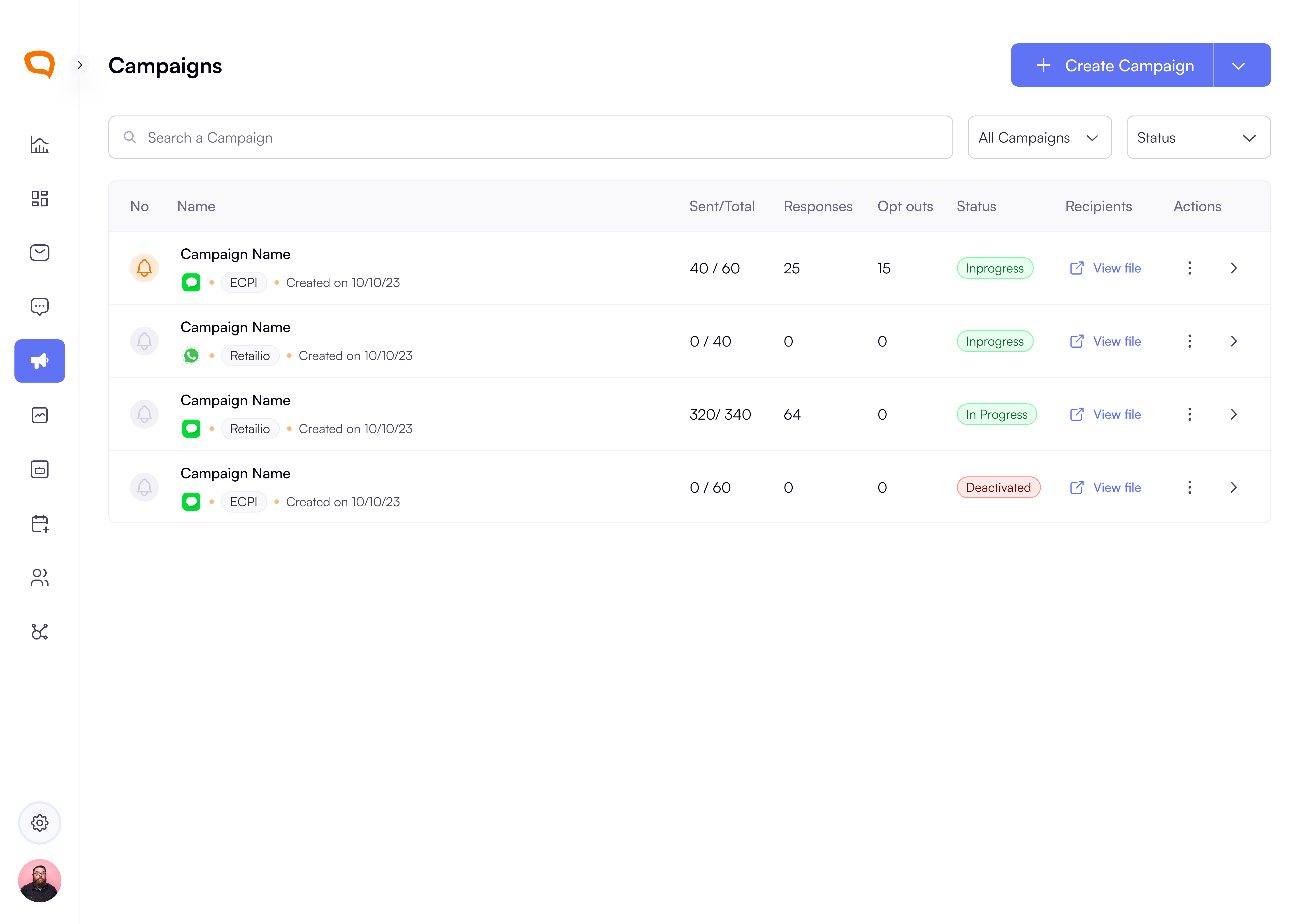
UI/UX updates
Improved dispositions visibility. When assigning dispositions to a channel’s conversations, the user should only see:
Dispositions assigned to
All ChannelsDispositions assigned specifically to the
Current Channel
We have given some components a fresh look for accessibility and hierarchy of information.
Have a centralized section for reports away from the platform activity.
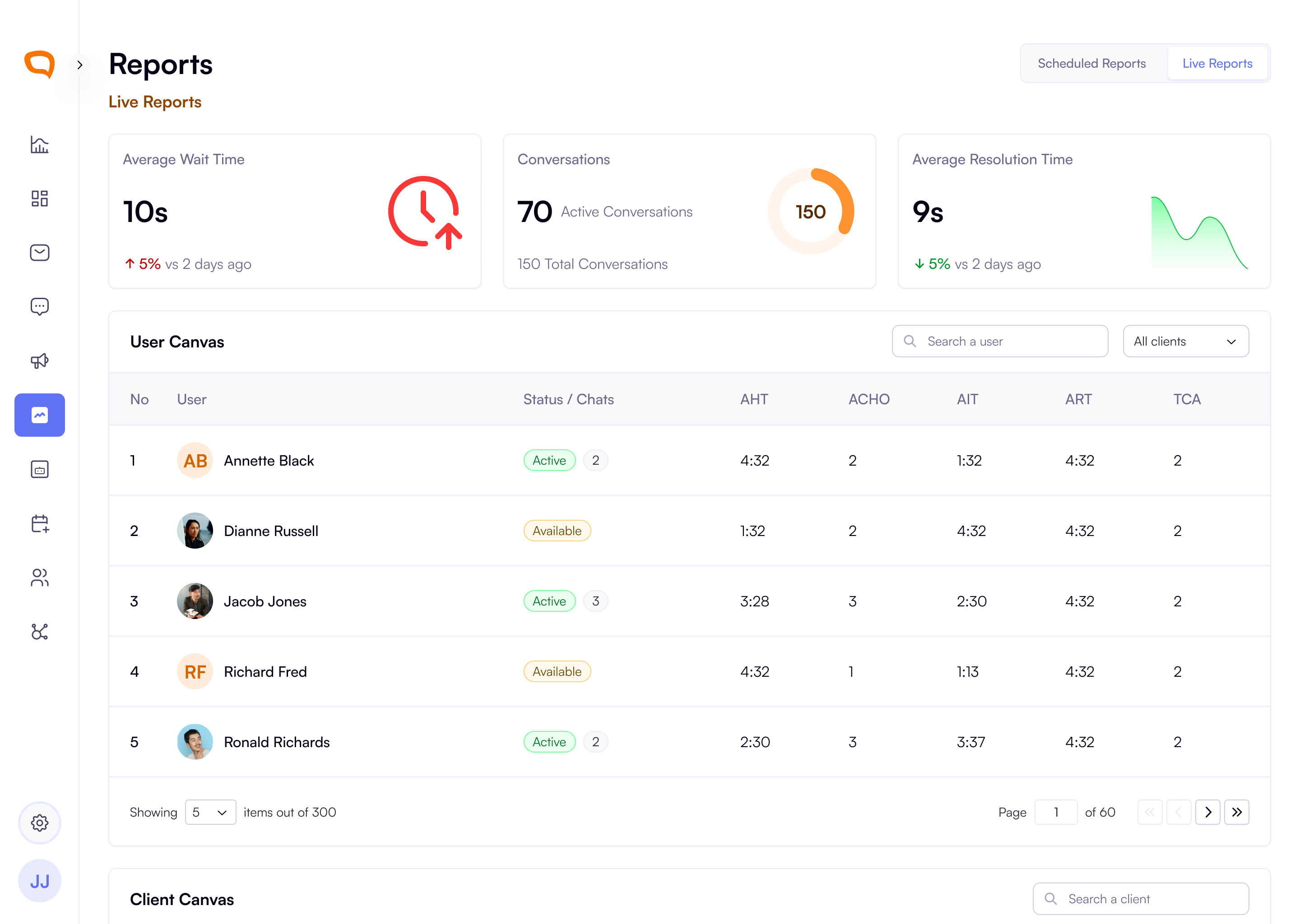
July 8th, 2025
Improved
Enhanced User Experience
Improved Loading States: Added skeleton animations across Dashboard and Platform Activity screens for better visual feedback during data loading.
Language Selector Update: Enhanced globe icon with language abbreviation and dropdown indicator for better accessibility.
Return Chatter History: Both agents and customers can now see prior conversation history (up to 3 months) for seamless context.
Global Status Updates: Users can now update their status from any page via the User Details Modal.
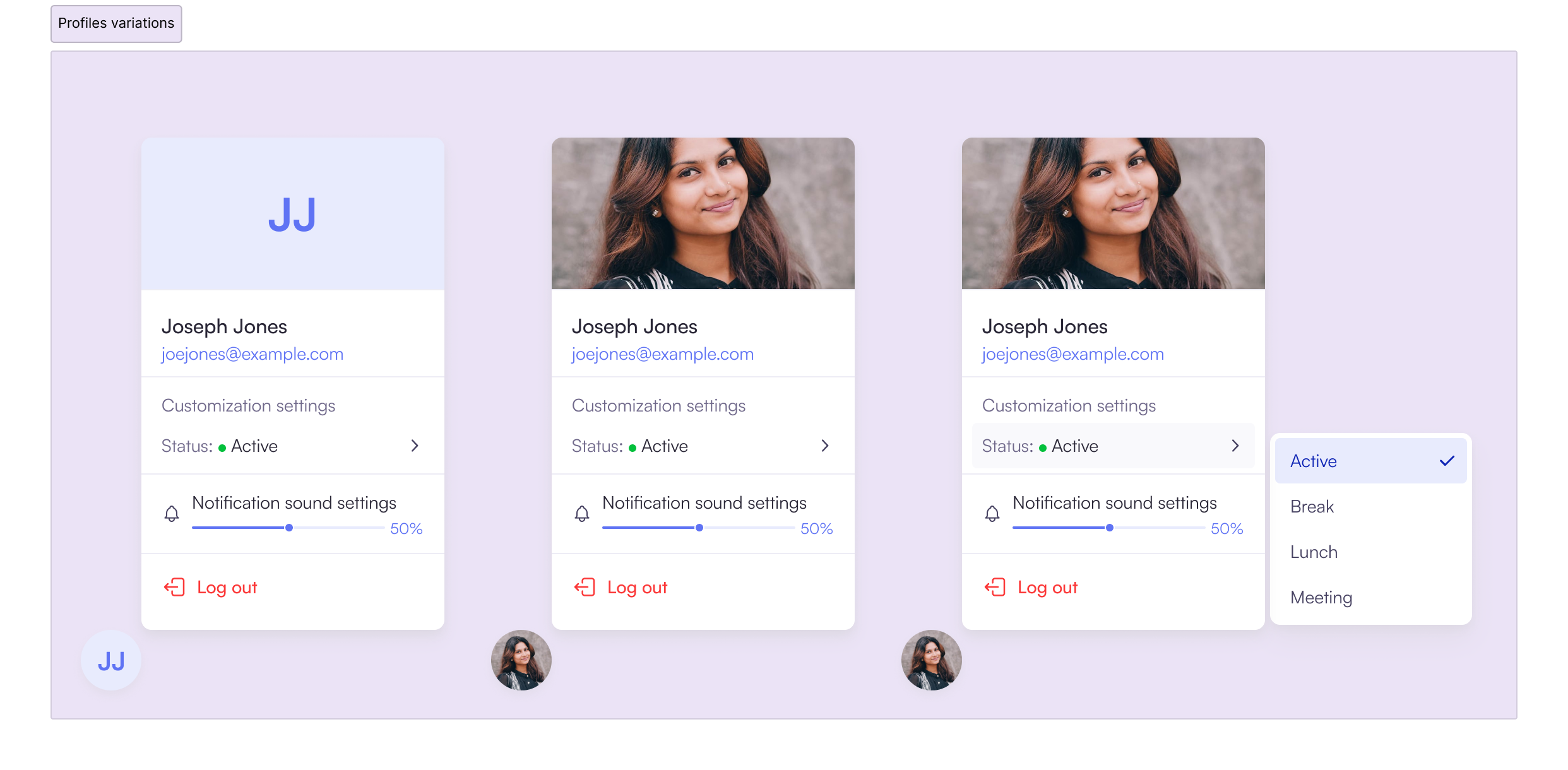
WhatsApp Channel Improvements
Delivery Receipts: Added two grey tick visibility for agents when messages are delivered to visitors.
Active Conversations: WhatsApp conversations now properly appear in Active Conversations section.
Channel Management
Disposition Channel Assignment: You can now assign channels to dispositions while creating them.
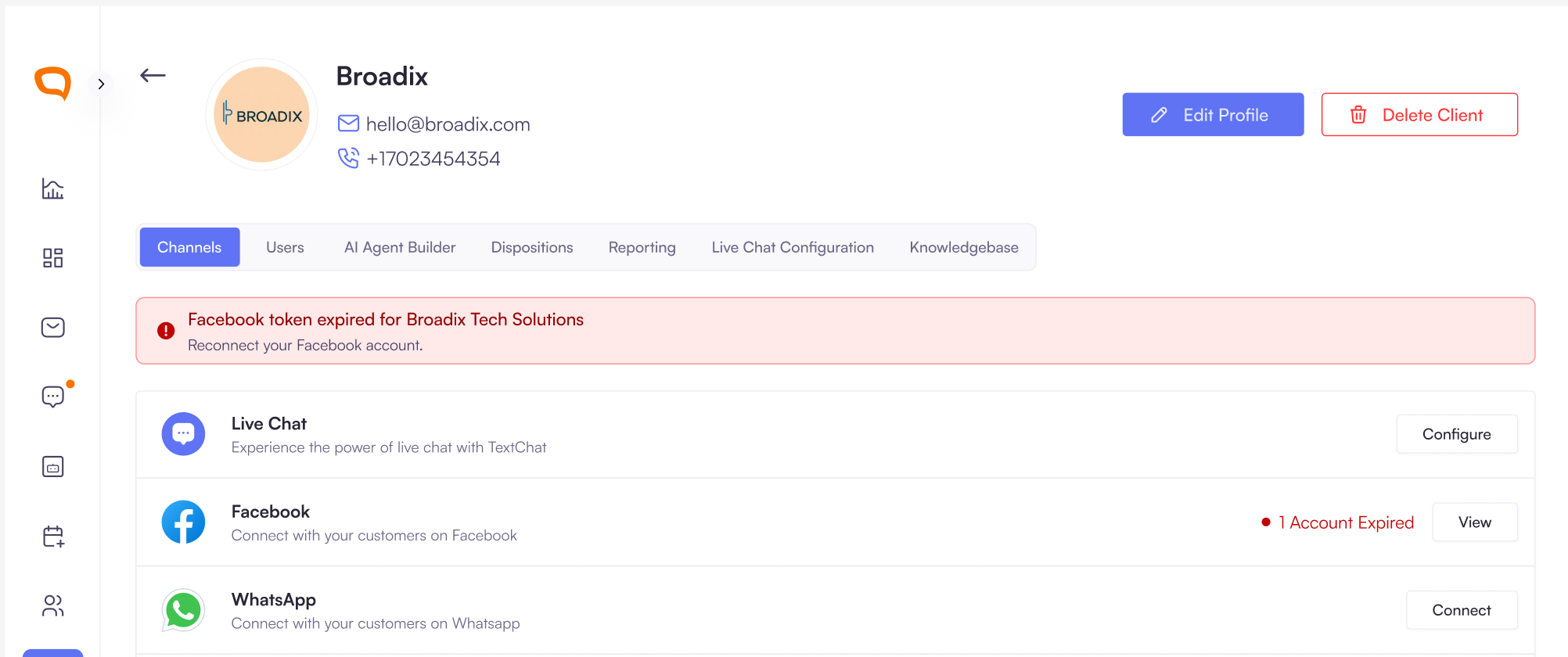
Facebook Account Management: New dedicated screen showing all connected accounts with token expiration status and reconnection options.
LiveChat Status Visibility: Added clear Enabled/Disabled status indicators on client channel configurations.
Campaign Enhancements
Non-Respondent Report Emails: Admins can now add multiple email addresses to send non-Respondents campaigns recipients. Added email input field with chip-based validation for sending campaign reports.
Vertical Campaign Stepper: Replaced horizontal stepper with vertical layout for better
scalability and progress tracking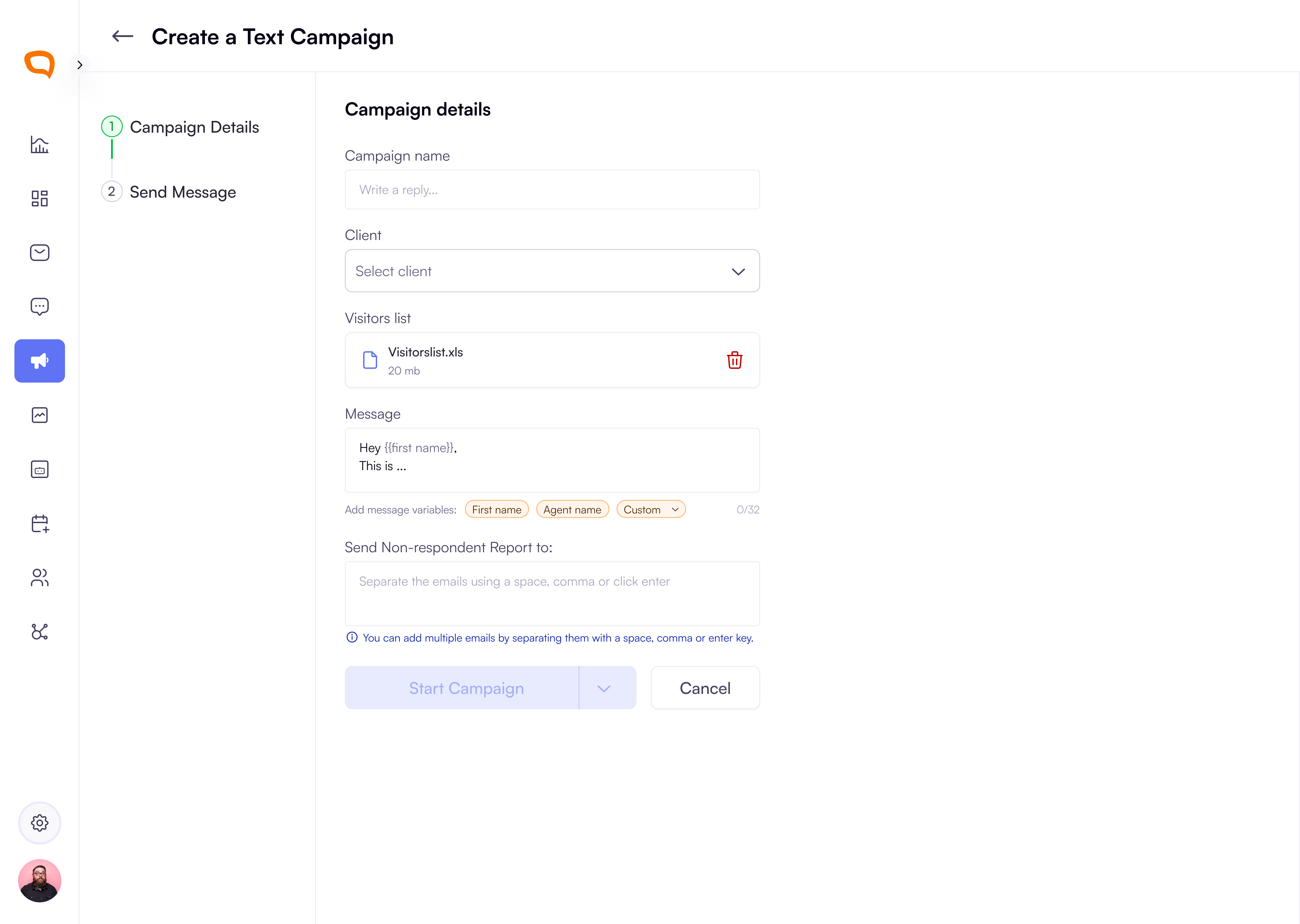
Improvements
Consistent Loading Animations: Unified loading state components across all screens using standardized building blocks
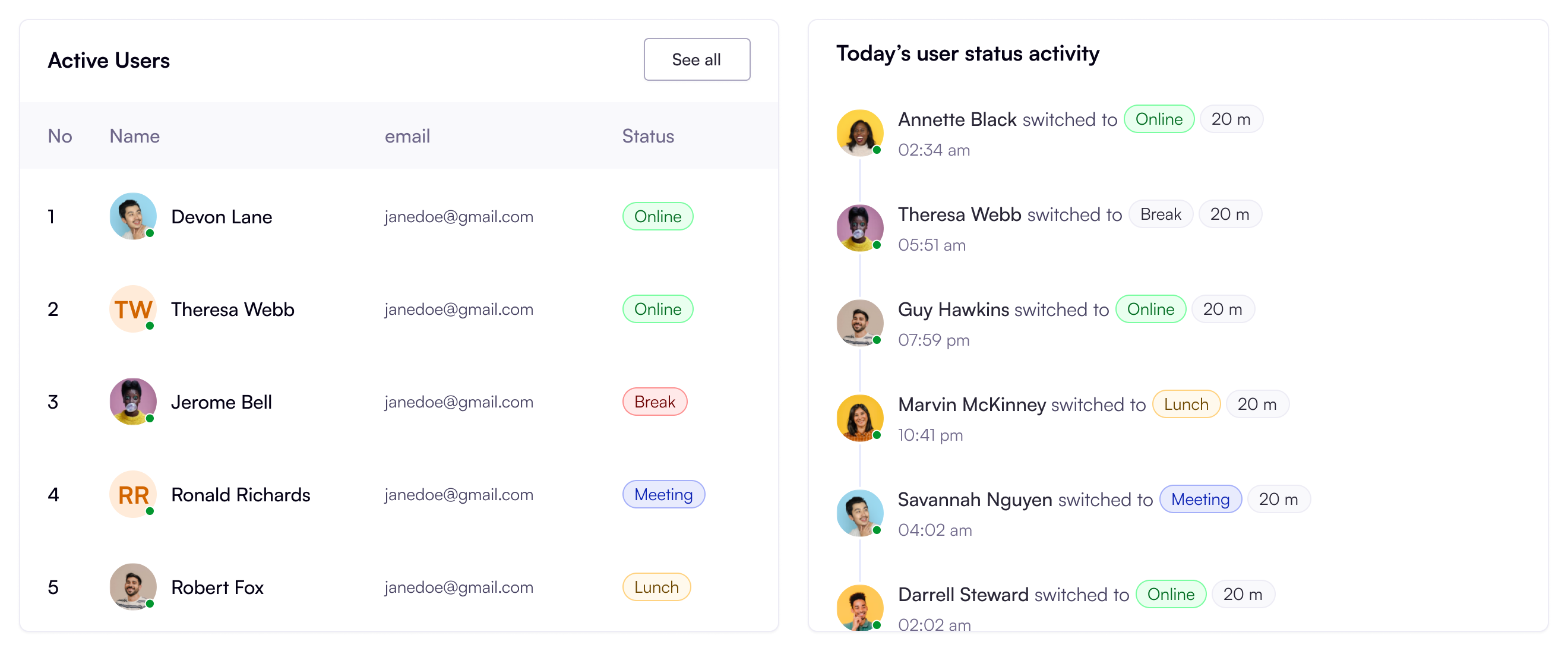
Real-time Status Tracking: Enhanced user activity display with detailed time tracking for each agent status
User Experience
AI Agent Button State Fixed button activation when editing prompts without other field changes
Chat Notification Counter Updated to show accurate unread message count instead of capping at 10.
Hover Effects Improved disposition editing with proper background highlighting for selected channels
Bug Fixes
Fixed AI Agent save button not activating when only prompts are edited
Resolved transferred chat replies appearing to initial agents
Corrected client logo field issues including SVG support and background color display
Fixed disappearing client images defaulting to initials during editing
Resolved WhatsApp message delivery issues between QA platform and visitors
Security Updates
Enhanced token management for Facebook account connections with expiration monitoring.
June 24th, 2025
New Feature
Bug Fix
Expanded Channel Support:
Facebook Page Integrations
Facebook Account Connection: Super Admins and client admins can connect multiple Facebook Pages and receive alerts for expired tokens, ensuring continuous service and enabling efficient batch management for larger accounts.
LiveChat:
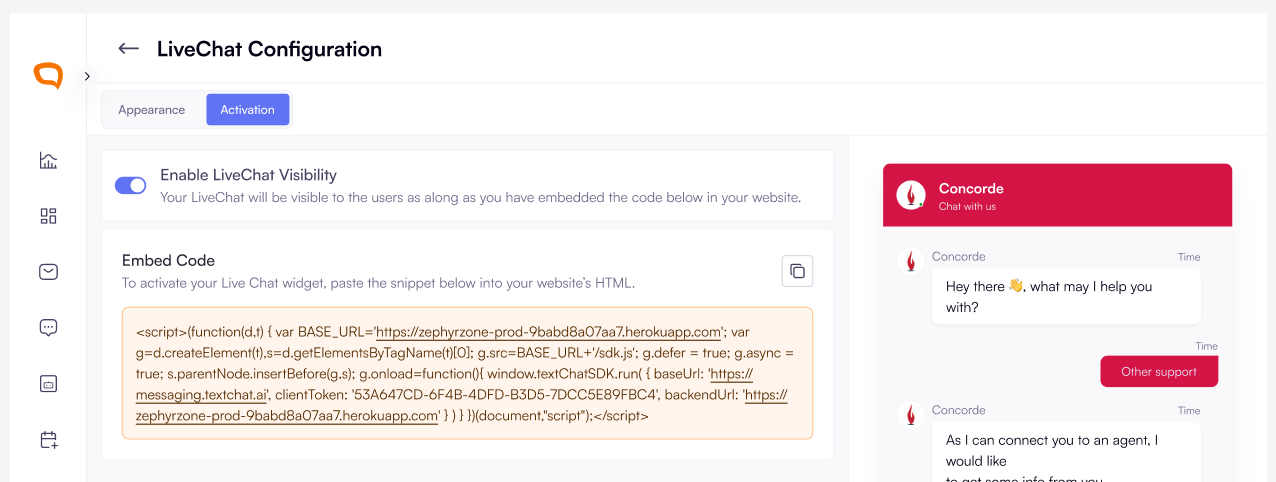
A super and client admin can toggle the LiveChat visibility, so that they can control whether the widget appears on client websites.
Super admins and client admins can now access the specific client’s LiveChat Configuration from the channels settings.
Text Campaigns
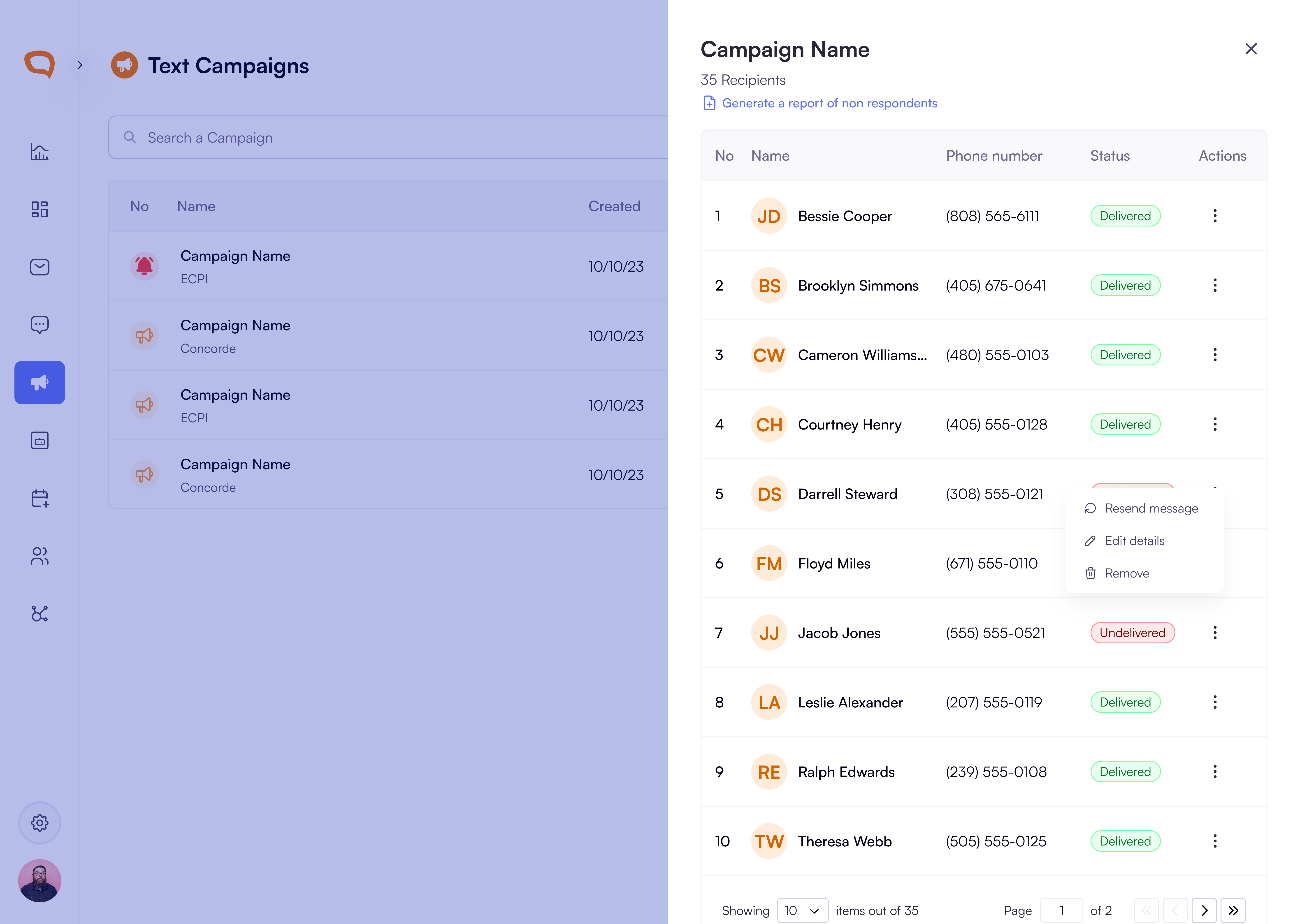
Campaigns Visibility and accessibility: You can now access Text Campaigns on it’s own dedicated destination on our platform. They are no longer nested under the message center.
Campaigns data Accuracy: We updated the Campaign Recipient List to phone number and the correct campaign delivery status
Other Improvements:
Livechat conversations and Text-Follow ups are now separated but with a linked record for accurate billing.
Our conversation threads can now perisit drafts and are shown on the conversation log by display of :
An
edit iconThe label
Draft
A user can see drafts indicator on the conversation log
The conversation headers are now different based on a conversation’s status:
Active(Livechat and other Channels) andClosedconversations.You can no longer close a closed conversation but you can send a Transcript and view the disposition.
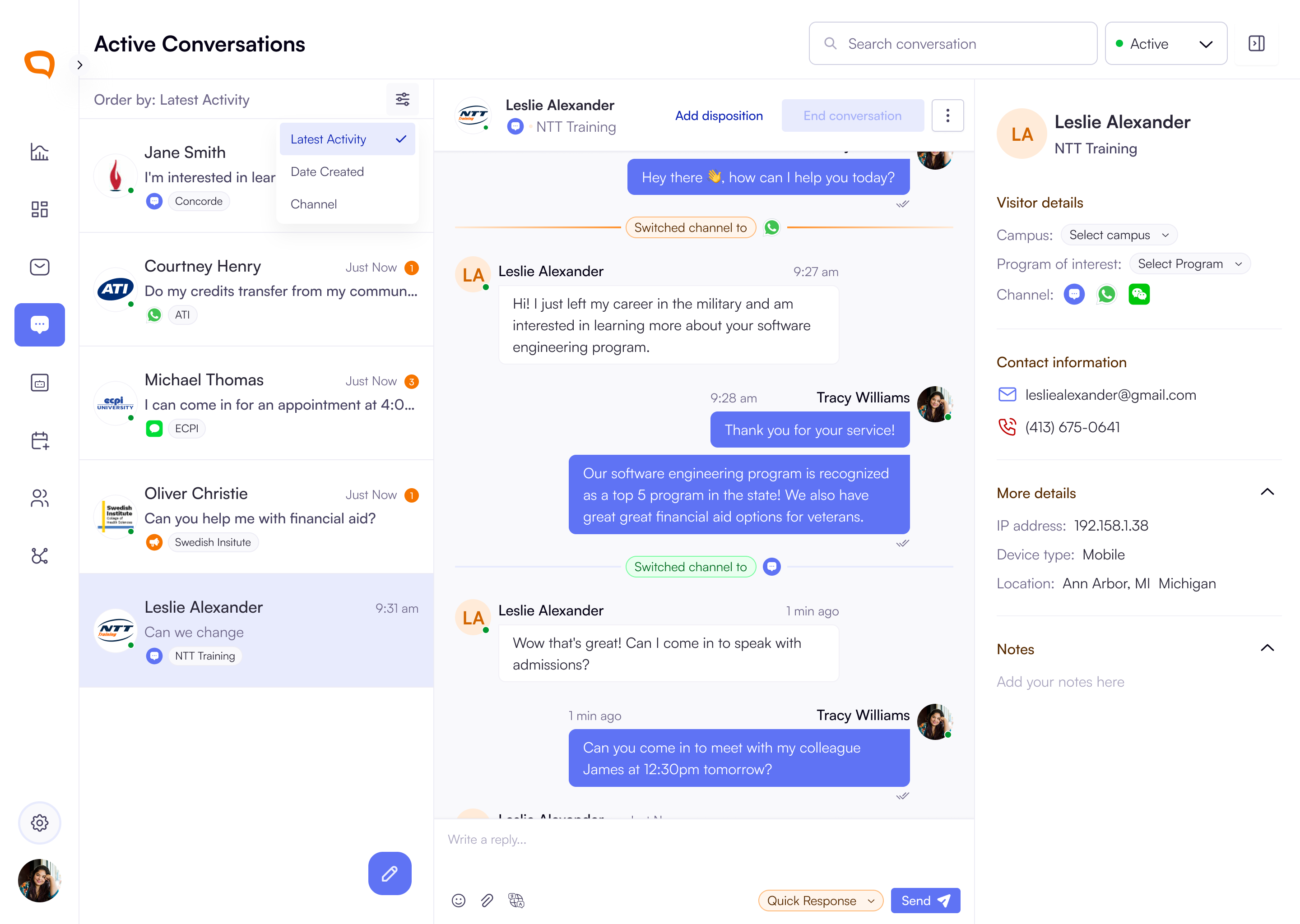
In addition to ordering conversations by Time received and Channel, you can now order the active conversations by
Latest Activity. The conversations with the recent activity would appear first in this order.
Bug Fixes:
Agents can now see conversations after they update their profiles
June 8th, 2025
New Feature
Improved
Bug Fix
Dispositions Management:
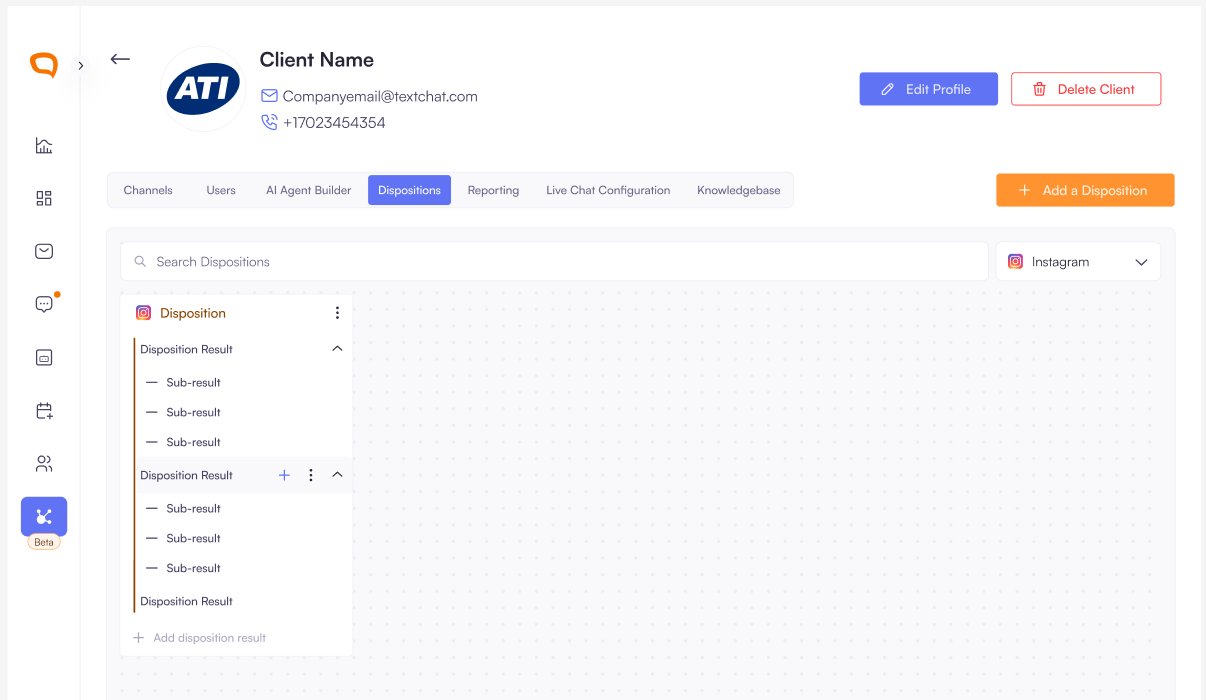
Disposition Channel Assignment: You can now assign channels to dispositions while creating them. You can do this by:
Clicking on the dropdown field before the disposition name.
The default selection is All (This represents All channels) and will be visible on all channel conversations.
Disposition Filters: You can filter dispositions by channels for a quick search.
Facebook Channel Management:
Super admins can disconnect Facebook accounts and can see the total number of disconnected Pages and the ability to reconnect them.
User Experience Improvements:
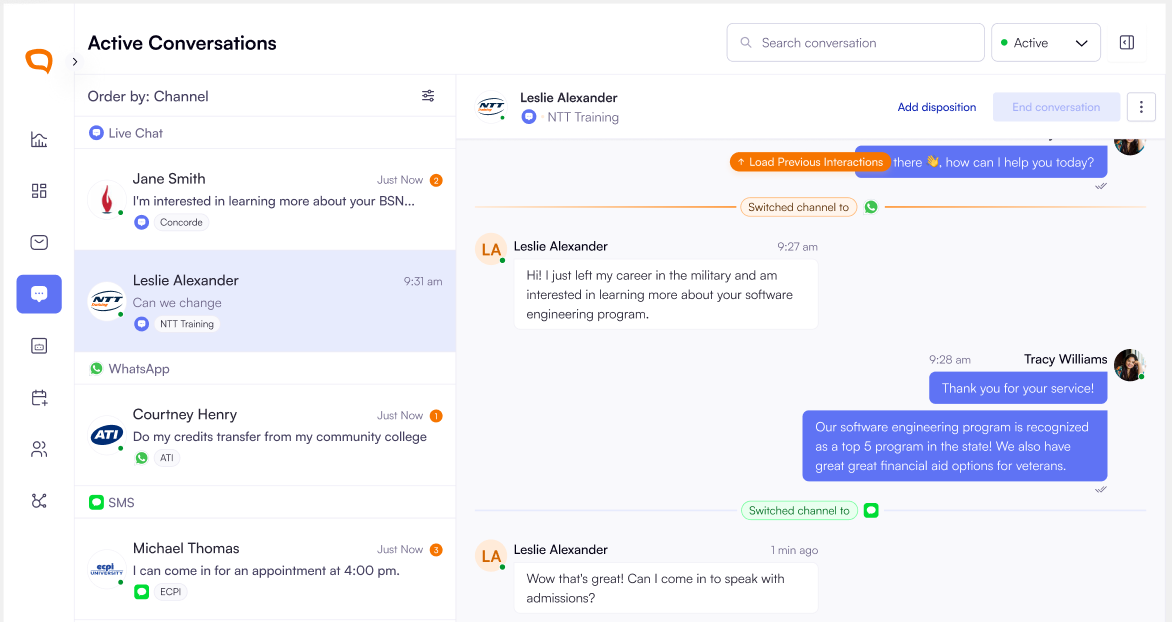
Super admins can order active conversations by
Time receivedandChannelso that I can attend to specific conversations first. The default order is theTime receivedThe current channel priority ordering is:
LiveChat → WhatsApp → SMS → Facebook →
Instagram
Improvements:
Autonomous Email Transcript Management
Multiple Email Recipients: Admins can now add multiple email addresses for
conversation transcript deliveryBatch Email Processing: Handle multiple comma/space-separated emails pasted
simultaneouslyReal-time Validation: Immediate email validation with error handling for invalid and
duplicate emails
Bug Fixes
Smart Trend Indicators: Average Resolution Time now uses appropriate color coding.
Green: When resolution time decreases (positive trend)
Red: When resolution time increases (negative trend)

Agent Profile Update Issue: Fixed bug where updating agent profiles incorrectly added
records to clientsToAnswerFor, affecting conversation visibility.Text Follow-up Conversation Management: Resolved issue where follow-up
messages were creating new conversations instead of maintaining existing ones. We also Improved the separation between live chat and text follow-up functionalities.User Deactivation: Deactivated user is logged out immediately. Super admins can now
log out a user from the platform.Chat Transcript Email Dates: Corrected date display inconsistencies in email subject
lines.Accurate Unread Counters: Fixed unread message counters to show only genuine
unread messages