Live Widget Set Up
The Live Widget is the customer-facing chat interface that appears on your website, allowing visitors to start real-time conversations with your support team. It is fully customizable to match your brand and can be configured to display based on availability, business hours, or specific triggers.
Written By Thando Nomvungu
Last updated 20 days ago
How to Set Up the Live Widget
Log in to your Palera dashboard.
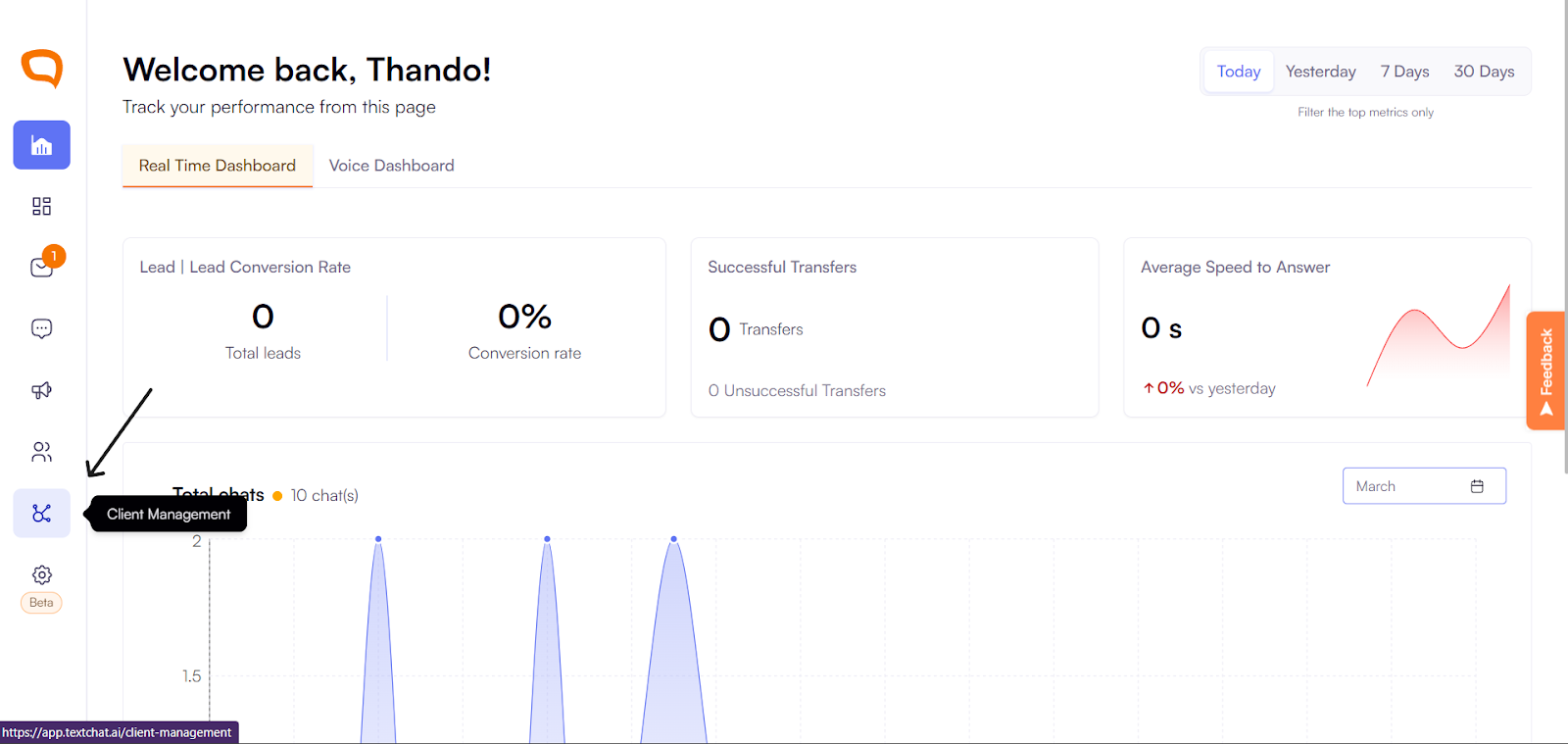
Navigate to Client Management.
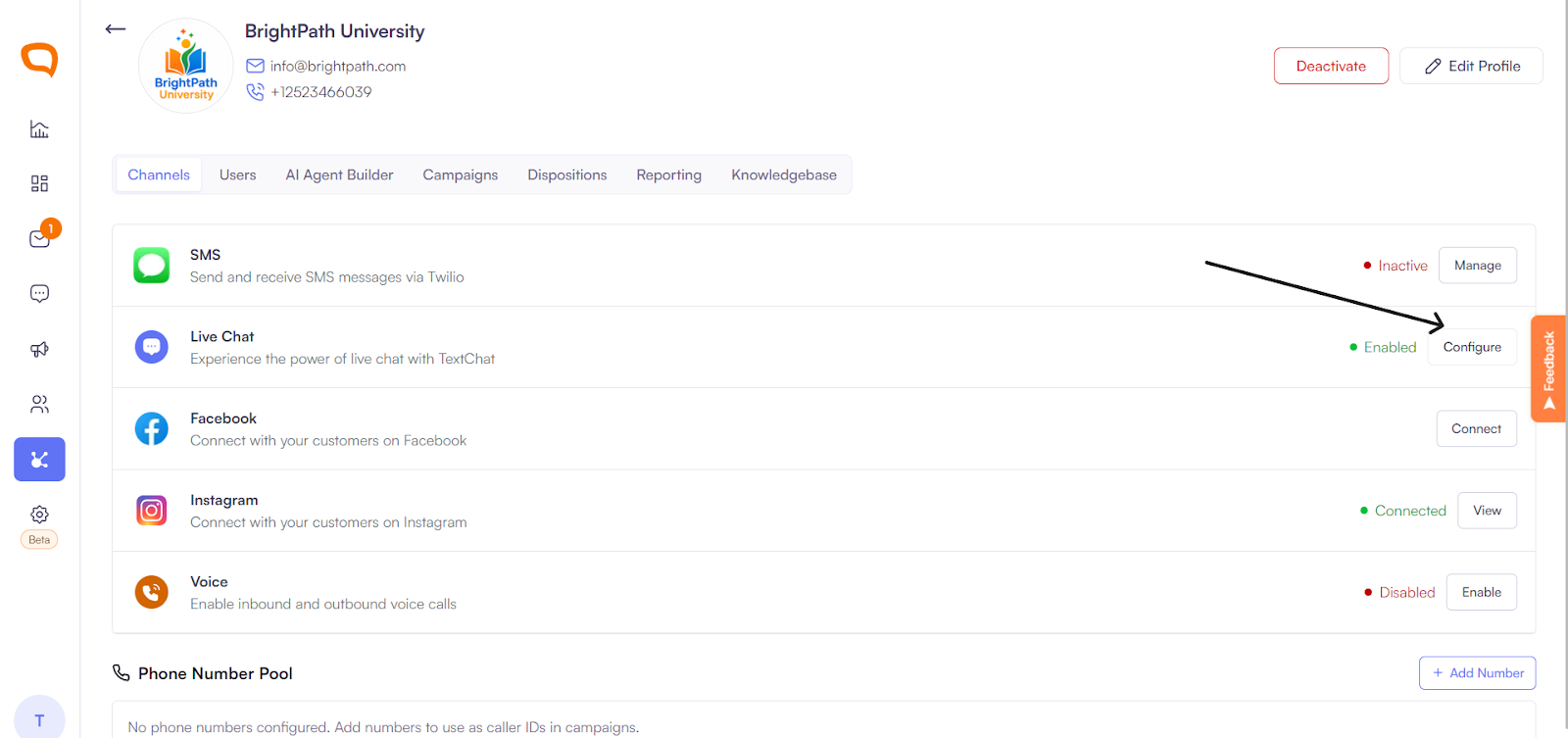
Choose the client and then click Live Chat > Configure
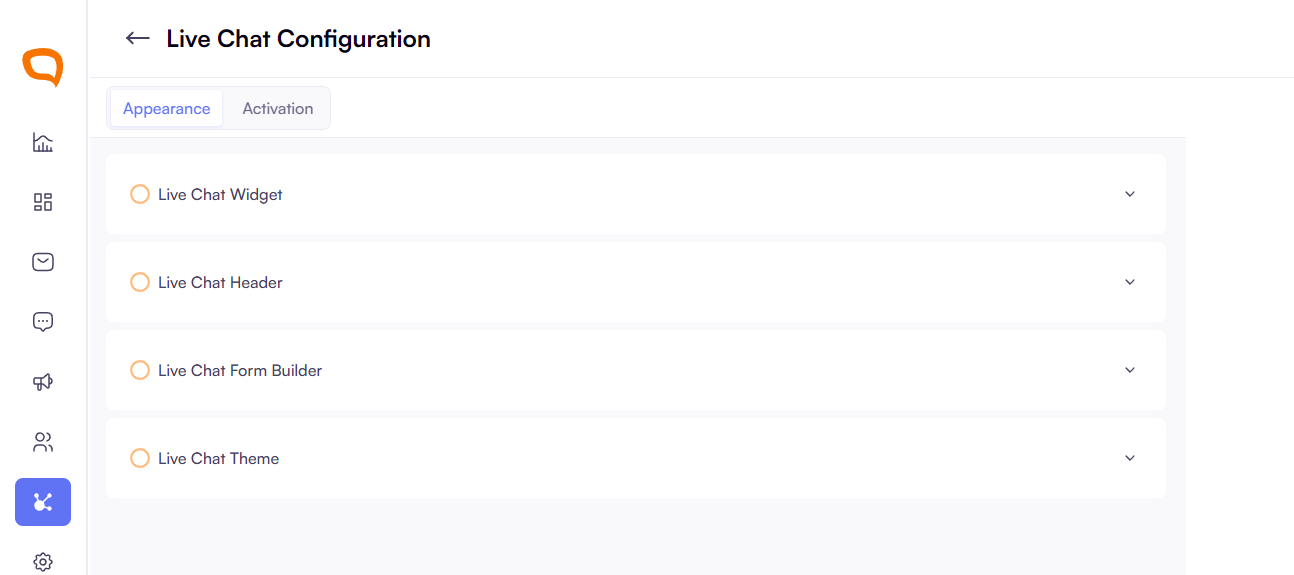
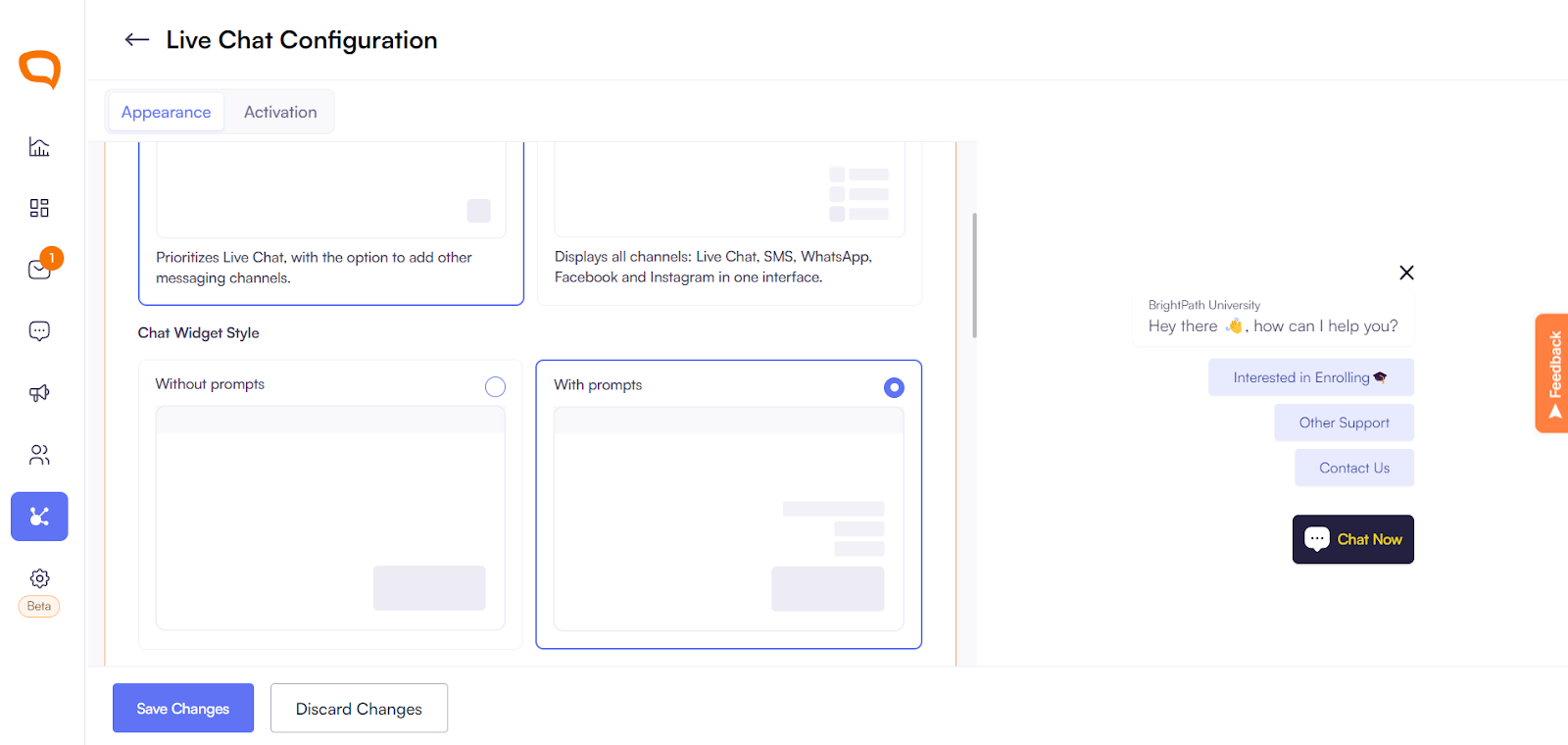
Click Live Chat Widget to begin customizing your widget. Use the radio buttons to choose one of the following options:
Live Chat – Prioritizes live chat as the primary communication method, while still giving you the option to add additional messaging channels.
Multichannel Widget – Displays all available channels, including Live Chat, SMS, WhatsApp, Facebook, and Instagram, within a single unified interface.
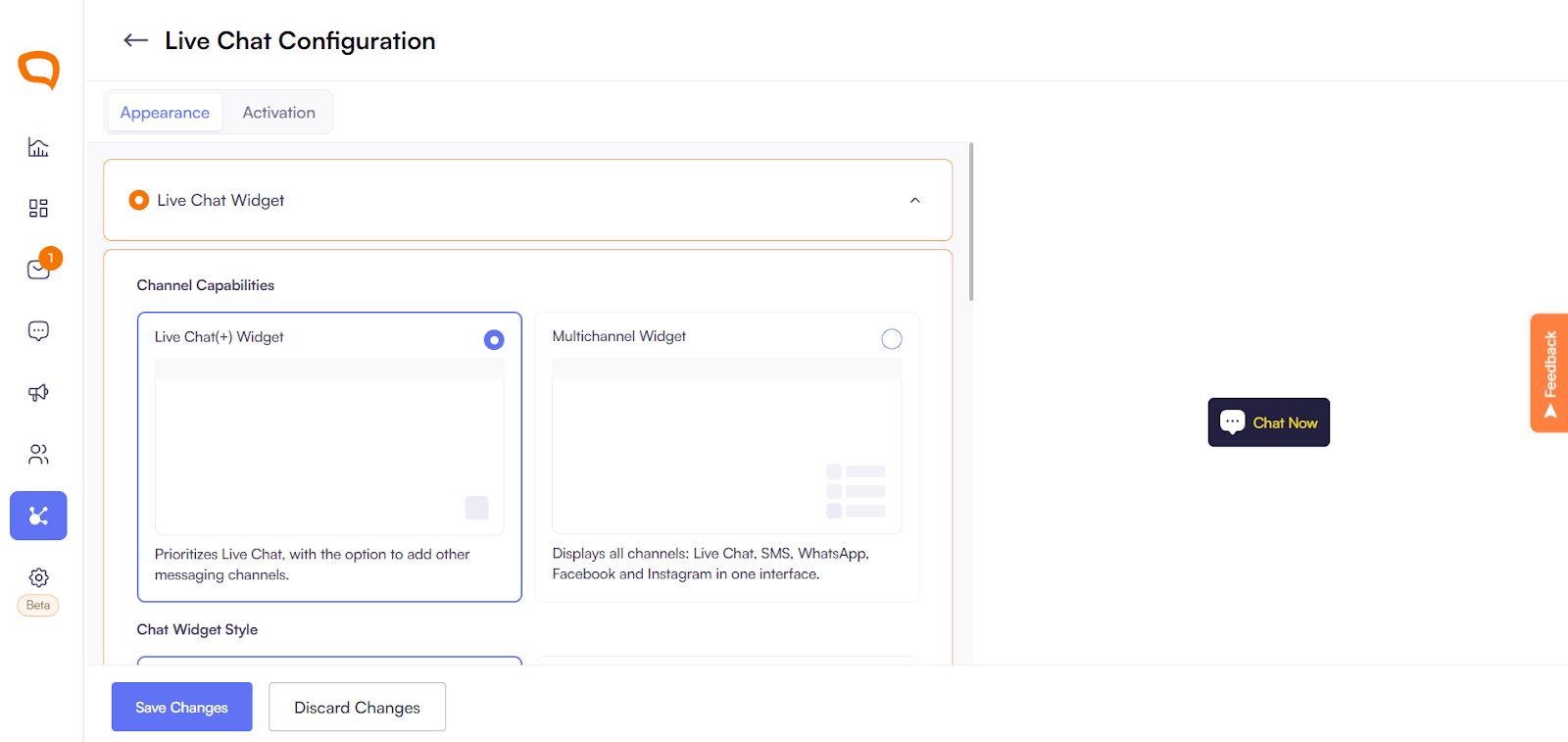
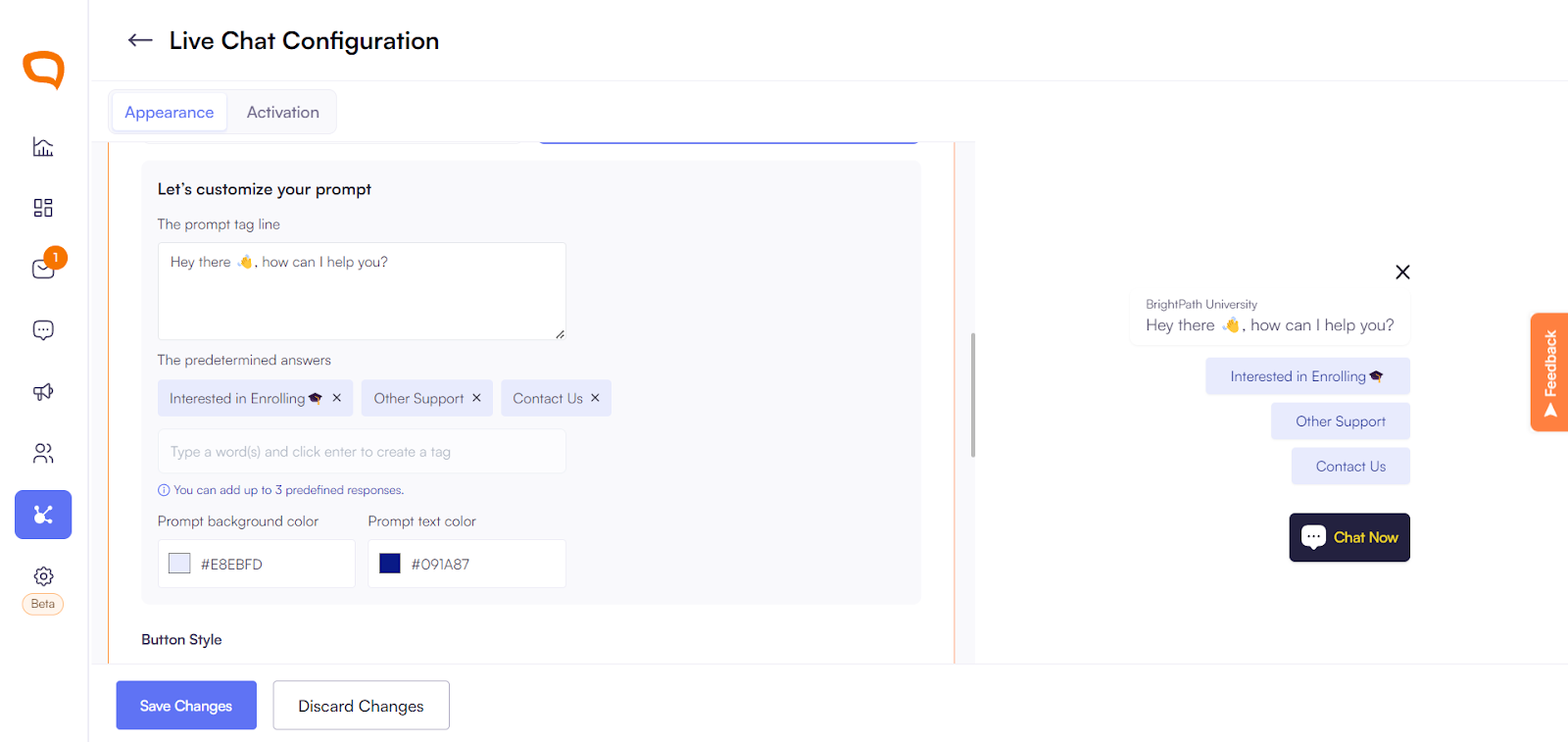
Customize the widget to include prompts, choose appearance(button style and widget position) and up to 3 predetermined responses.
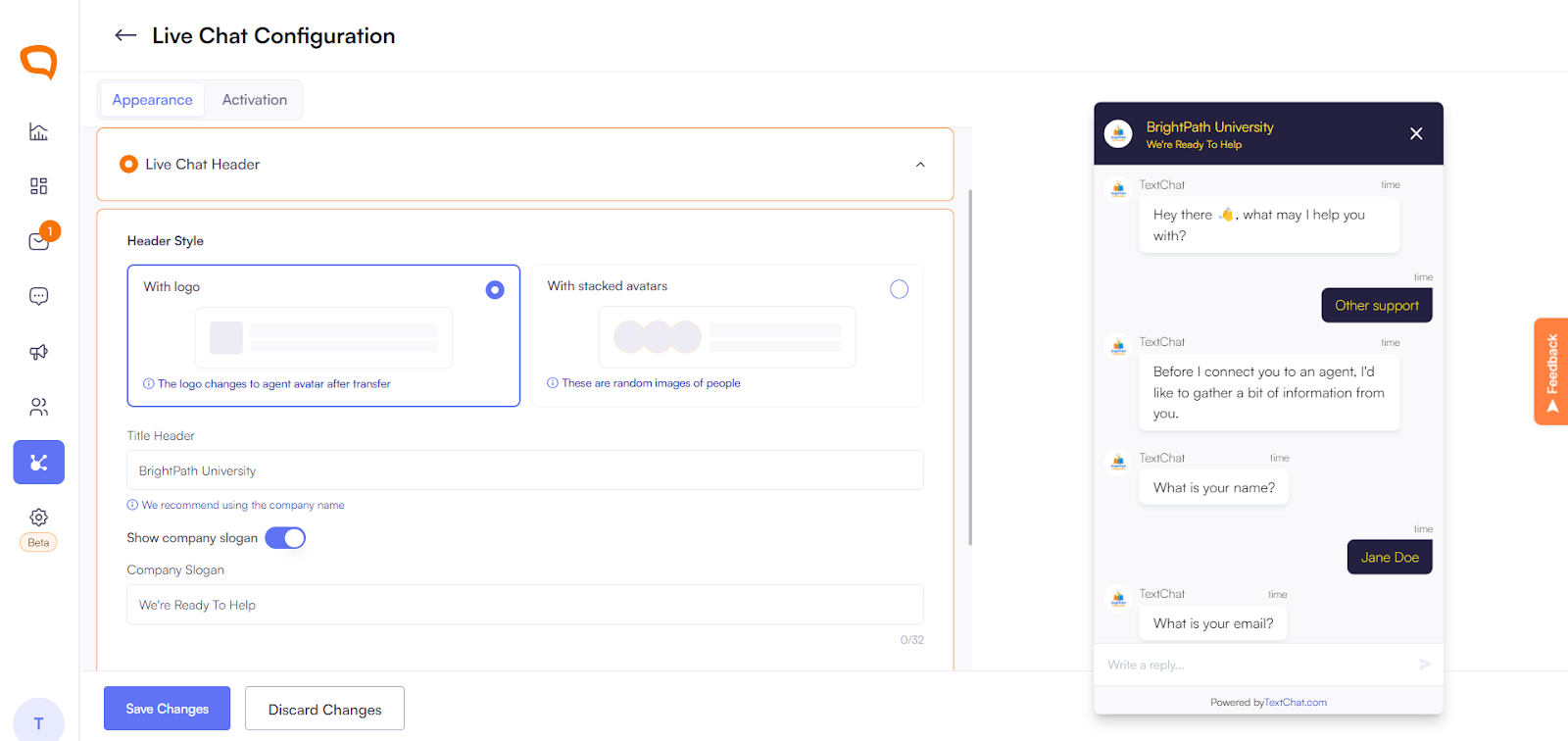
Use Live Chat Header to add company header, logos and/or slogan.
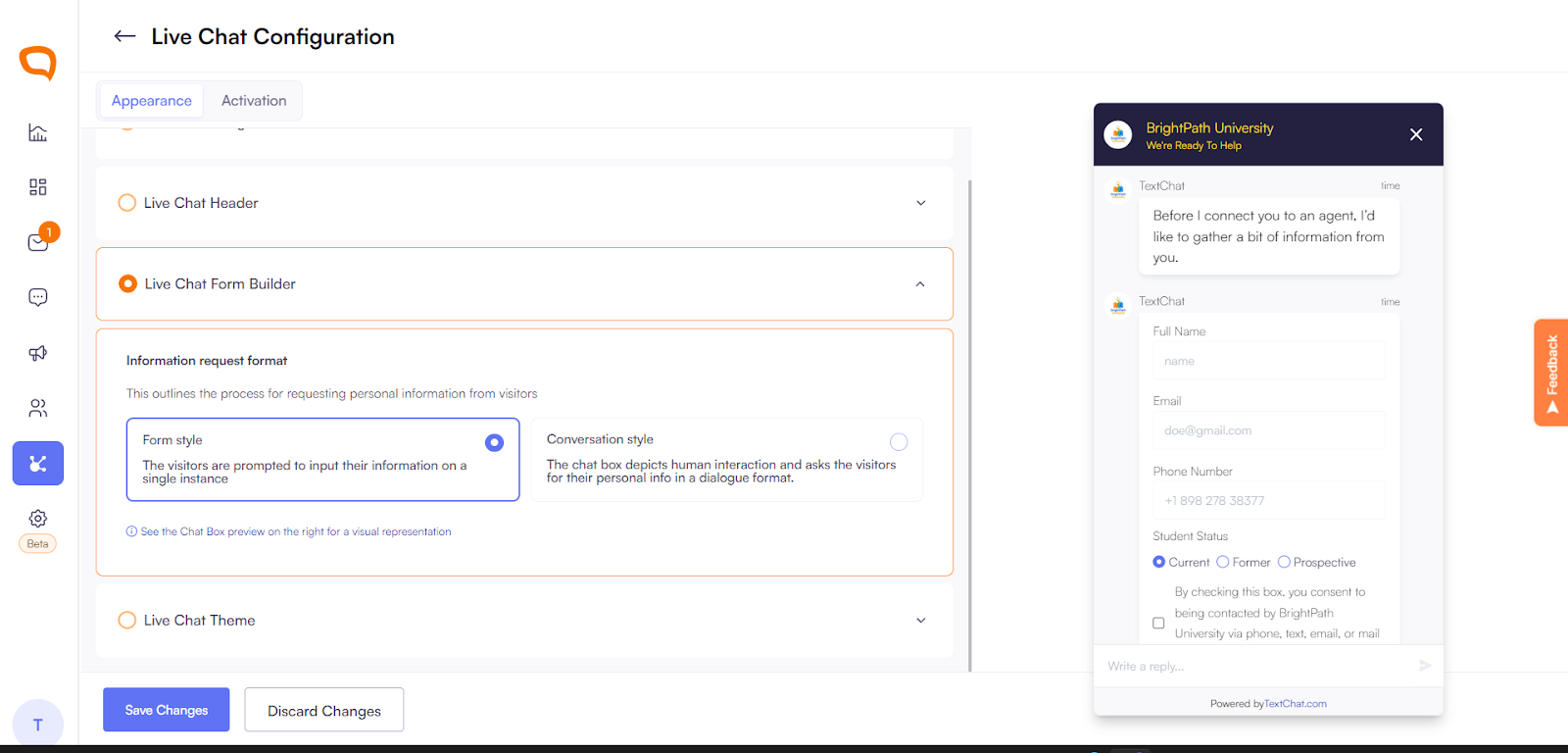
Use Live Chat Form Builder to decide what information is needed from user in order to use widget.
Customize the look of your widget with Live Chat Theme with uploading brand colors and changing the text color.
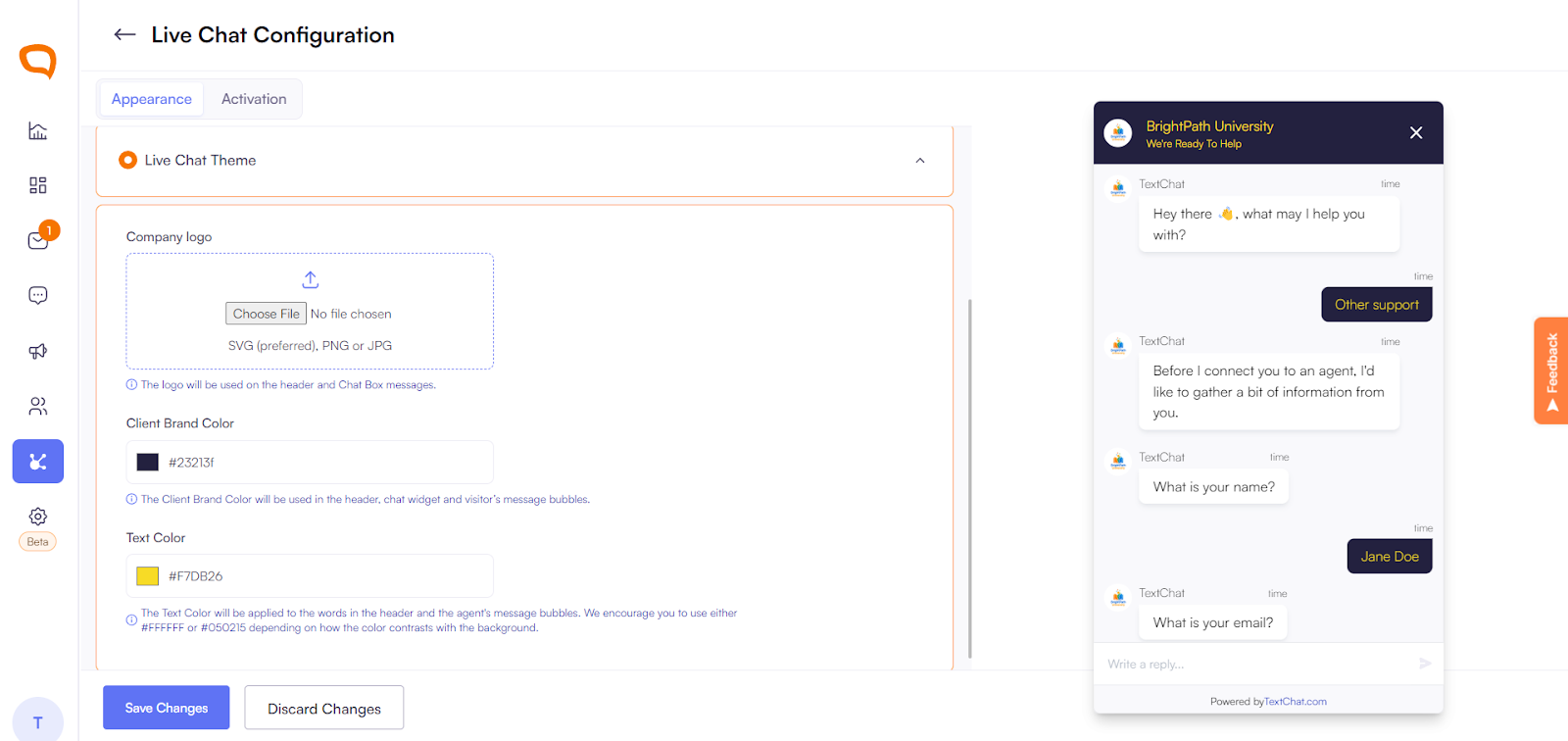
Save changes.
Once implemented, the widget will appear on your site according to the configuration rules you have set.
Customizing the Widget
You can adjust the widget to suit your brand and user experience preferences:
Change widget color and theme
Update logo and branding
Set welcome message and offline message
Choose widget position (bottom or right)
Enable or disable pre-chat forms
Visitor Experience Flow
Visitor sees the chat icon on your website
Clicks to open the widget
Enters details (if enabled)
Starts conversation
Receives replies from agents in real-time
Best Practices
Place the widget on high-traffic pages
Use friendly welcome messages
Keep response times low for optimal engagement
Avoid overuse of automated pop-ups