Conversations
Conversations allow you to manage and respond to customer messages across all connected channels in one unified inbox. Using skill-based routing, channel permissions, and agent capacity limits, conversations are automatically assigned to the most suitable available agent.
Written By Thando Nomvungu
Last updated 20 days ago
How Conversations Are Assigned
Conversations are automatically routed using skill-based routing rules
Agents receive chats based on:
Channel permissions (e.g. SMS, Live Chat, Facebook, WhatsApp, Instagram)
Maximum conversation limits per channel
Each agent has a defined capacity for how many conversations they can handle per channel at a time
Example: An agent can be configured to handle:
3 SMS conversations
2 Live Chat conversations
4 Facebook conversations
Once these limits are reached, the agent will not receive additional conversations for that channel until capacity becomes available.
Queueing & Availability
If all eligible agents have reached their maximum capacity:
New conversations are placed in a queue (unassigned state)
Conversations remain unassigned until:
An agent becomes available, and
They have capacity for that specific channel
Conversations are not assigned until an agent is available, ensuring no agent is overloaded beyond their configured limits.
How to Handle Conversations
From your dashboard, navigate to Active Conversations.
Select an assigned conversation from the inbox.
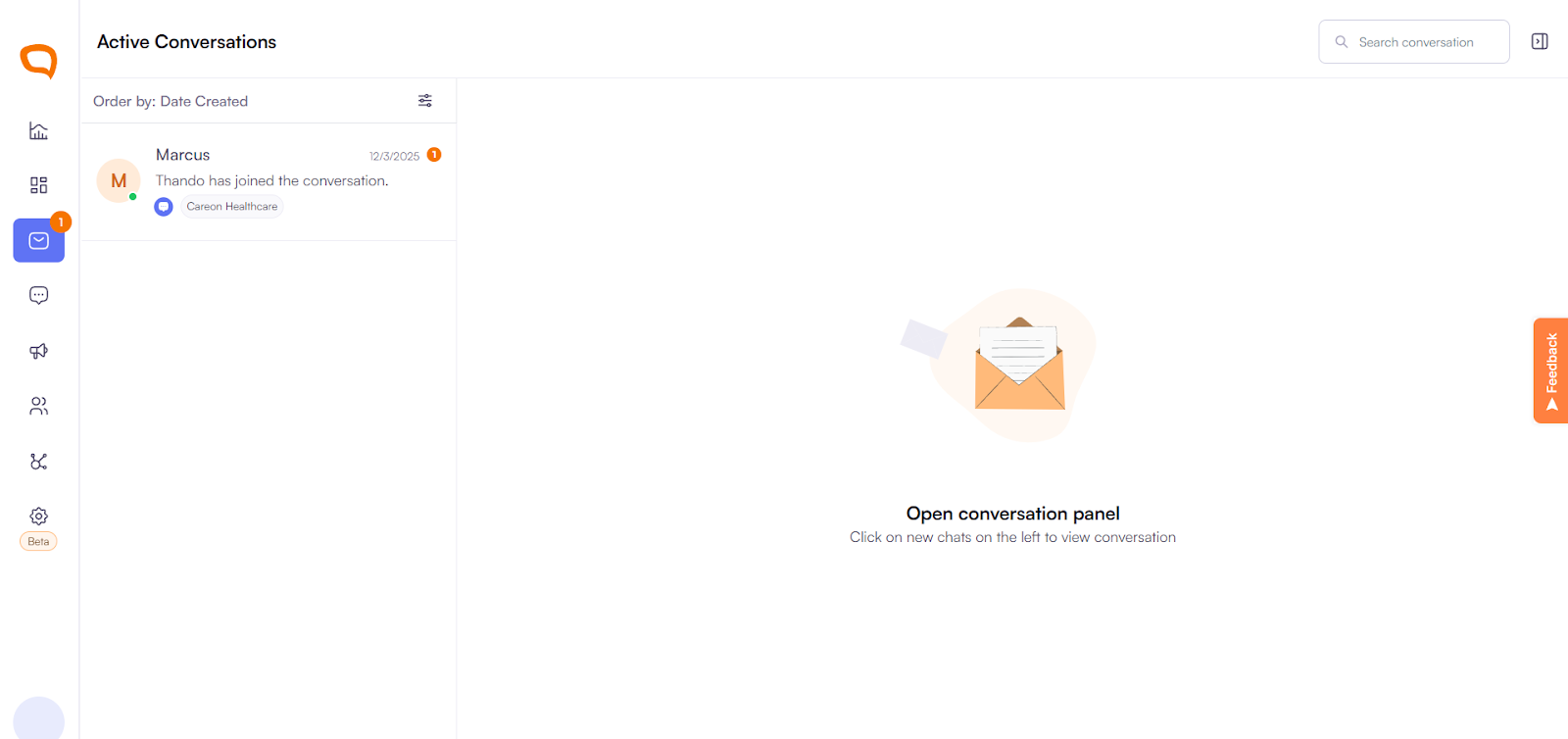
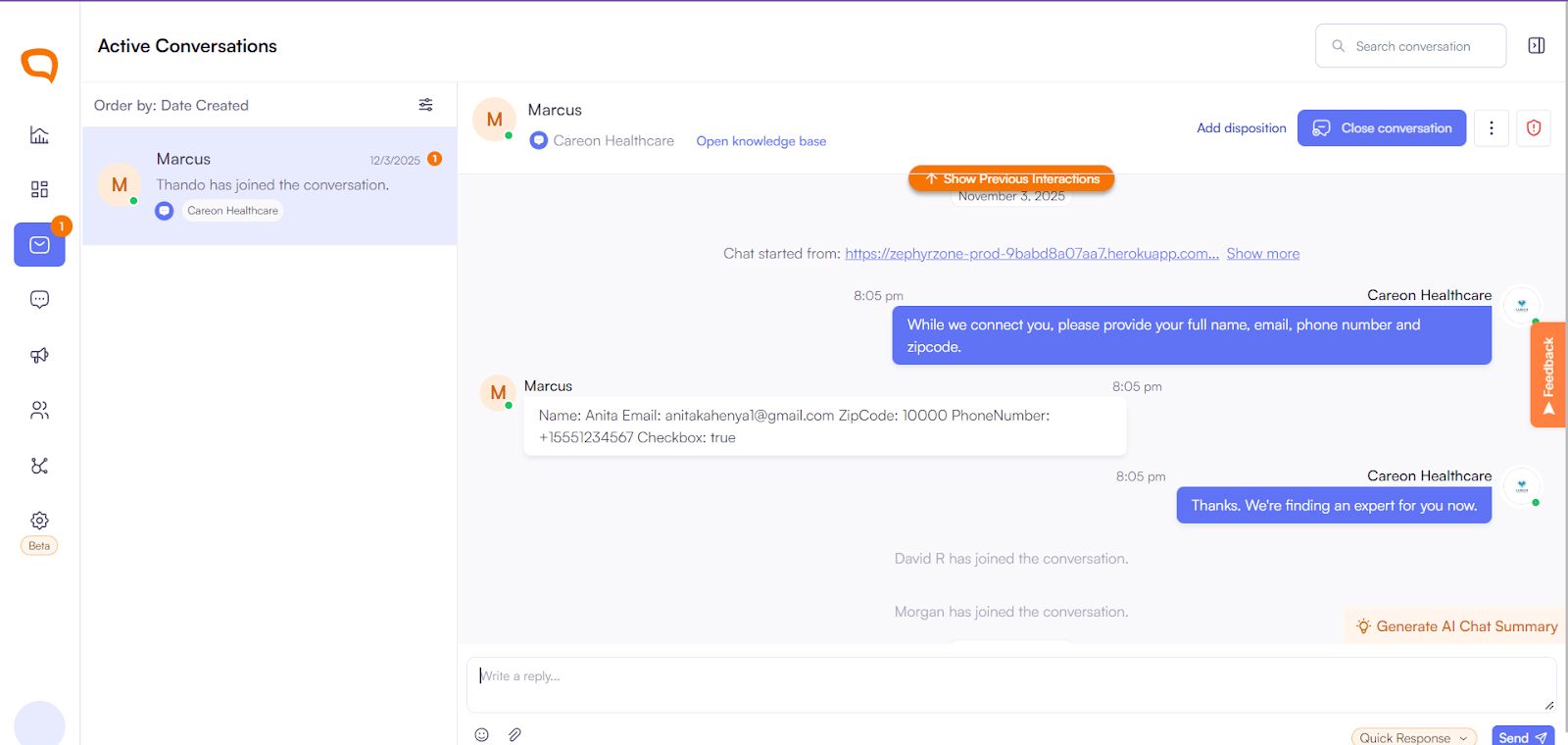
Review the message and customer details:
View previous interactions and history
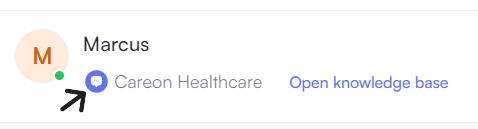
Identify the channel (e.g. SMS, Live Chat, Socials)
Respond to the customer:
Type your reply in the message box
Use saved replies or templates where applicable
Send the message
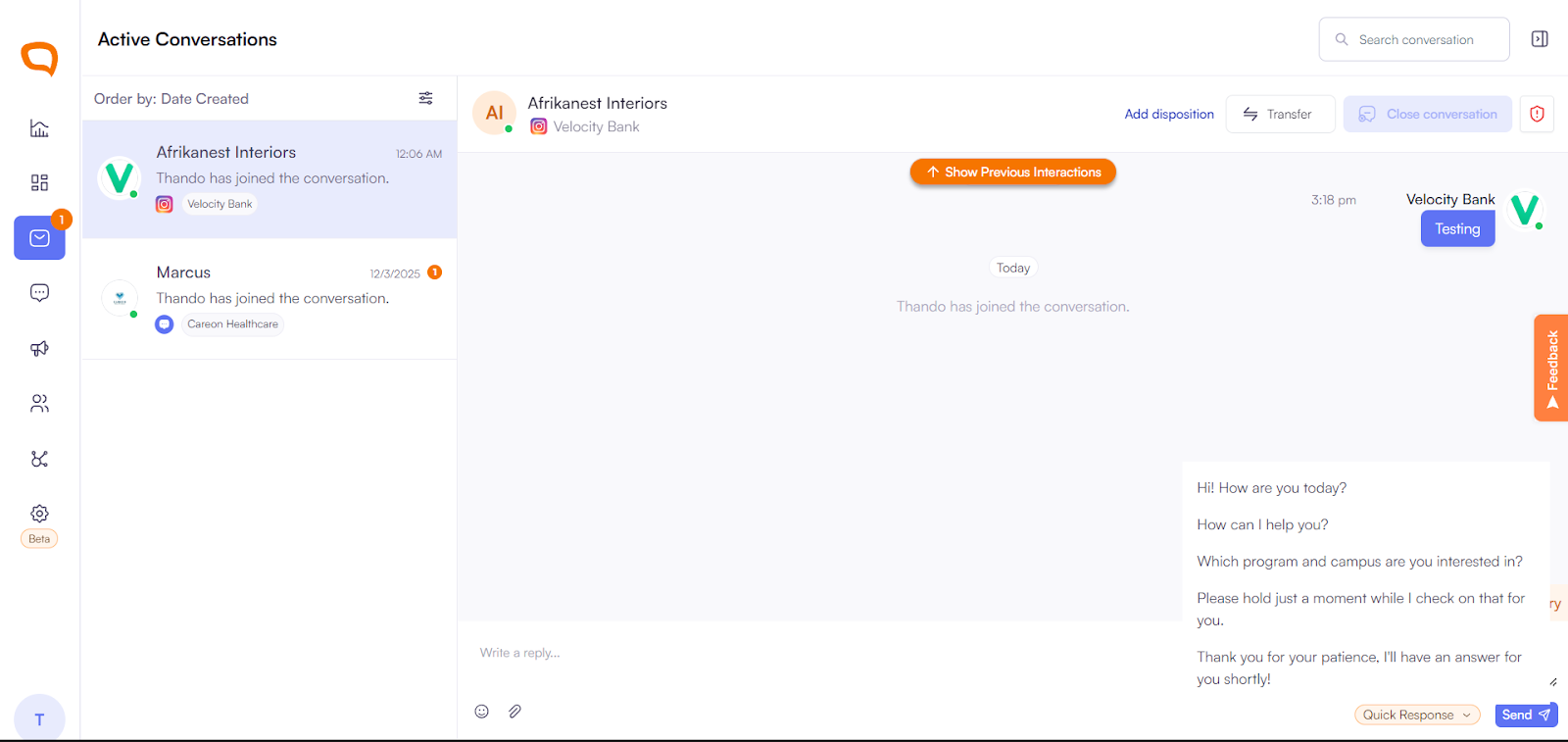
Manage the conversation:
Use the Knowledgebase to view notes and important client information
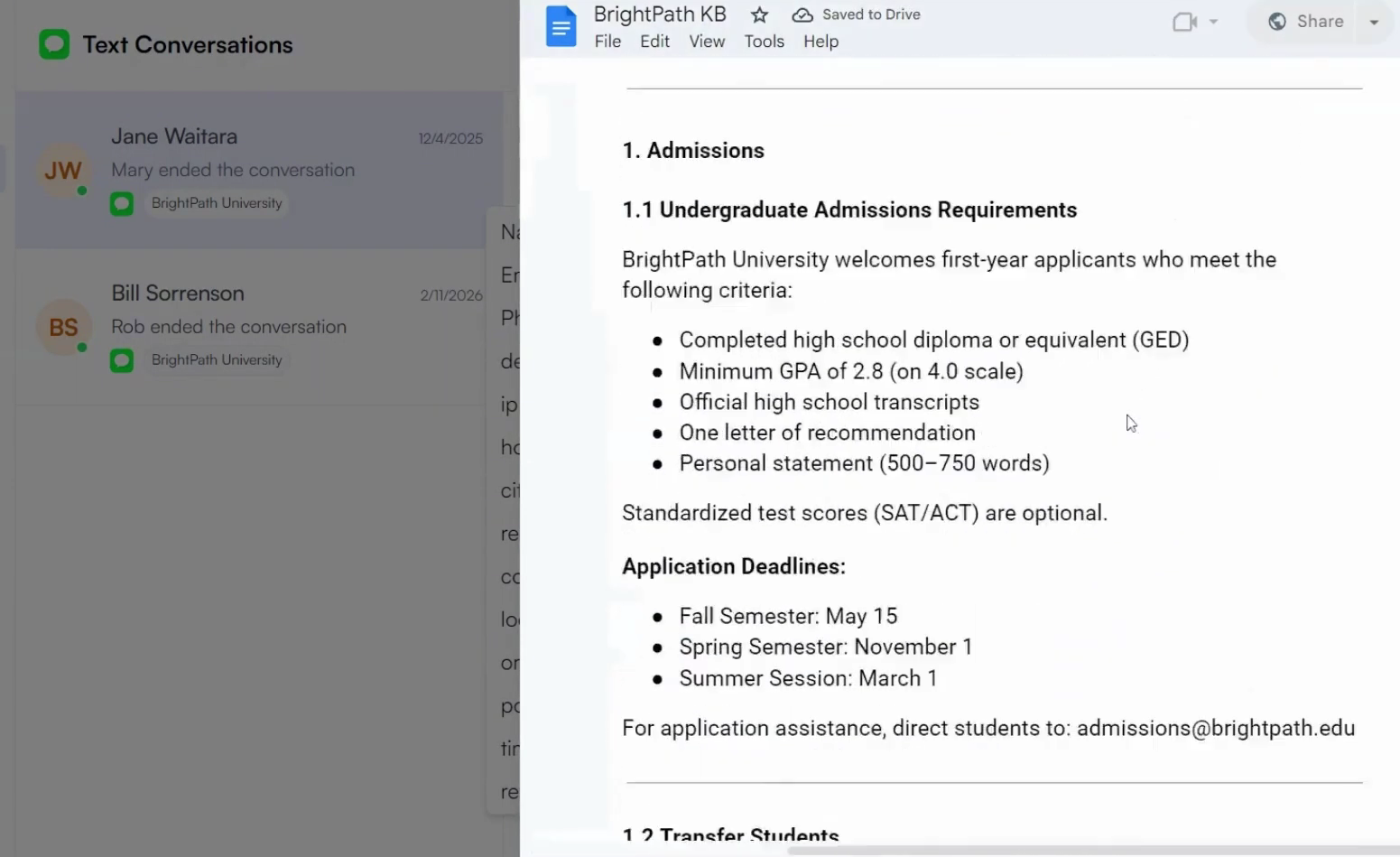
Request a transfer if the conversation needs to be handled by another agent or team
Update conversation status:
Mark as resolved once the query is complete
Apply dispositions if required
Response Expectations
Once a conversation is assigned, agents are expected to respond as soon as possible
There is currently no enforced response time limit, but timely replies are important for:
Customer experience
Agent performance and efficiency
Permissions & Controls
Super Admins can:
Join any conversation at any time
Transfer conversations, including to client users
Agents cannot manually assign conversations to themselves or others
For more details and more information on other roles kindly read our roles and permissions article.
Why this matters: Restricting manual assignment ensures conversations are distributed fairly and handled by the most appropriate agent based on skills, channel access, and availability.
Customer Experience Notes
Customers can request to be transferred to another agent via message
There is currently no built-in rating or feedback system for agent performance
Transfers must be initiated internally by the team
Key Features
Unified Inbox – Manage all channels in one place
Skill-Based Routing – Intelligent conversation distribution
Channel Capacity Control – Set limits per agent per channel
Queue Management – Handles overflow when agents are at capacity
Knowledgebase – Access client-specific notes and information
Conversation History – Full visibility into past interactions
Best Practices
Respond quickly once a conversation is assigned
Use the Knowledgebase to personalize and improve responses
Trust the routing system to distribute conversations fairly
Request transfers when another agent is better suited
Keep conversations moving to free up capacity
Close conversations promptly once resolved